This document will explain what you can do to help a client reset their client portal username or password.
Username
If a client forgets their username look in the lower right corner of their information page and give it to them.

FYI...if the portal username is the same as their client ID number, it means the client has not received an invitation to create a username and password to login to the portal. DO NOT give the client the ID number or create a username for them. It will not work. Please send a portal invitation to the client by clicking the blue Send Invitation button.
If the client has previously created a username and wants to change it, simply enter in a new username of their choosing. Keep in mind, they must have received a client portal invitation in the past if you're changing their username.
FYI...If you want the client to start completely over, just send them a new Portal Invitation and they will be able to specify a new username and password. If they had any information in the portal it will still be there when they get logged in. You don't need to resend the documents unless you didn't do it originally or if you have more to send.
Client Portal Password Reset
If the client has forgotten their client portal password they can reset it themselves. You do not have access to see their password is or you do it for them.
The client must go to your Client Portal login page and click Forgot your password?
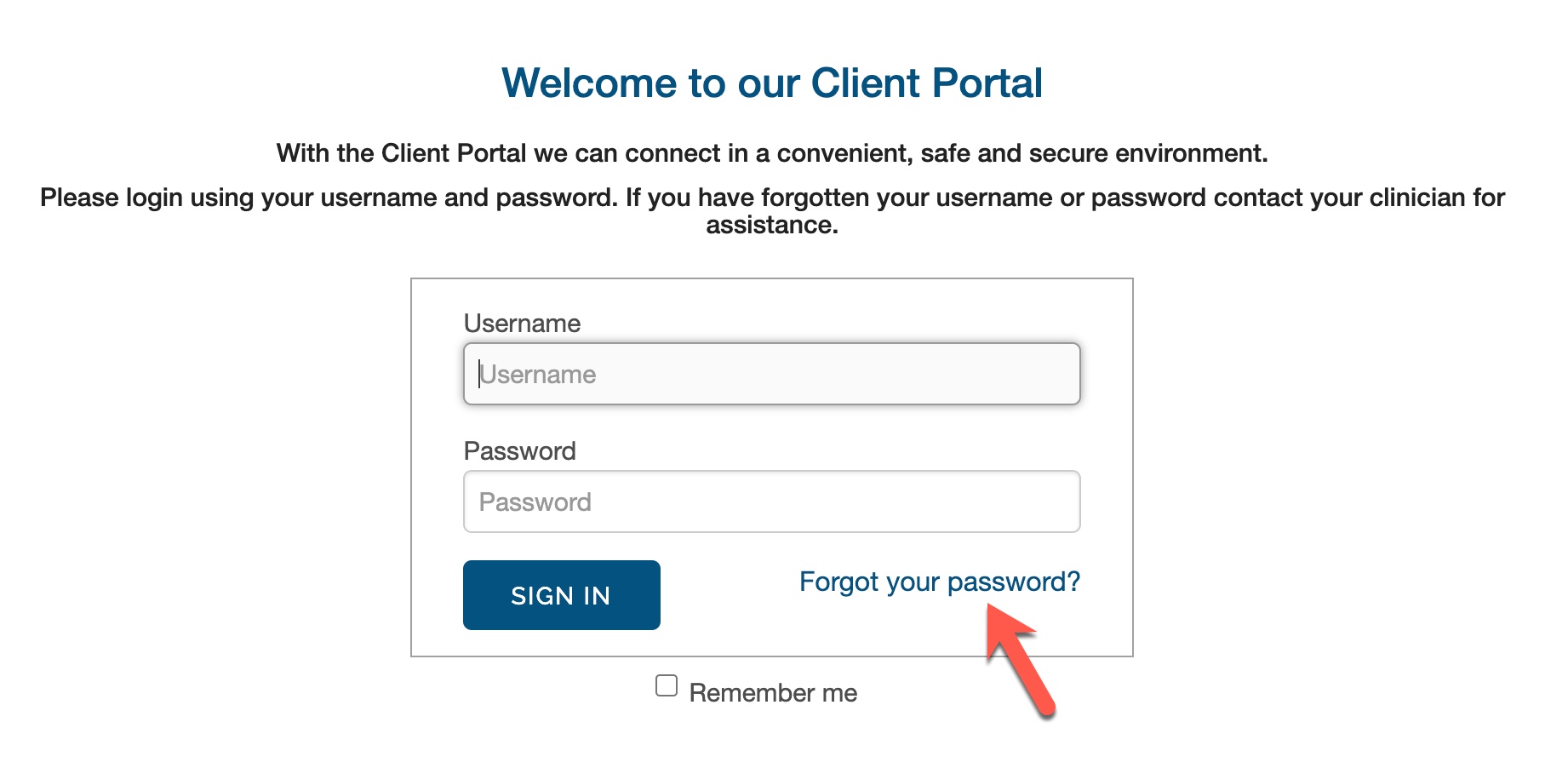
When the client clicks on Forgot your password? they will be asked to enter their portal username.
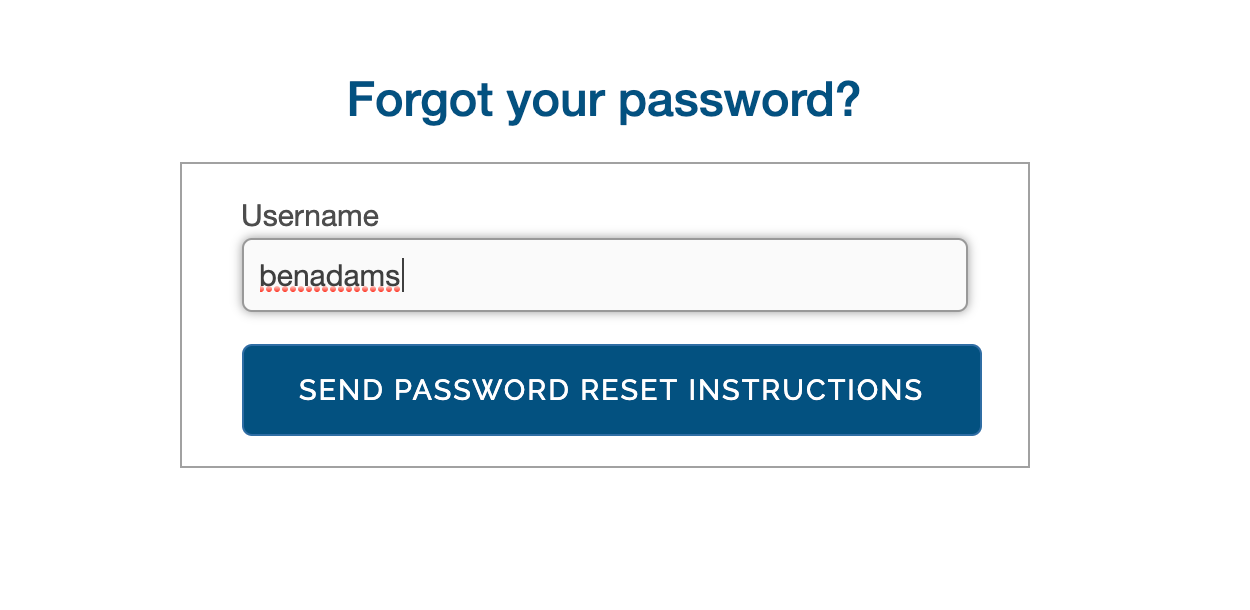
The client must know and enter their portal username. Entering an email address will not work.
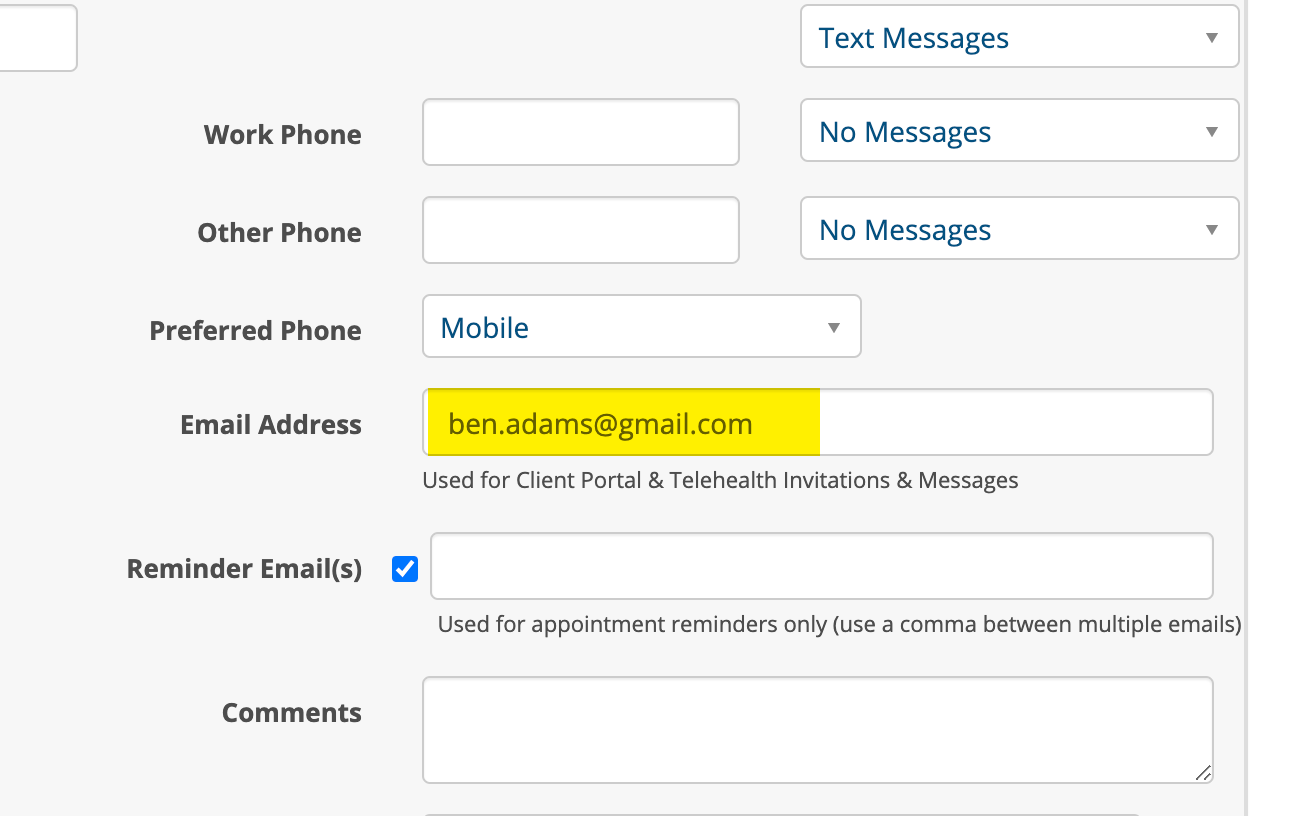
When the client enters their username and clicks the SEND PASSWORD RESET INSTRUCTIONS button an email will be sent to them at the address you have entered in their chart. Here is where that email address is located on the client's chart.
When the client receives the email it will look similar to the following:
Hi Ben,
To reset or change your password, click on the following link: http://summit.therapymate.org/patient/password/edit?reset_password_token=Xo_UEa89-_6s6PYJyZXQ
You will be prompted to enter in a new password and confirm it. Please enter the same password in each box and click the Submit button.
If you are still having problems accessing the Client Portal, please contact your clinician for further assistance.
Thank you
[practice name]
[practice name]
If the client does not receive the email, make sure you have a valid email address in their client chart or have the client check their spam folder. The email will come from support@therapymate.com
When the client opens the email they need to click on the link. They will be prompted to enter a new password and again to confirm. After the client clicks the blue submit button they will be allow into the portal.
Client Portal Login Locked
If a client makes 5 unsuccessful login attempts, their capability to login to the client portal will become locked for 1 hour.
If the client doesn't want to wait for one hour, on the client portal login page they can click on "Locked Account? This will email them instructions on how to unlock their account immediately.
If at that point the client can't remember their password or username they the other two options available, Forgot your password? or Forgot your username? (see above).
If all else fails, send the client a new client portal invite (don't send the documents again if you've already sent them). They can create a new username and password to start completely over.