If your clinician has enabled online payments, you can make a payment using the client portal using your credit, debit or HSA card.
To make a payment login to the Client Portal. The web link to the portal can be provided by your clinician if you don't already have it.
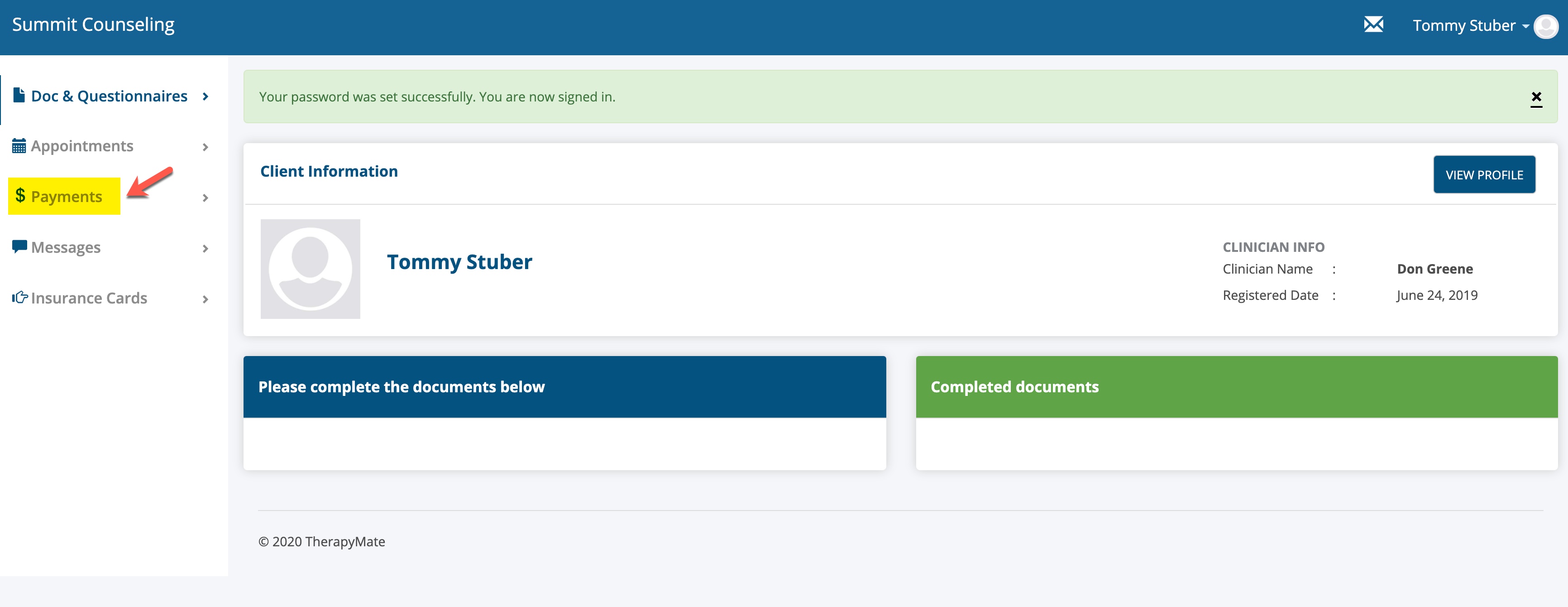
When you get logged into the Client Portal, look for the $ Payment menu option on the left side of the page. Click on it.
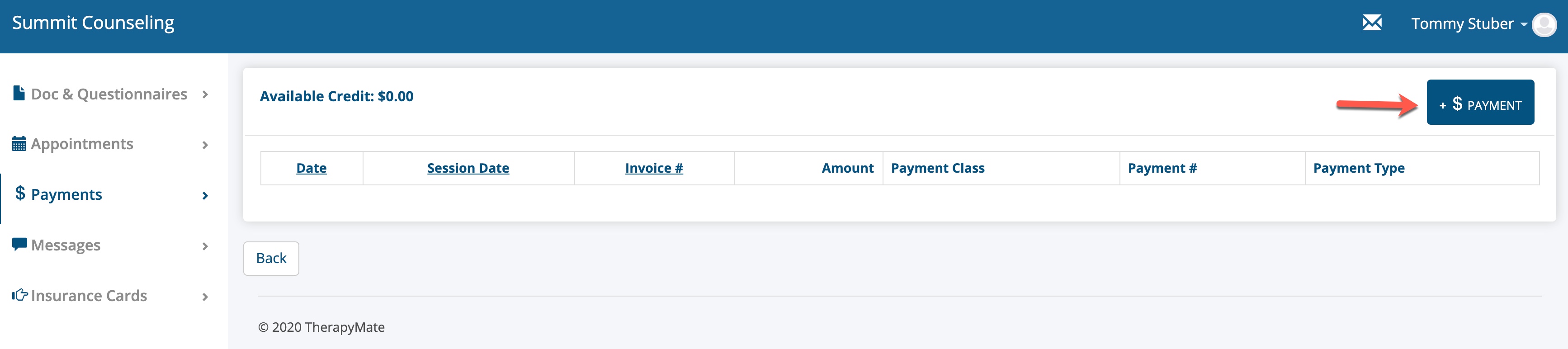
To make a payment click on the + $ Payment button as shown below.
A payment window will appear. You'll be able to see the total amount you currently owe in the lower portion of the window. There will also be a list of one or more open invoices that make up the total mount due. In the example below, there is only one $20.00 open invoice.
If your account has no outstanding balance. Any payment you make now will be added as a credit that you can choose to apply to future charges.

When you're ready to record a payment, complete the fields in the payment window.
1. Payment Class-Select "Client Portal Payment" from the drop down.
2. Enter the amount you wish to pay in the amount box.
3. If you already have a credit card in the system you can choose that card by click the select button or you can enter your credit card information as shown below.
4. Add your address, city, state and zip code if it isn't already present.
You can have more than one credit card in the system if needed. You can make one of the the default.
If you're entering a new card, you can tell the system to save the information to use for future payments. Credit card information is encrypted and saved securely once it is entered.
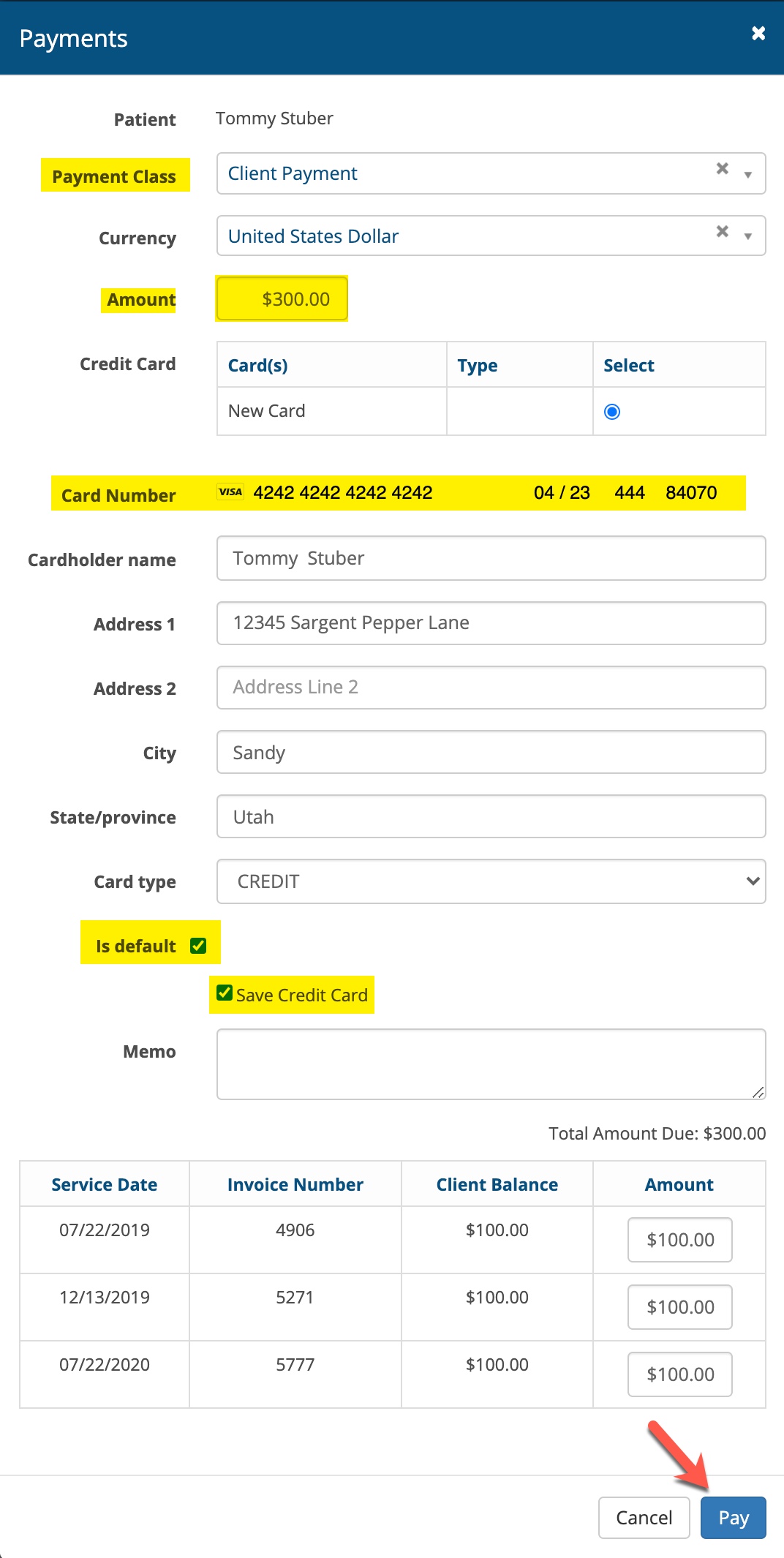
Once you have entered the required information, click the Pay button to process your payment.
When the payment has processed you can see the results on the main payments page in the portal. See below.

The payment page will list all of the payments that have been recorded into the system by you or by your clinician over time.
This completes the payment recording process.