There is a time zone setting on the client's information page.
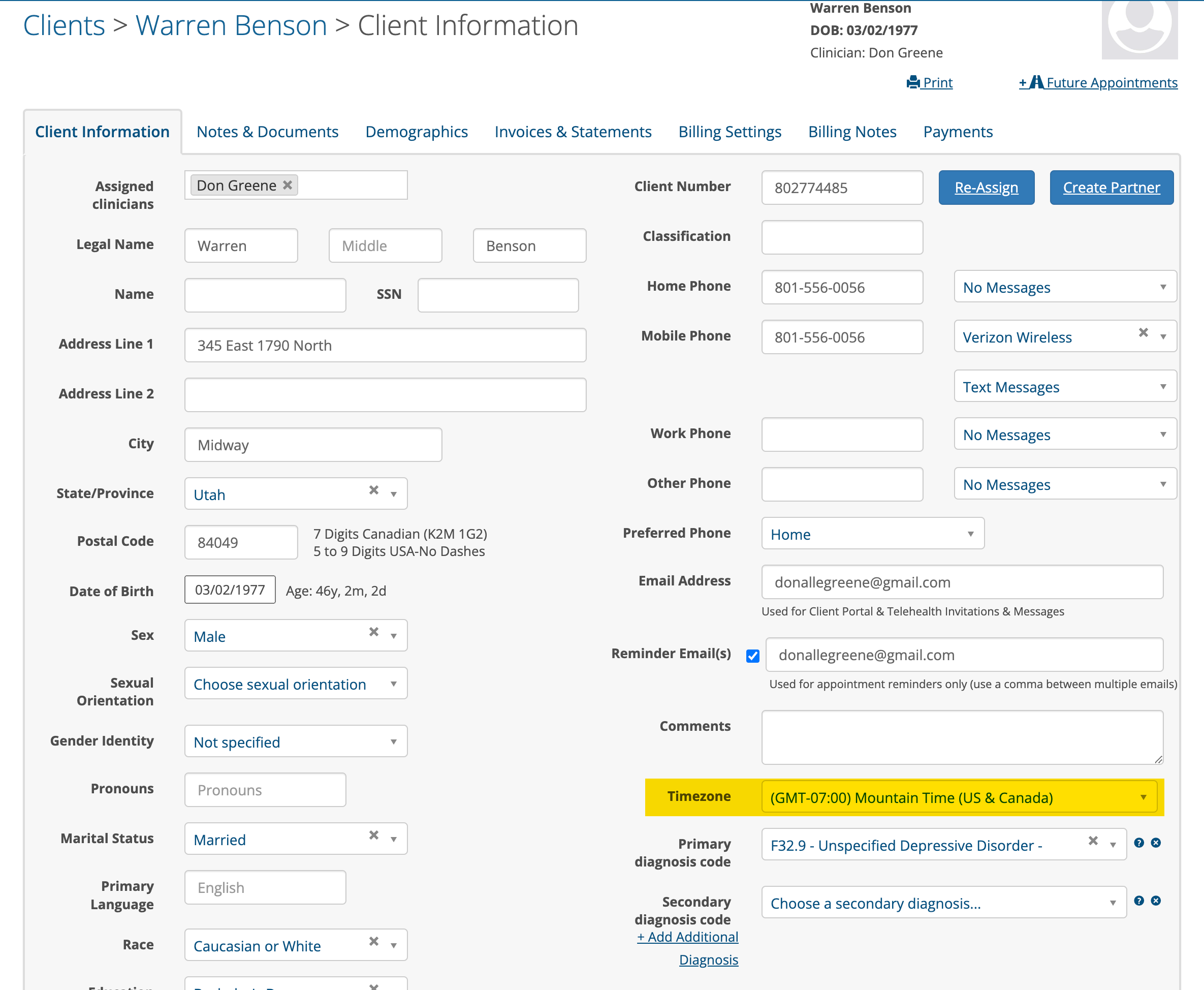
The default time zone will be the one specified for your Practice.
If the client is located in a different time zone than the clinician, select their time zone from the drop down and click the Save button.
The client's email and/or text appointment reminders will show the correct time for their zone when they receive them.
Helpful Hints:
The clinician's computer and TherapyMate time zone settings need to match for the location or zone the clinician is working from. Schedule appointments like you normally would. They will appear on your schedule in your time zone.
The client's time zone setting on their client profile page needs to be set to the zone the client is located. The client will receive their text and/or email appointment reminders showing the appointment time in their time zone.