Your subscription is based on a Practice (i.e. Evergreen Counseling) that can have one or more clinicians and other users defined in the system.
There are occasions when each clinician needs to act as their own Sub- Practice to bill clients and insurance companies under a practice name that is different from the practice name setup by the system administrator.
This article will show you how to setup this scenario in TherapyMate.
There are occasions when each clinician needs to act as their own Sub- Practice to bill clients and insurance companies under a practice name that is different from the practice name setup by the system administrator.
This article will show you how to setup this scenario in TherapyMate.
Step #1
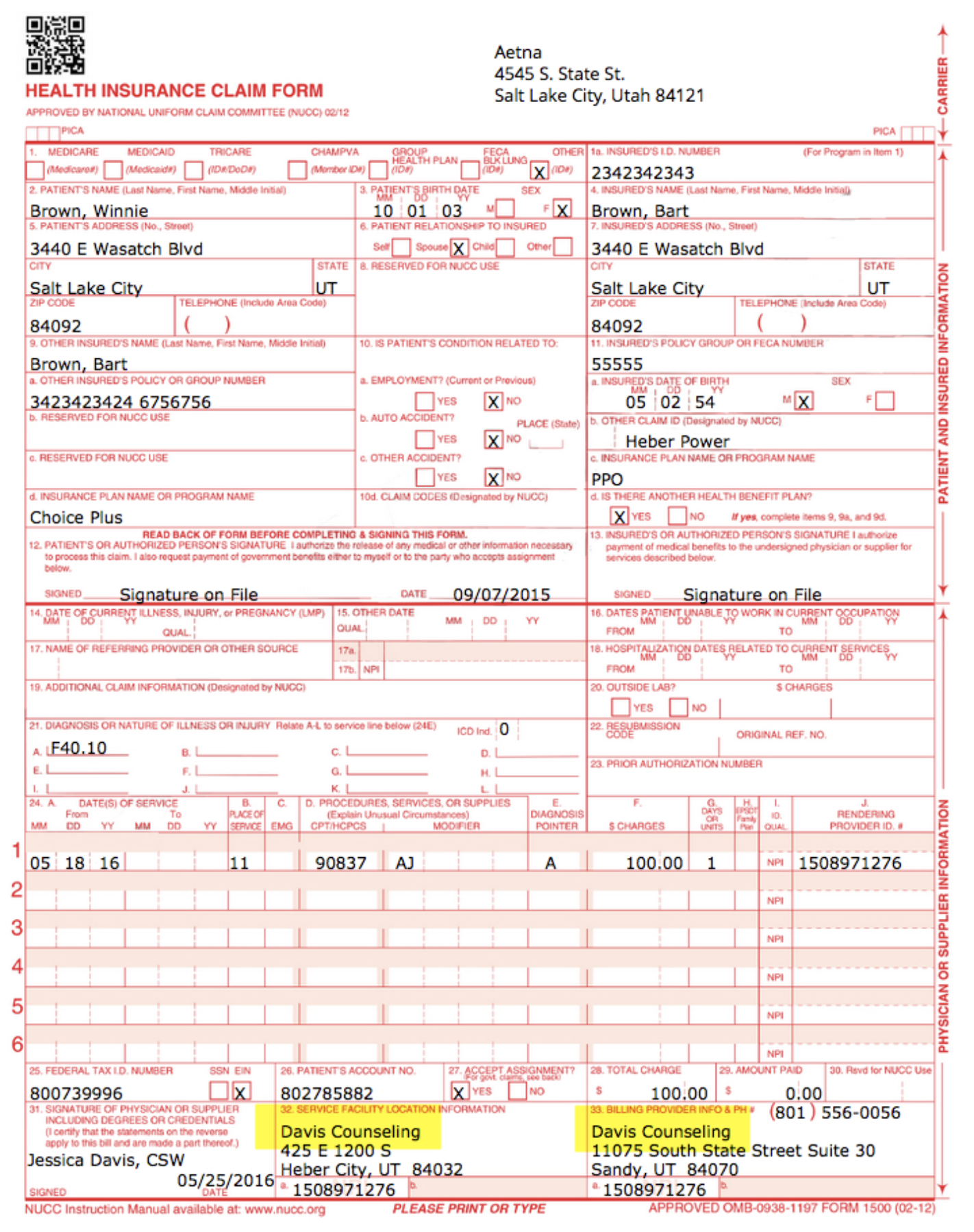
In the example below the administrator’s practice name is Summit Counseling. This name will appear on invoices, statements, Superbills, CMS-1500s (Boxes 32 & 33) and EDI claim files for all of the Clinicians in the Practice.
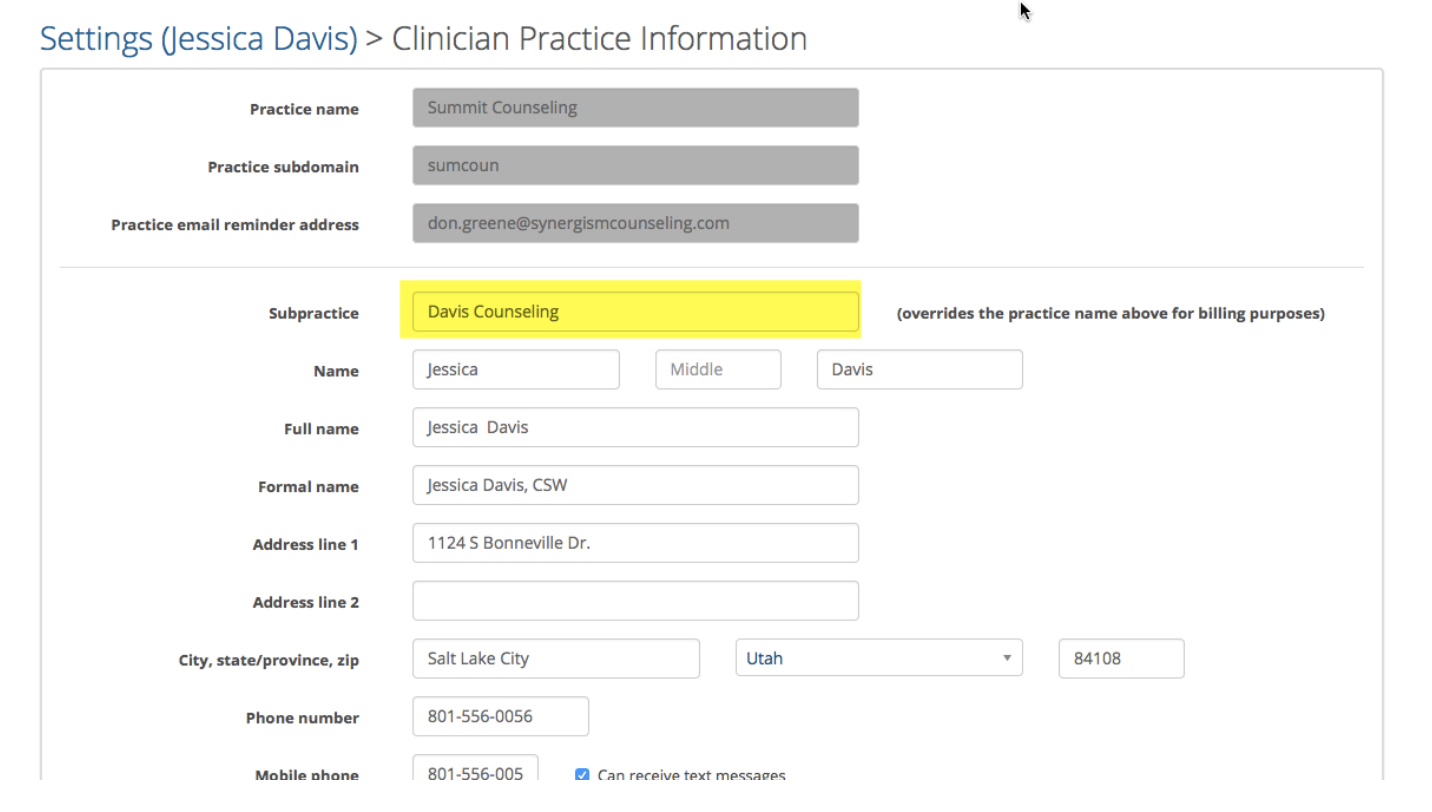
If you need to show a different practice name, navigate to the Clinician’s Practice Information page for the Clinician who needs to bill for their services under a different Practice name. Type the new Practice name in the highlighted box below and click update when done.

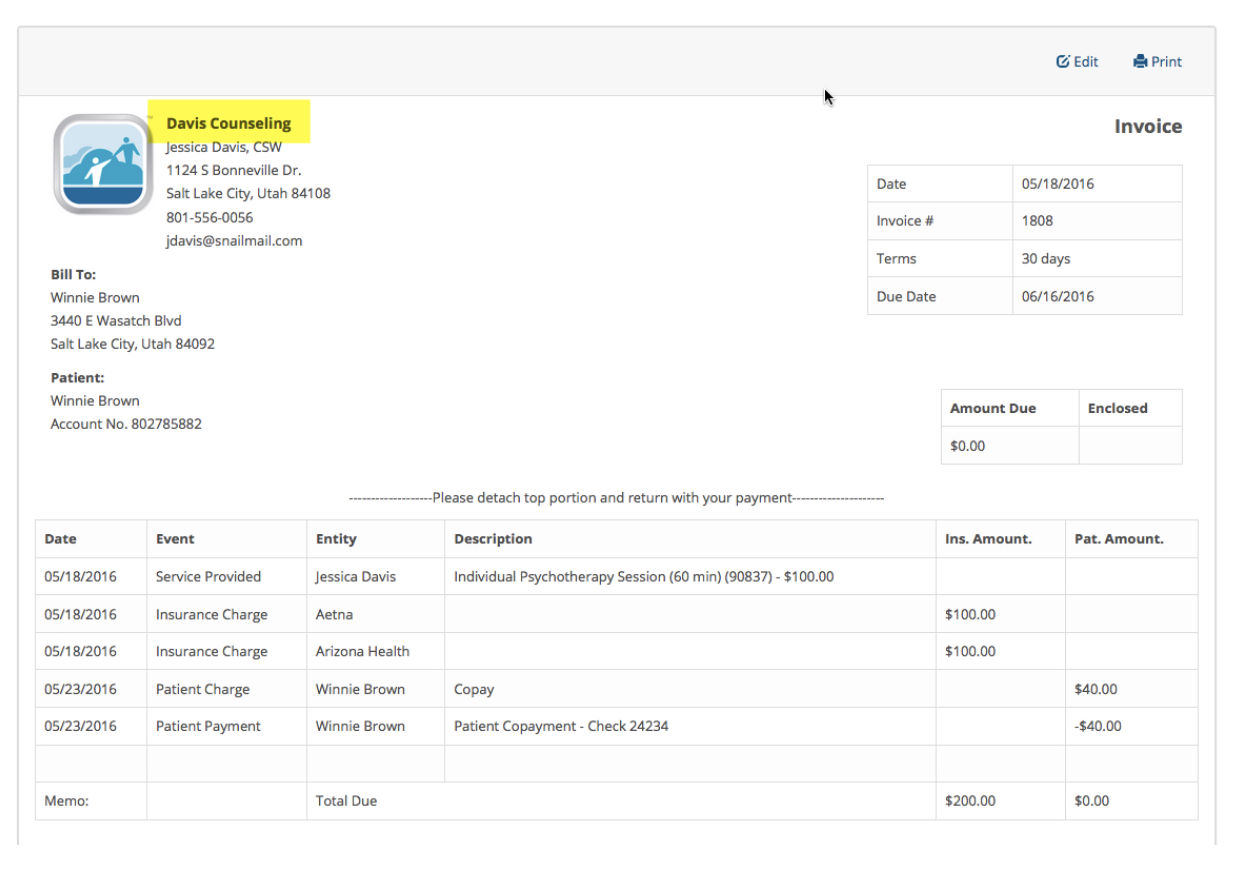
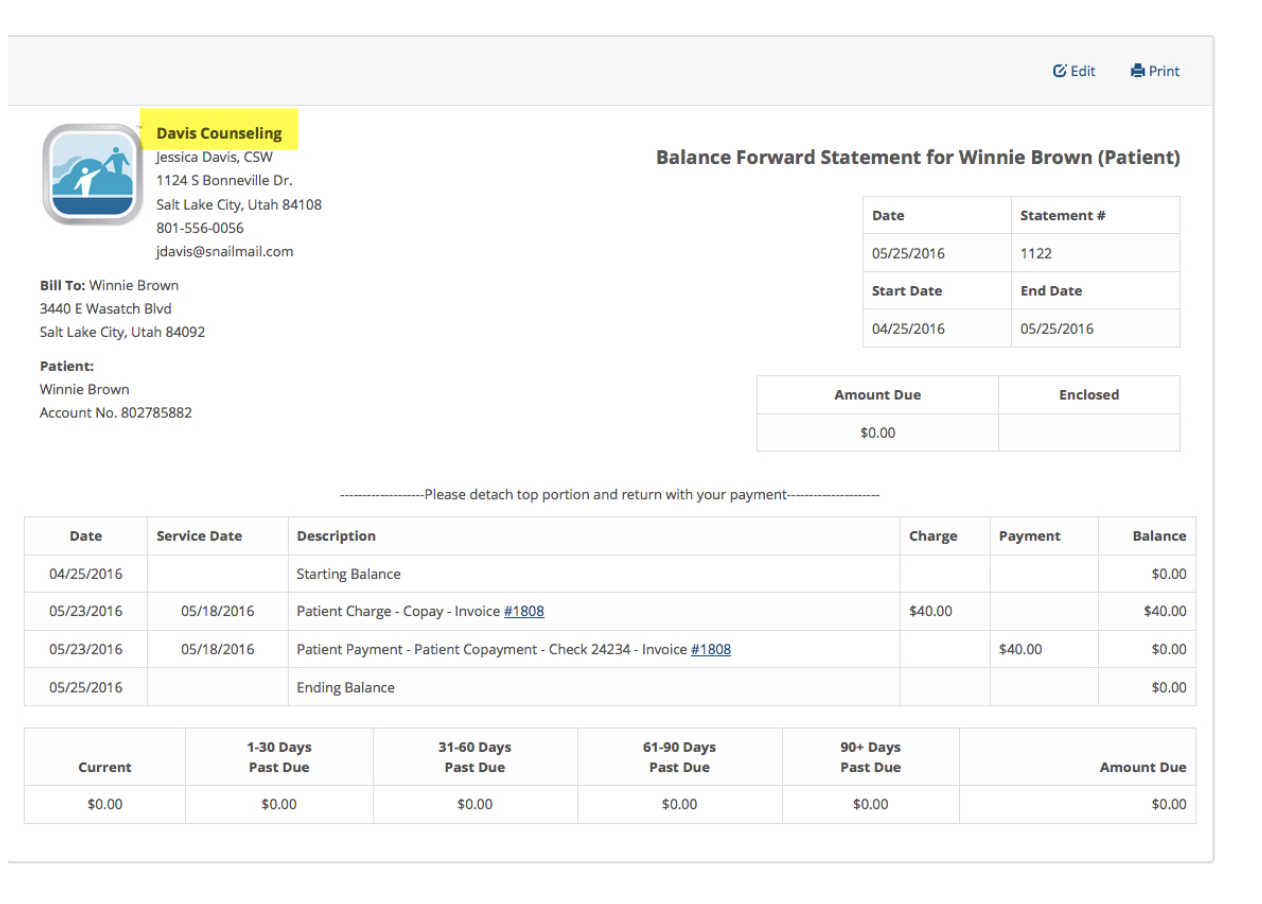
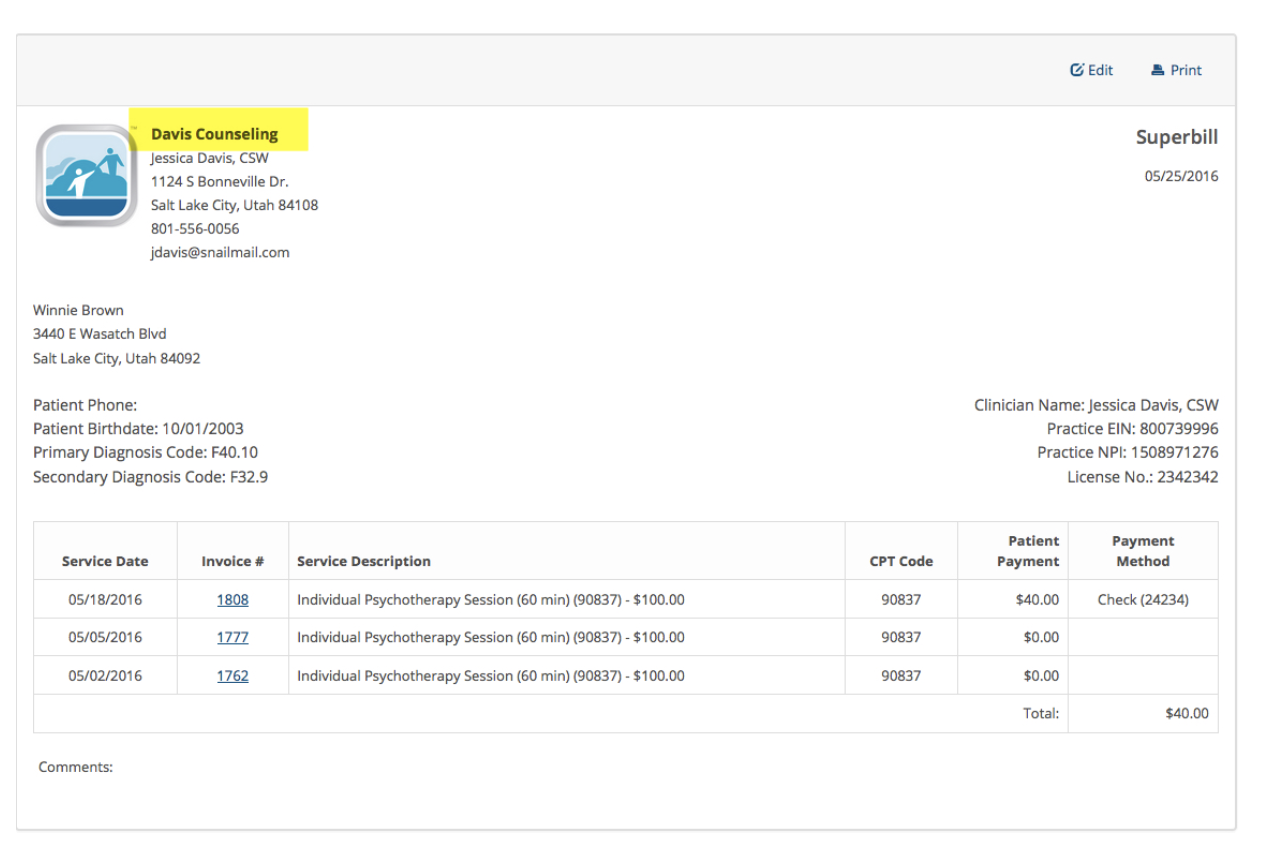
In the example below, we entered Davis Counseling. This will override Summit Counseling on invoices, statements, Superbills, CMS-1500s and EDI claim files. The name you entered could also be the Clinician’s name and credentials (i.e. Jessica Davis, LCSW). Try and keep the name to about 20 characters or less.
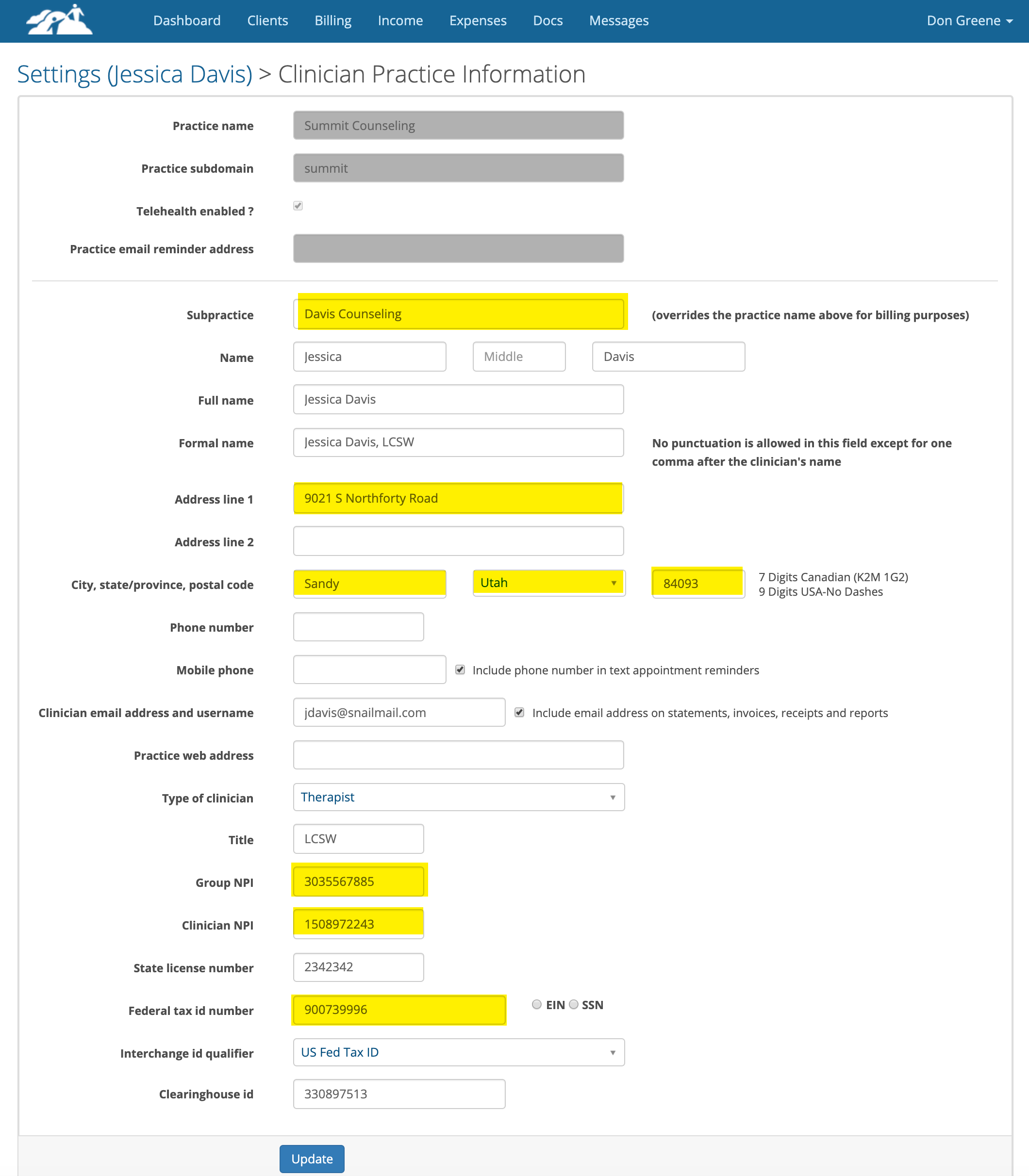
Also check the other highlighted fields shown below to make sure they reflect the correct billing/practice address, NPI numbers and Tax ID.
Step #2
Navigate to that same Clinician’s setting page and click on Office Locations. Change the Office Location Name where you are seeing client to the new sub-practice name.

Here are some examples where the practice name appears on invoices, statements, superbills and CMS- 1500s: