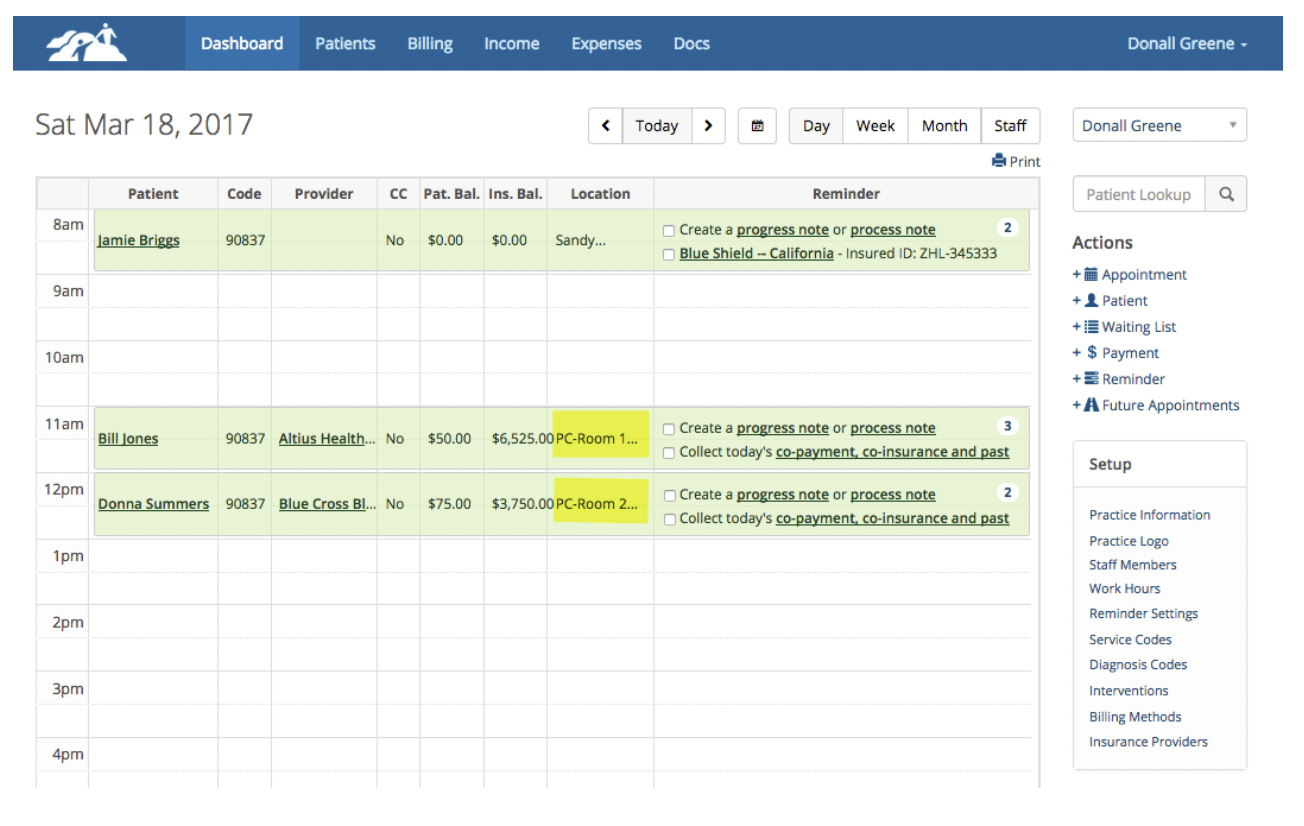
Sometimes you need to show the location of the appointment on the dashboard along with a room number. This document will describe how you can set this up.
1. The Systems Administrator is the one that should do the initial setup by going to their Settings page and choose Office Locations.
2. When a Systems Administrator creates or modifies the office locations for the Practice, all other clinicians will be able to use the locations by choosing them from a dropdown in their own Office Settings page.
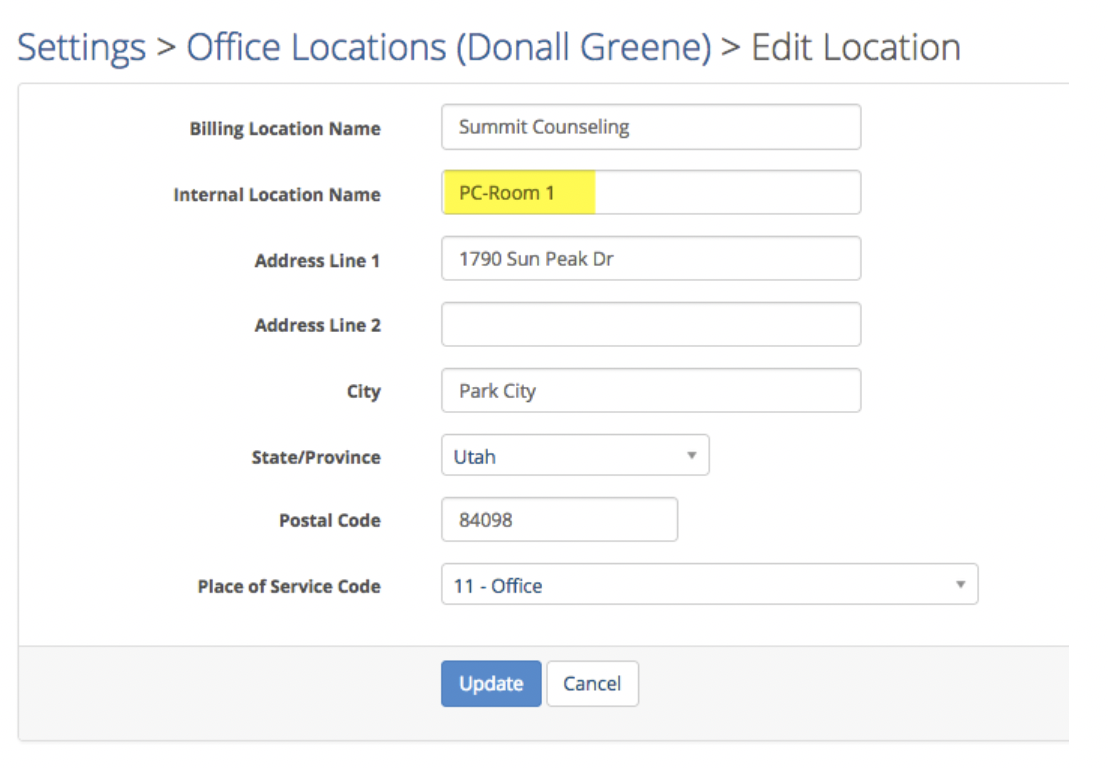
3. To create a location with a room designation see the example below. The key to doing this is to use the Internal Location Name field. Whatever you put in this field will display on the Dashboard in the Location column when patients are scheduled. You will need to keep the text short so it fits in the narrow column on the Dashboard. In this example, we used PC to indicate that it is our Park City office. Then we added Room 1.
1. The Systems Administrator is the one that should do the initial setup by going to their Settings page and choose Office Locations.
2. When a Systems Administrator creates or modifies the office locations for the Practice, all other clinicians will be able to use the locations by choosing them from a dropdown in their own Office Settings page.
3. To create a location with a room designation see the example below. The key to doing this is to use the Internal Location Name field. Whatever you put in this field will display on the Dashboard in the Location column when patients are scheduled. You will need to keep the text short so it fits in the narrow column on the Dashboard. In this example, we used PC to indicate that it is our Park City office. Then we added Room 1.
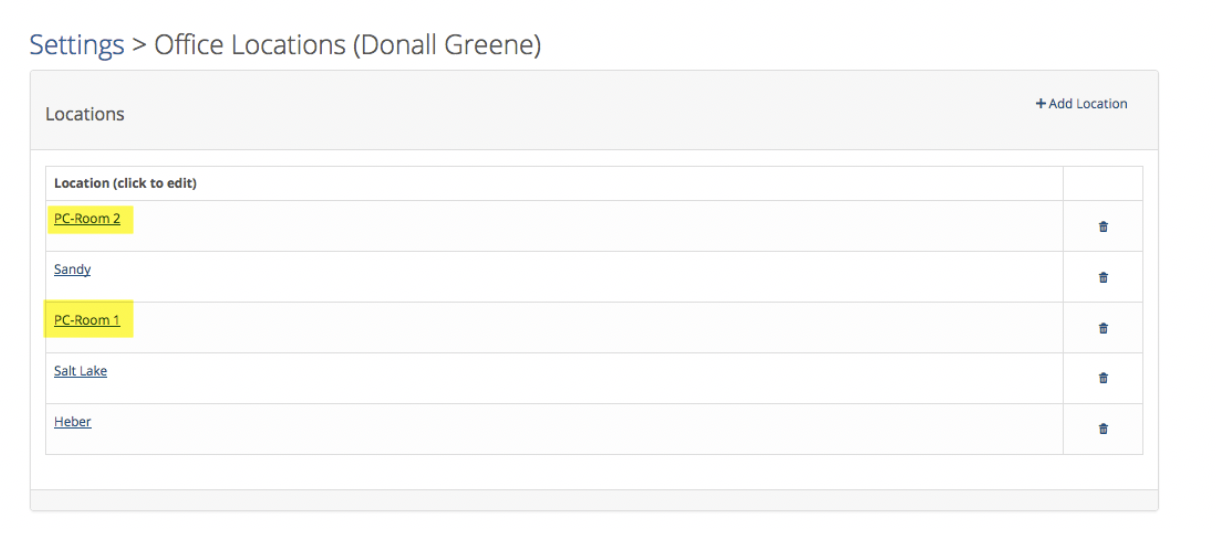
4. Repeat this process for the same location and add additional rooms as necessary. Below you can see that we have two Park City office locations with different room designations.
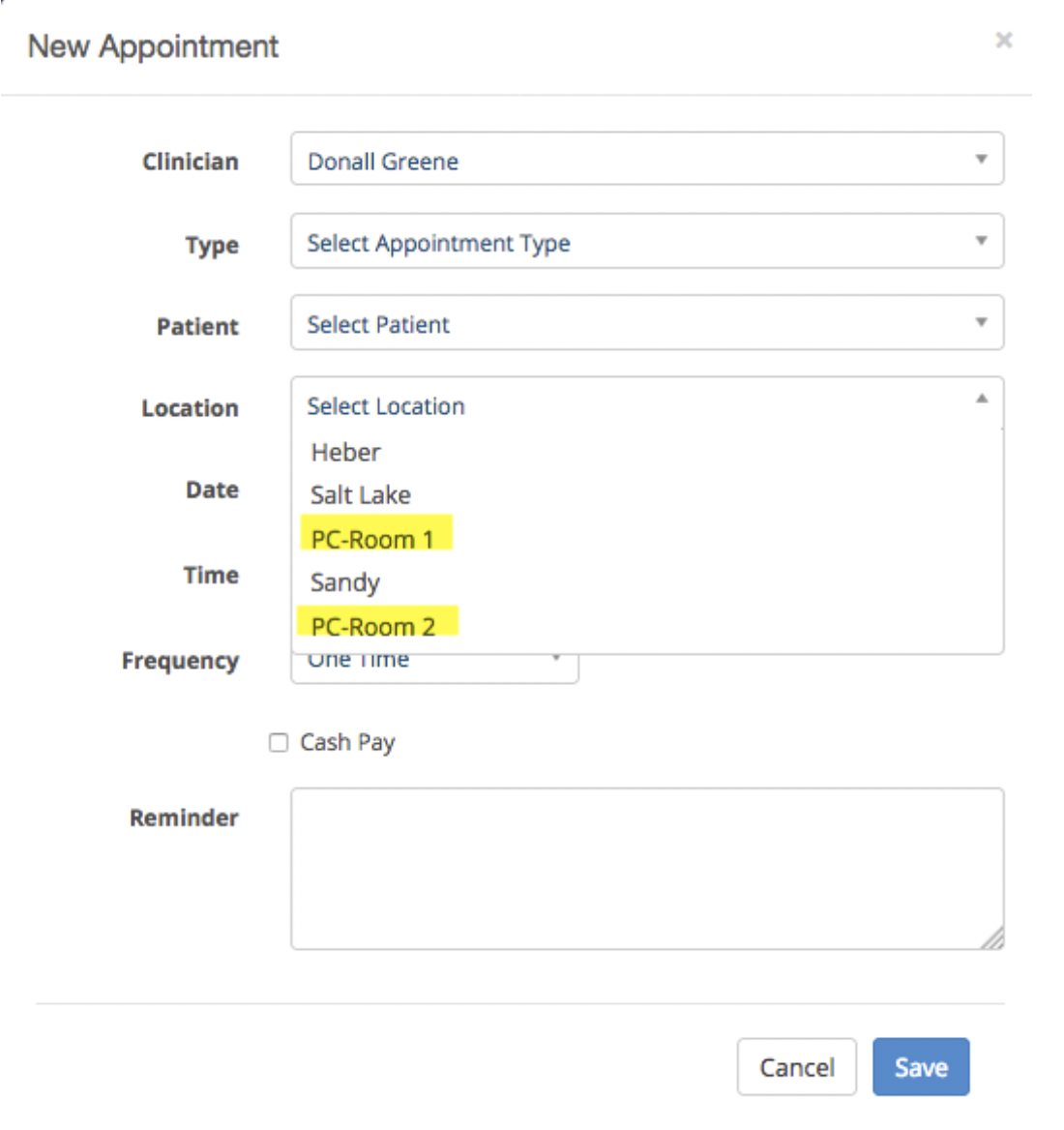
5. When I schedule a client I can select the location and room now from the drop down as shown below:
6. Here is what the Dashboard would look like for this clinician’s schedule