Treatment plans provide a guide to treatment for both the therapist and client. They often include Treatment goals: Goals are the building blocks of the treatment plan. They are designed to be specific, realistic, and tailored to the needs of the person in therapy. The language should also meet the person on their level.
A treatment plan can be developed with the client during a virtual session and sent to them via the client portal. When the clinician and client agree upon the plan, the clinician and client can sign it.
This article describes how a client can sign a completed treatment plan using TherapyMate's client portal.
A treatment plan can be developed with the client during a virtual session and sent to them via the client portal. When the clinician and client agree upon the plan, the clinician and client can sign it.
This article describes how a client can sign a completed treatment plan using TherapyMate's client portal.
PLEASE NOTE: A client must be invited to the client portal before you can send a Treatment Plan to them. The client must have a username and password before they can login to review and sign the plan.
Creating a Treatment Plan
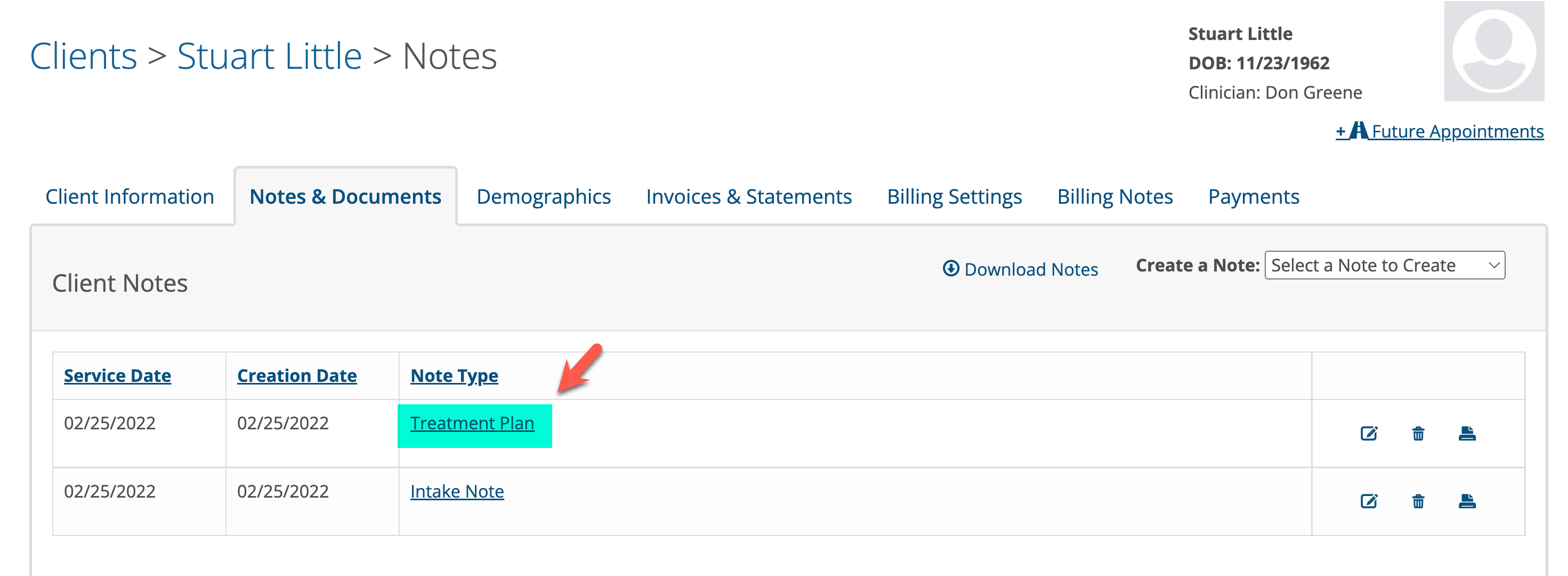
Create the treatment plan using the template that is supplied by TherapyMate. When the treatment plan is completed the clinician checks the box to sign it and clicks the Save button. Once saved, the treatment plan will appear in the list of notes on the client's notes page.
Sending a Treatment Plan to a Client Using the Client Portal
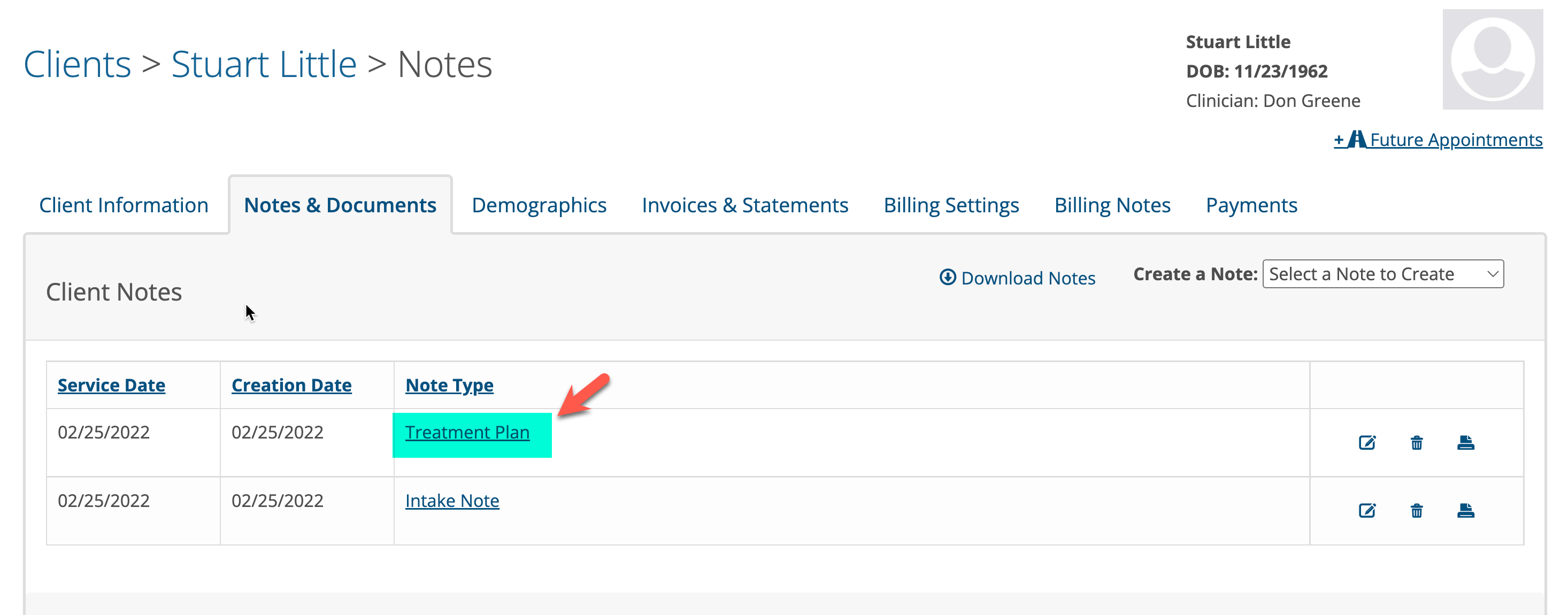
To have the client sign the treatment plan via the portal, click on the Treatment Plan on the client's notes page to open it again.
The treatment plan will be viewable now and you will notice a button in the lower left corner called Send to Client.
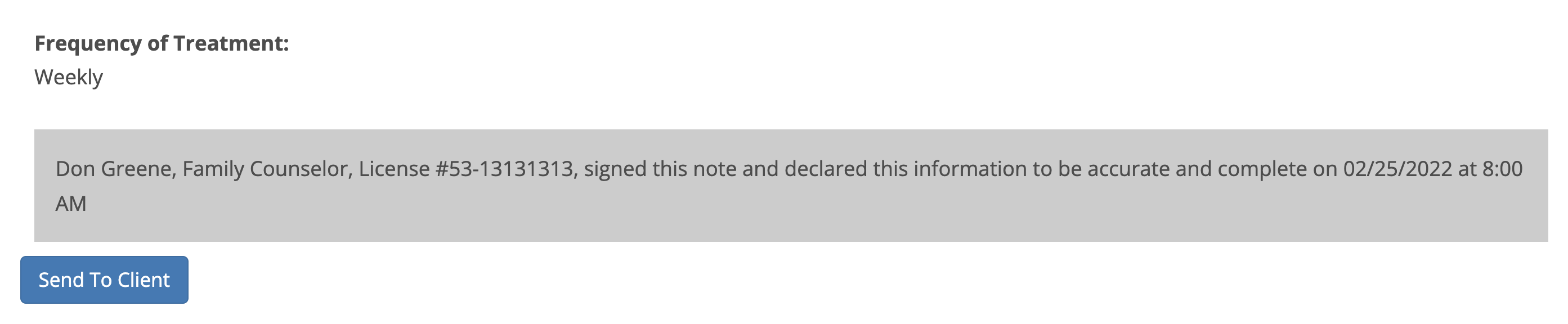
Clicking on the button will send the treatment plan to the client via the client portal. There will be a green bar appear on you screen confirming it was sent successfully.
The client will receive an email requesting them to login into the client portal by clicking on a link within the email.
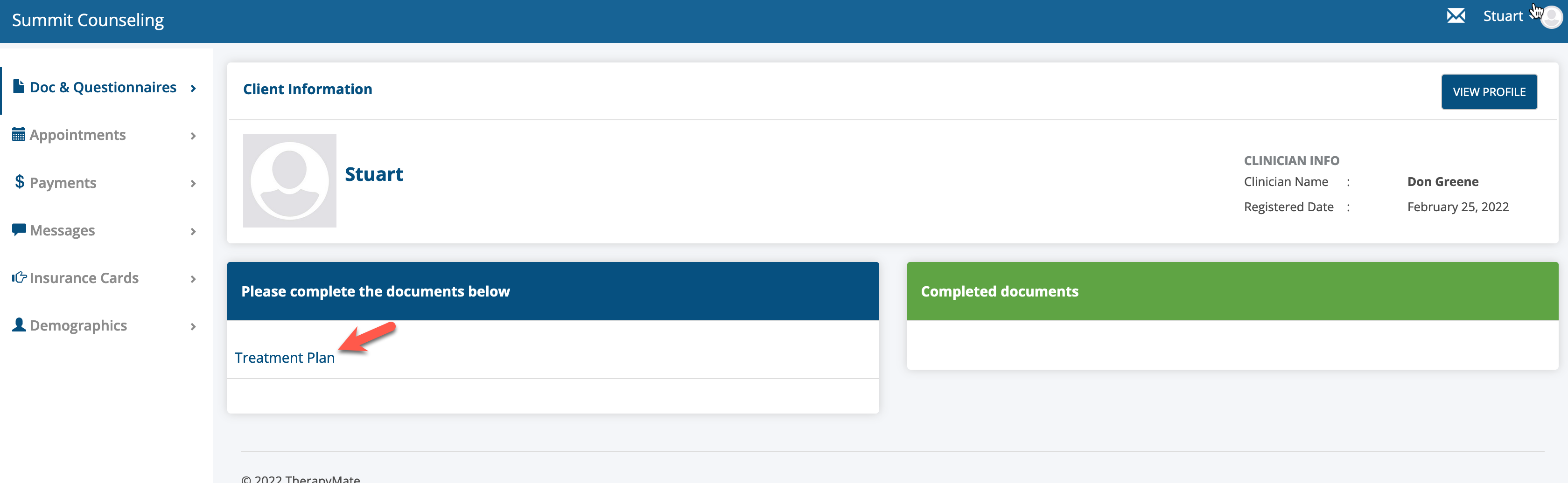
The client gains access to the client portal in this manner and will see a treatment plan in the blue Please complete the documents below area.
The client reviews the treatment plan and clicks the Sign button in the lower left corner.
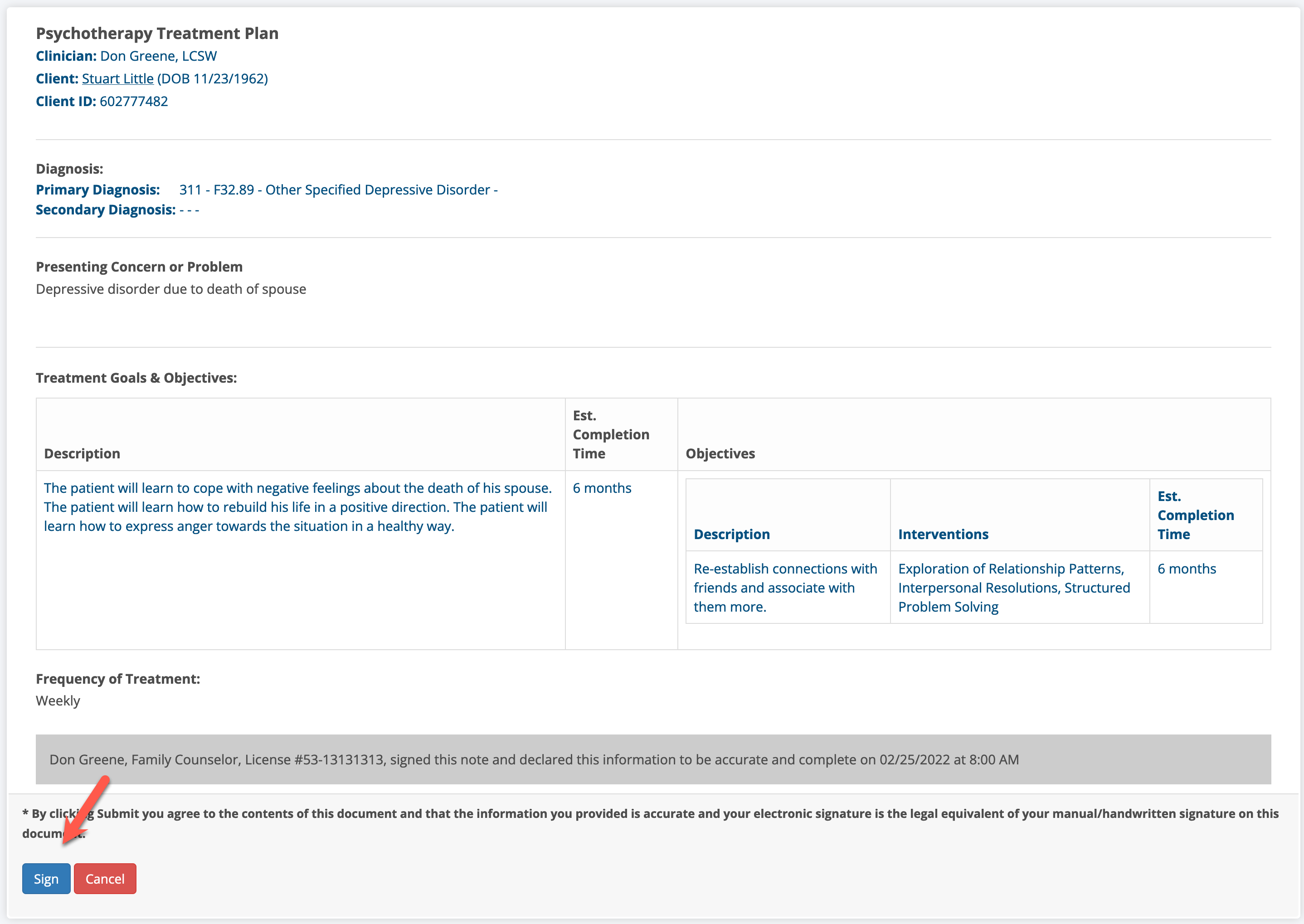
A signature window will appear where the client can type their name in the highlighted box.
As they type it will show a cursive styled signature.
When the client clicks Submit, the treatment plan is saved in the Completed Documents area in the client's portal.
A copy of the signed Treatment plan is automatically saved in the client's chart just below their session notes.