You can export patient information and save it to a file, print it or sort it in a spreadsheet program.
The instructions to do this are shown below:
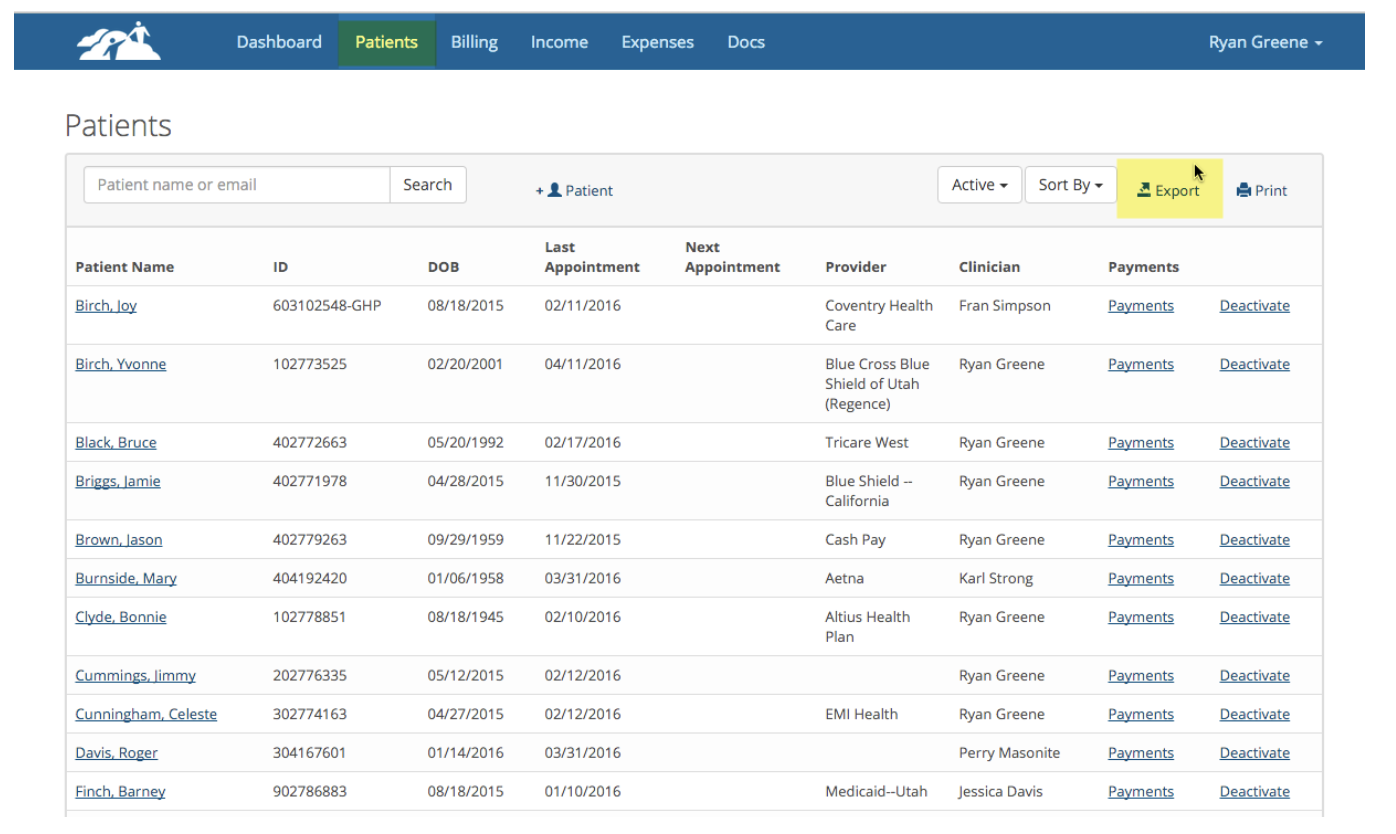
1. Go to the main Patients page where you see all of your active patients listed. Then click on Export
2. There are four tabs, Basic, Primary Insurance, Secondary Insurance and Contacts. Each tab has checkboxes that you can use to get specific bits of data. In the example below we are interested in getting patient first name, last name, email address, primary and secondary insurance provider.
There is also a tab for patient contacts which was not included in this export.
3. Select the items you wish to include in your export.
4. Once the items are selected you can click one of three buttons. You can Print the information or save it as a CSV file so you can open up the file in a spreadsheet program and sort the data to find the information you're looking for. In this example you could find all the patients who have a particular insurance provider.
5. You can repeat this process for inactive patients if needed.
Please be careful after exporting your customer information that you keep it safe in a HIPAA Compliant environment.