You can export patient information and save it to a file so you can print it out or sort the data for other purposes. The instructions to do this are shown below:
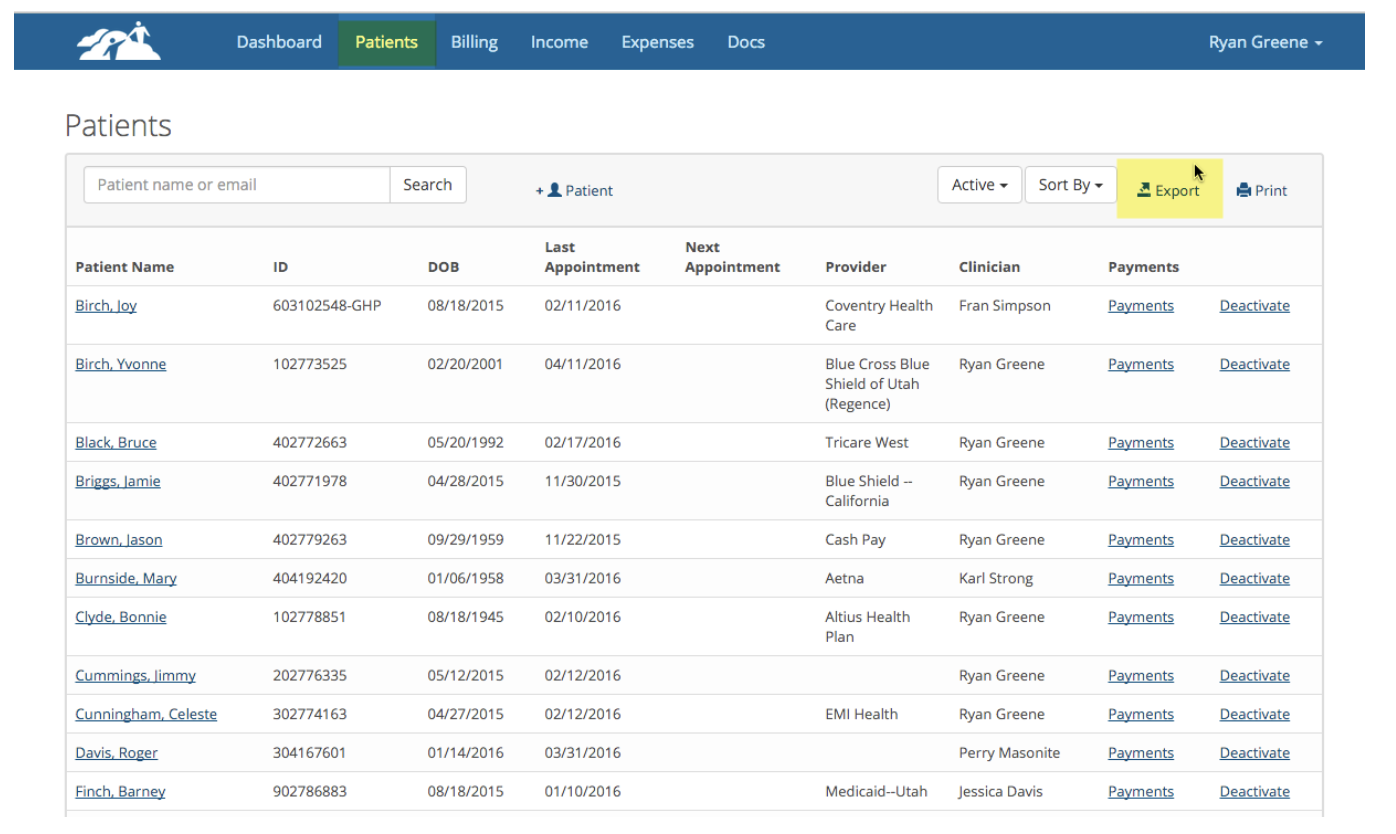
1. Go to the Patients page where you see all of your active patients listed. Then click on Export
2. The export details window will appear. Select the items you wish to include in your download.
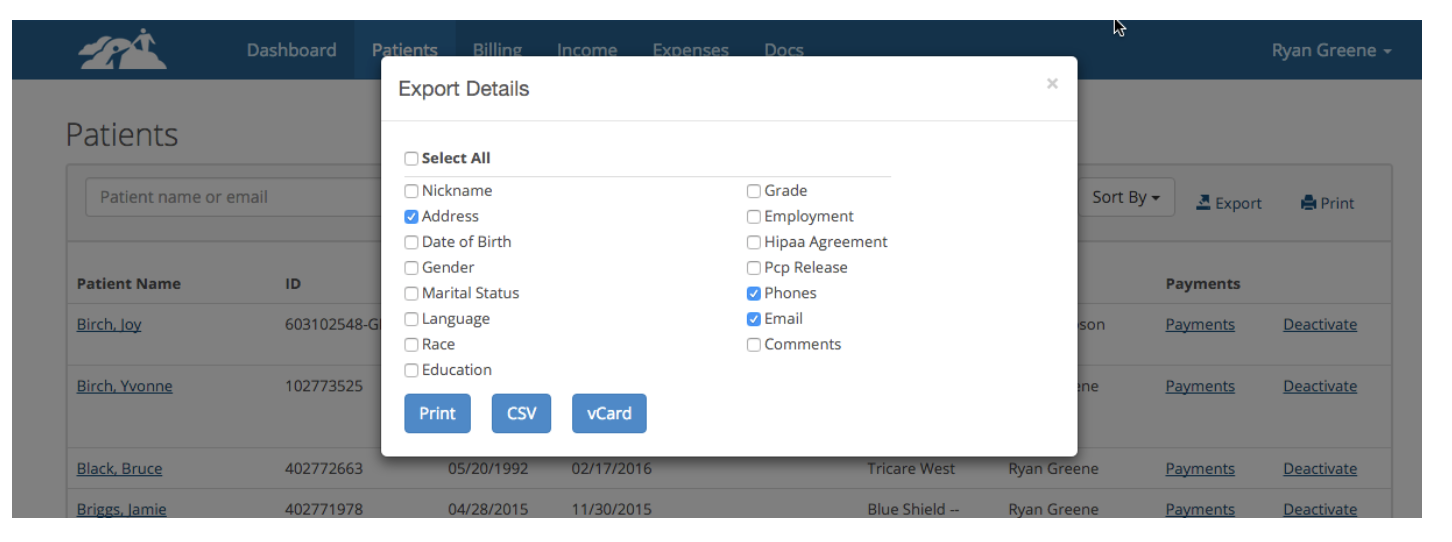
Once the items are selected you can click one of three buttons. You can Print the information to your printer if you need a paper copy, you can save the data in a CSV file format so you can use it in a spreadsheet program or you can save the data in a vCard file format to upload into an Apple OSX contacts application.
Please be careful after exporting your customer information that you keep it safe in a HIPAA Compliant environment.