You can mark an appointment as cancelled or missed by clicking on the appointment's light green area to open the appointment window.
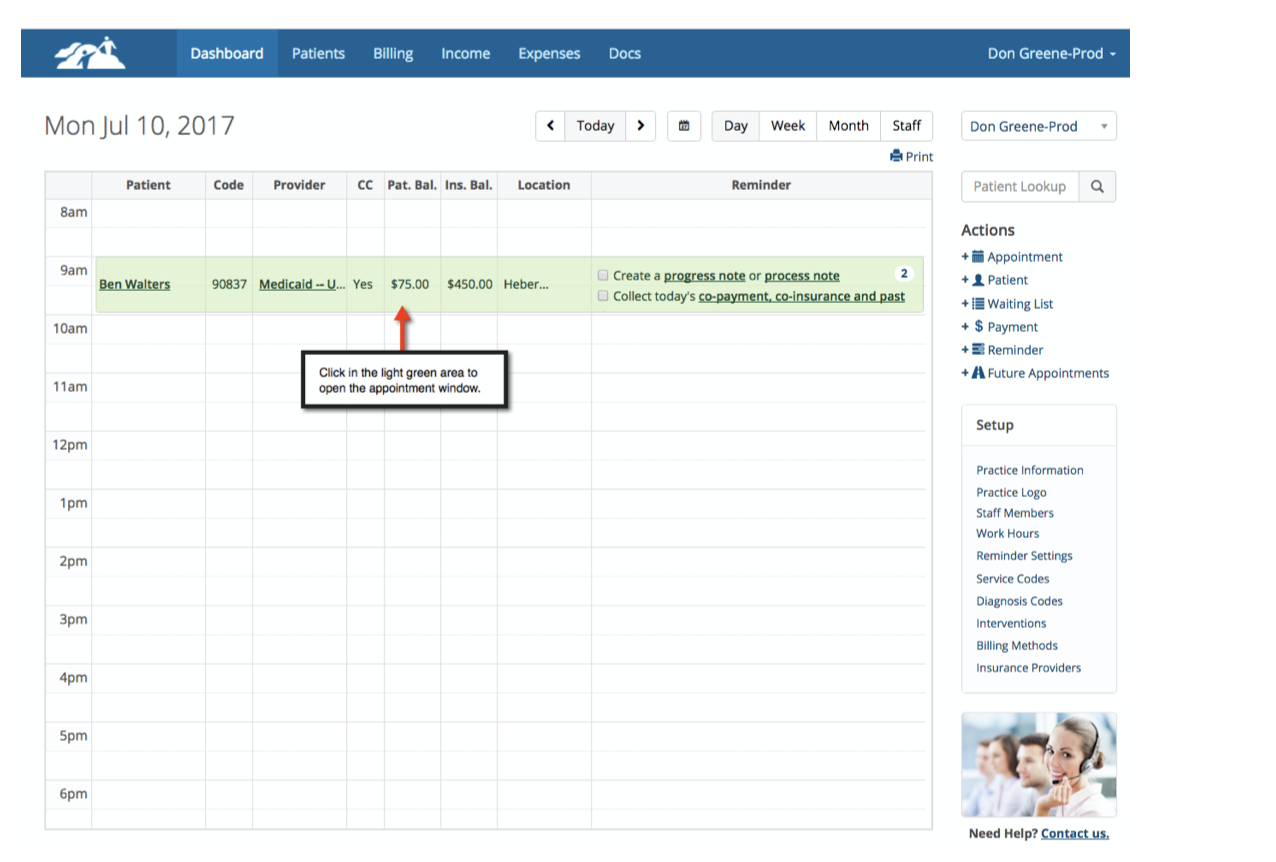
Don't click on any of the words in the appointment, just the shaded light green area.
When you click on the light green aree the appointment window will open as shown below:
Scenario #1
Click on the Cancelled/Missed button.
A note template will appear if the appointment does not have any payments entered against it or hasn't been billed to insurance yet.
Fill out the form. Enter a dollar amount in the cancellation fee box if you wish to charge for the cancelled/missed appointment.
If a dollar amount has been added to the client's billing setting, a dollar amount will automatically appear.
Leave the fee box blank if you don’t want to charge the client.
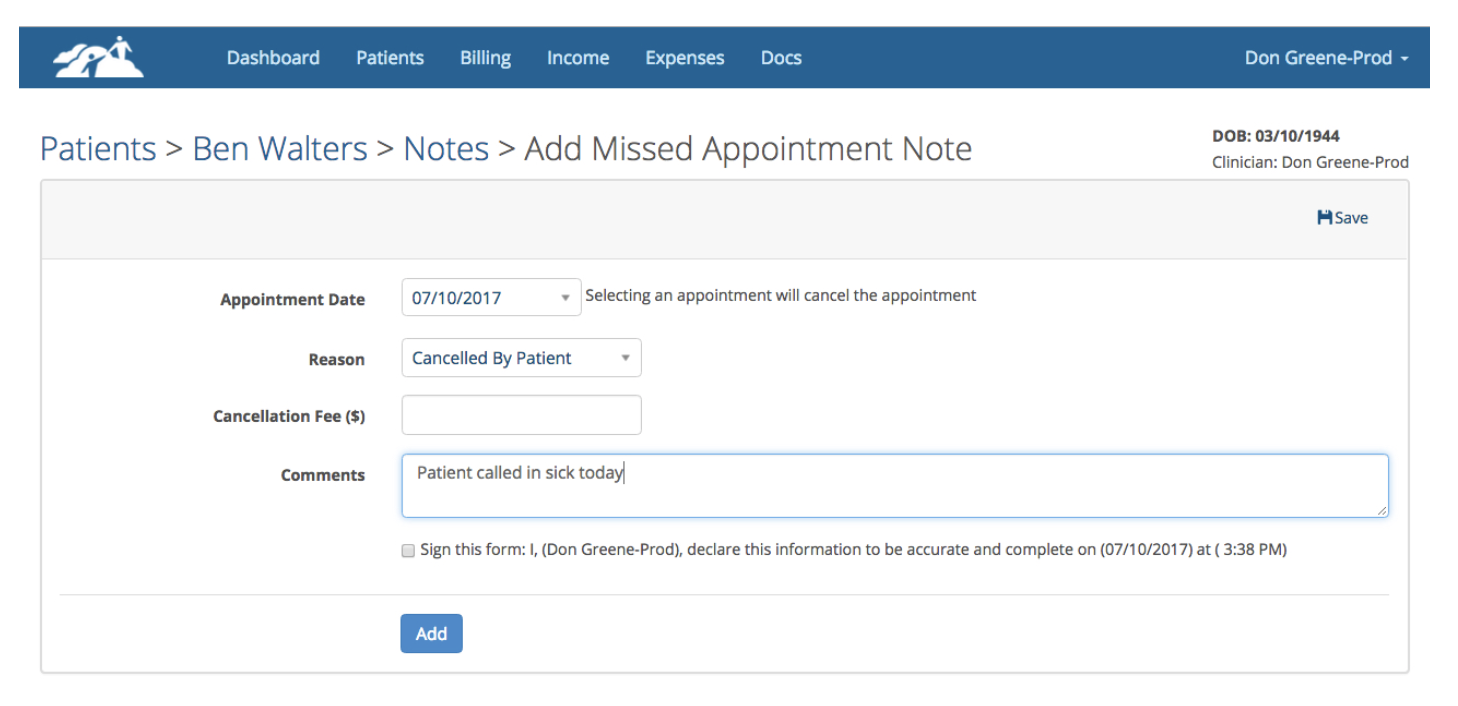
When you’re done filling out the note, click save. The Missed Appointment note will be saved to the client's notes area.
Scenario #2
You wish to mark an appointment cancelled/missed but a client payment has already been collected in advance do the following:
Click the cancelled/missed button and the following window will appear:
Before you can mark the appointment cancelled/missed, you must make a decision about where the payment will be allocated to. You have two choices:
- Make the payment a Credit to be used later if you're NOT going to charge the client.
- Make the payment and Invoice Payment and apply it towards the cancelled/missed fee on the missed appointment note.
Make your decision by checking one of the radio buttons, then click Apply.
Next, a missed appointment note template will appear. Fill out the form. If you wish to charge the client, enter a dollar amount in the cancellation fee box. If a dollar amount automatically appears in the box, that is coming from the client's billing settings.
If you chose the radio button for Invoice Payment the dollar amount will be applied as payment towards the cancelled/missed invoice.
When you’re done filling out the note, click save. The Missed Appointment note will be saved to the client's notes area.
Scenario #3
If the cancelled/missed button isn't present, that means the appointment has been submitted to insurance and/or an insurance payment has been applied to it,
You can't mark the appointment cancelled/missed.
Deleting Appointment
If a client payment and/or insurance payment has already been applied to the appointment or the invoice has been submitted and sent to the insurance company, you won't be able to delete it.