You can specify an amount you’ll charge a client if the miss or cancel their appointment. To do this, enter the dollar amount you wish to charge and select the number of hours (24-72 hrs). This time frame gives the client that many hours prior to the appointment to cancel without incurring a fee.
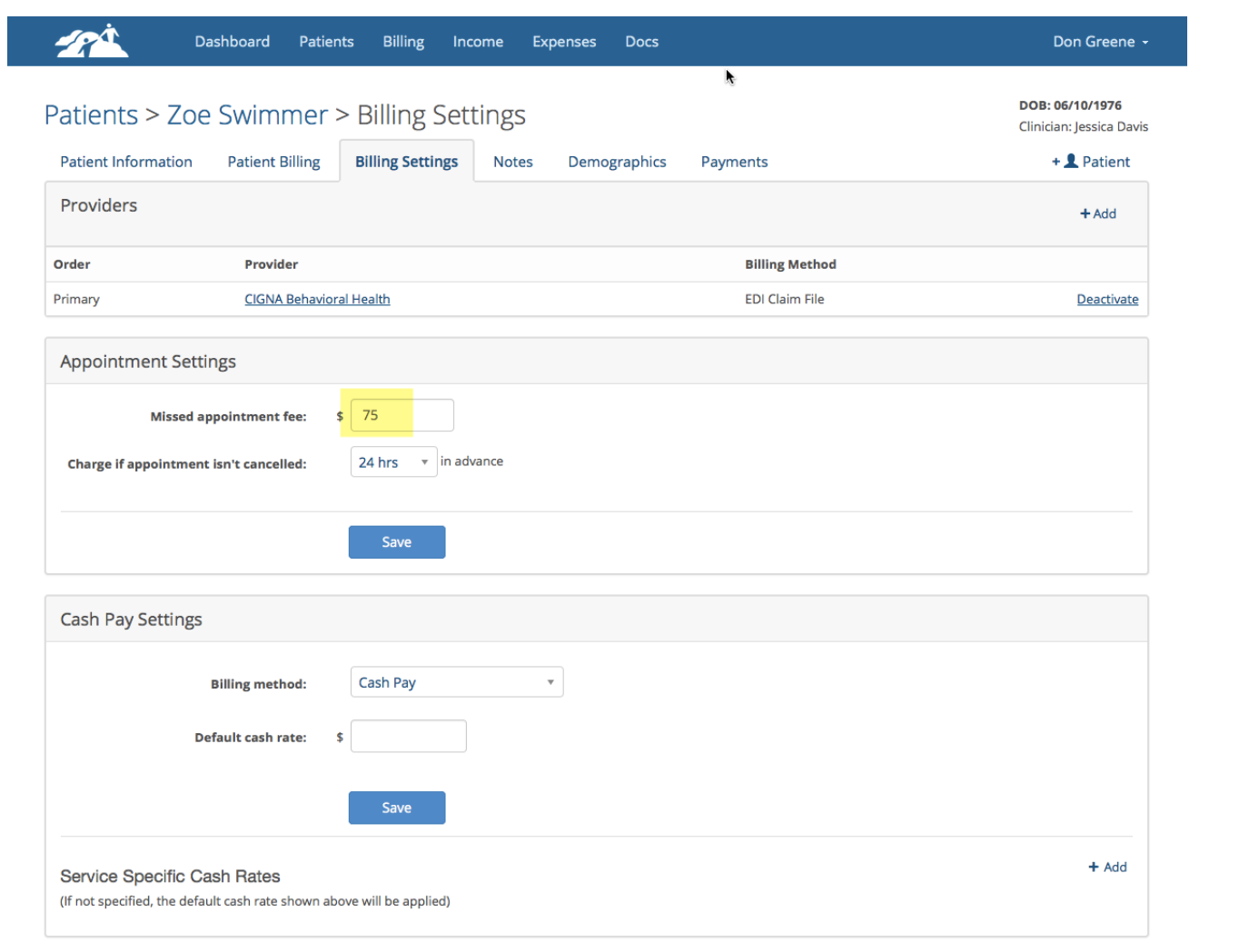
When you mark an appointment missed you will create a missed appointment note and at the time you an specify a fee if required in the Missed Appointment Fee box. You can override the default fee by removing or changing it when you create a missed appointment note.
If you leave the Missed Appointment Fee box blank, the invoice will show a zero patient charge and the client will not get charged regardless of the setting Charge if appointment isn't cancelled (XX hrs) in advance. If you decide to charge the client anyway, you can add the fee to the missed appointment note and an invoice will be created for that amount on a one time basis.
Appointments that are cancelled more than 24-72 hours in advance (depending on what you set from the drop down) won't be charged.
If a client cancels an appointment using the Client Portal the same rules apply.