This feature is ONLY available to System Administrators of the Practice. If you are not the System Administrator of the Practice, please contact yours for assistance.
System Administrators can delete an entire patient record if they choose to do so. The reasons why this could be necessary or needed are varied. For example, if you created a new client and they never scheduled or you accidentally assigned or re-assigned a client to the wrong clinician, resulting in an unwanted chart you can delete them. Those are just a couple of examples that I hear about on a frequent basis.
Please use this new feature carefully so you comply with Federal and State retention requirements. Once a patient is deleted it removes all of their appointments, invoices, billing history, notes and payment history. Performing this action is permanent and can't be undone.
Here is the process:
- The patient must be de-activated before you can delete them.
- On the In-Active patient page you will see a “Delete” column on the right.
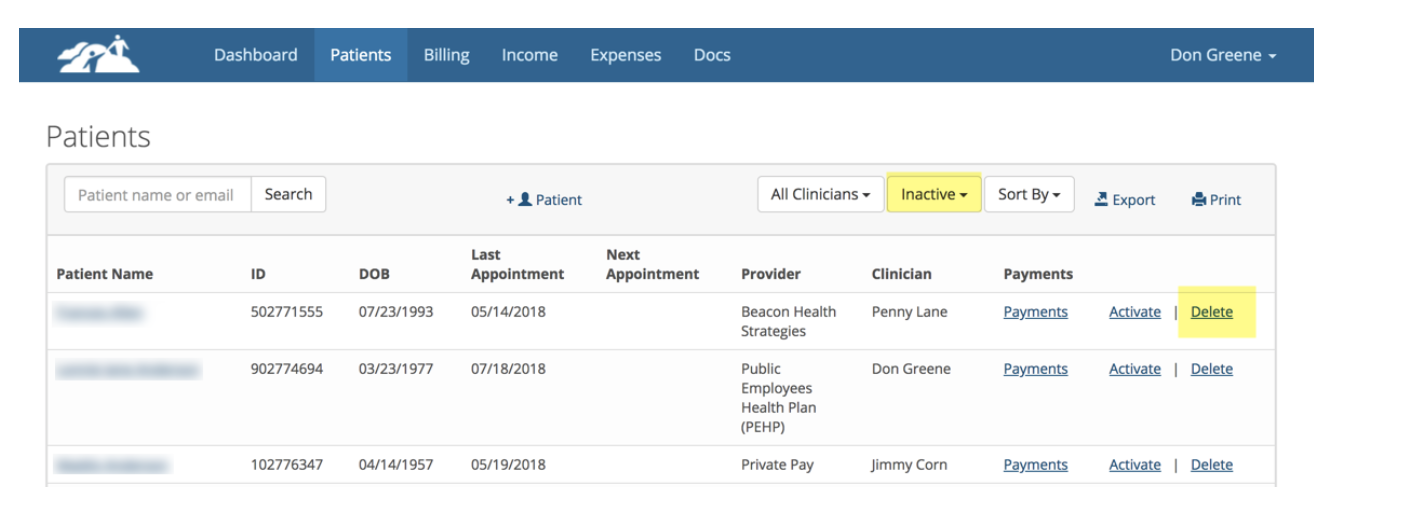
- When you click on the "Delete" link, you will see the following warning:
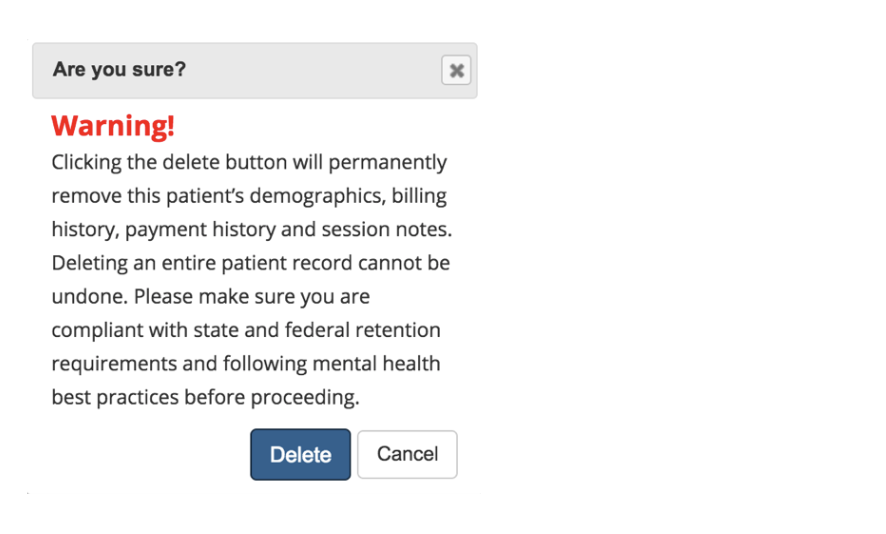
- Click the "Delete" button if you wish to finish the process. You only need to click the button once. It will take several seconds to complete. Otherwise click Cancel.