You have two options for a patient who will pay out of pocket for your services and doesn’t have insurance coverage.
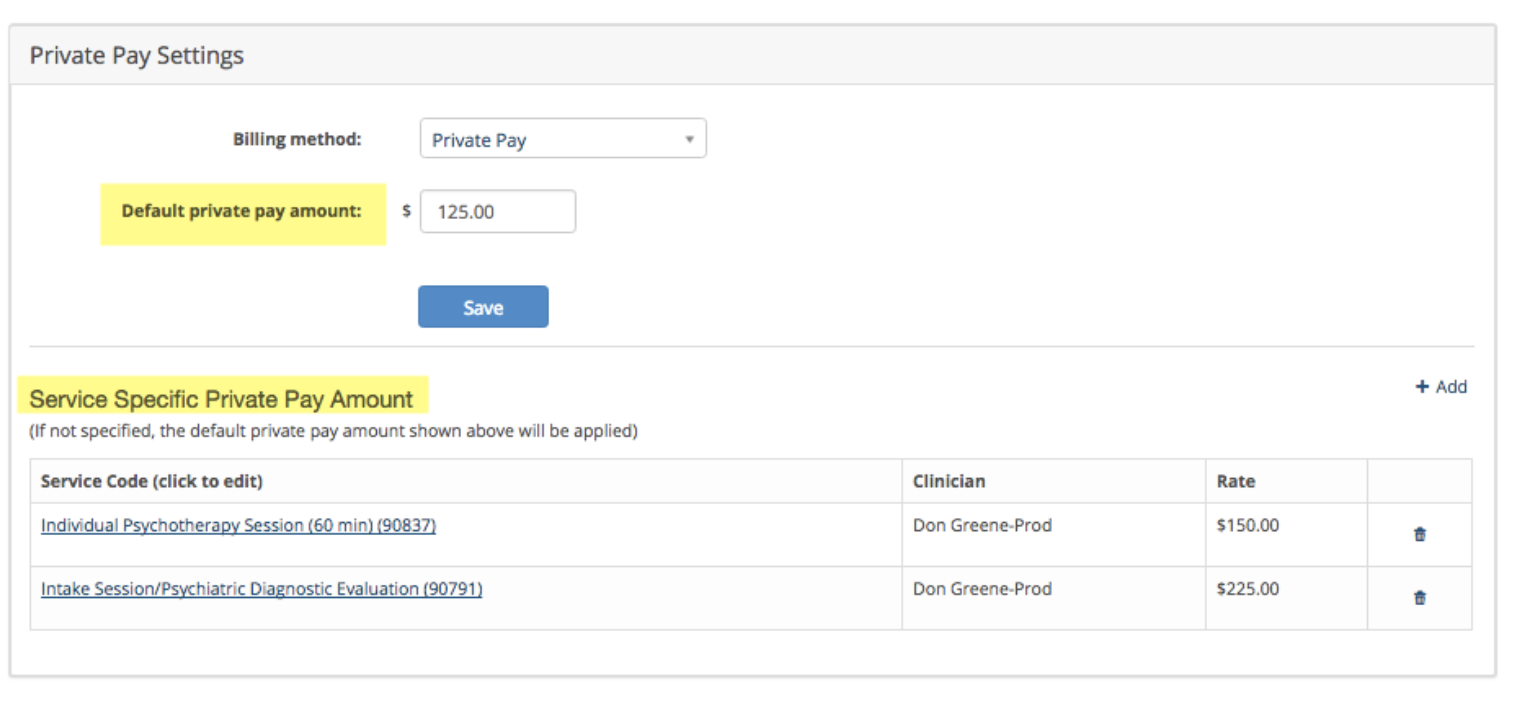
1. You can set a default private pay amount (sometimes called a sliding scale rate) for all services provide.
2. You can specify a Service Specific Private Pay Amount for each service code you schedule as shown below. When you schedule these service codes, the system will automatically apply the correct amount to a patient’s invoices when you schedule an appointment on your dashboard.
If you schedule a service code that is not defined in the Service Specific Private Pay Amount, it will default to the Default Private Pay Amount if you set one.
Click Save when done.