You can create a Contact Note when you need to document an email, fax, in person conversation, telephone call or U.S. Mail correspondence about the patient you had with another person.
You can also attach a document to a Contact Note is needed.
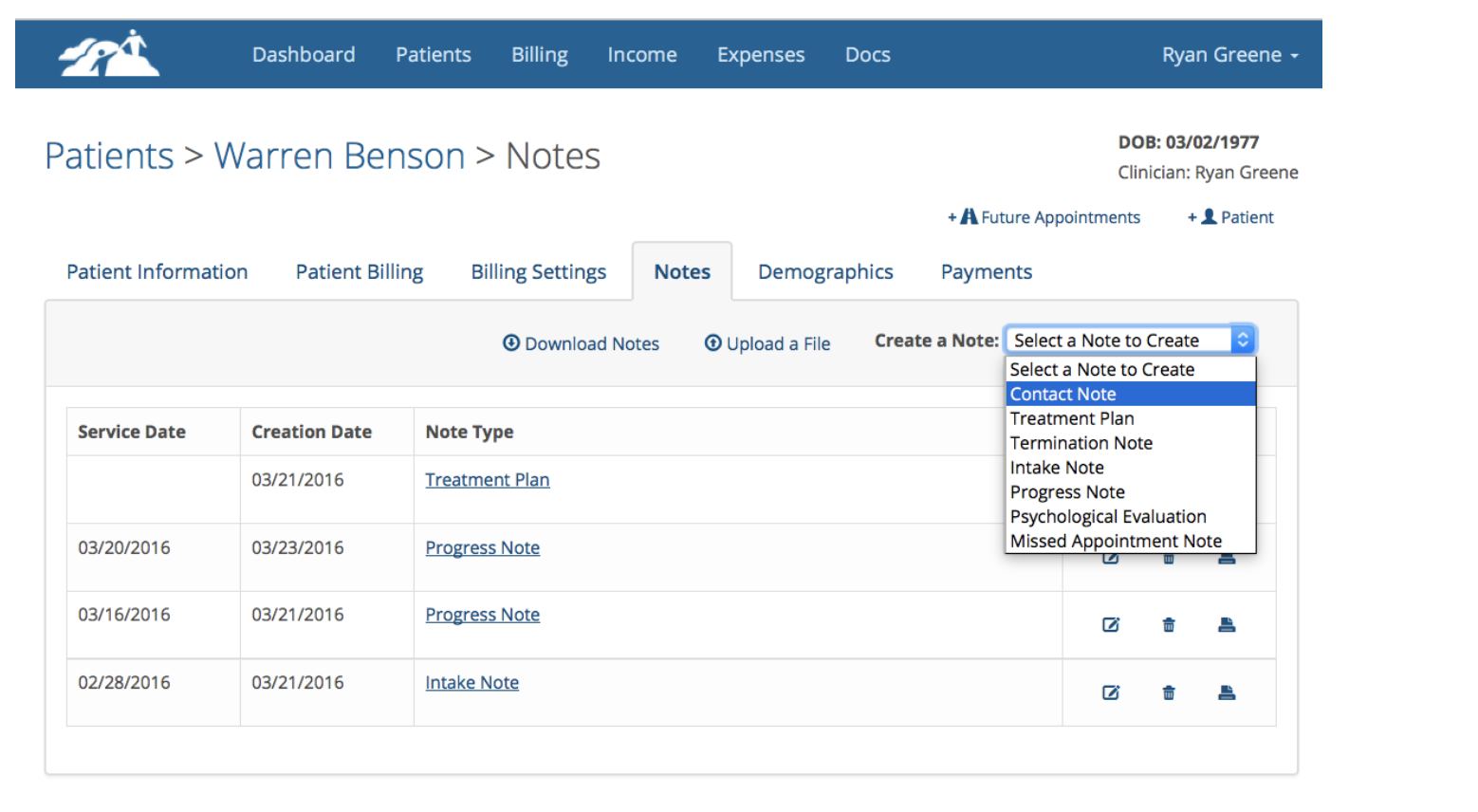
To create a Contact Note, navigate to the client’s chart and select the Notes tab. called “Create a Note” and select Contact Note as shown below:
You can do the following on the Contact Note form as shown below:
Specify the date you contacted the person
- Enter the person’s name
- Enter a relationship to the patient
- Select the method of communication
- Enter a brief summary for the call. This will display on the invoice that will be created if you decide to charge the patient for this communication
- Enter the communication details.d
- Attach any supporting documentation as needed.
- In the billing information area, enter the time spend in minutes.
- If you wish to charge the patient for this communication click the box next to “The patient will be billed for this communication”.
- When the box is checked, an amount box will appear where you can type in the amount you wish to charge the patient.
- Sign the form and click the Add button.
When you save the Contact Note, the note will be save to the client’s notes page.
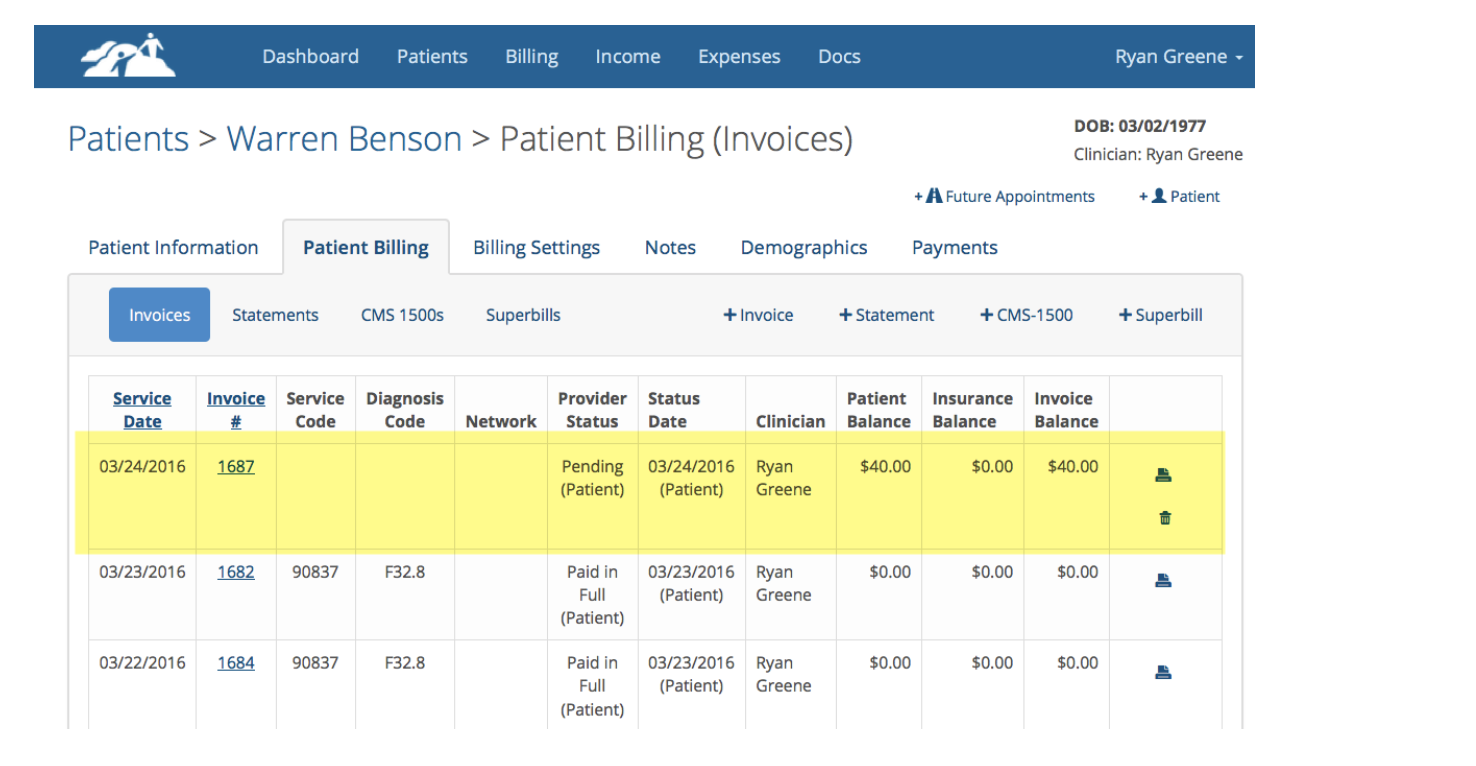
If you charged the client for the communication, an invoice will also be created with the dollar amount you specified as shown below:
When you produce statements for the patient the Contact Note charges will appear on the statements.
To record a payment for this Contact Note charge, process the payment the same as you would any other client payment.