Treatment plans provide a guide to treatment for both the therapist and client. They often include Treatment goals: Goals are the building blocks of the treatment plan. They are designed to be specific, realistic, and tailored to the needs of the person in therapy. The language should also meet the person on their level.
A treatment plan should be developed with the client present or during a virtual session. When the clinician and client agree upon the plan, the clinician and client can sign it.
This article describes how a client can sign a completed treatment plan in person or using the client portal.
A treatment plan should be developed with the client present or during a virtual session. When the clinician and client agree upon the plan, the clinician and client can sign it.
This article describes how a client can sign a completed treatment plan in person or using the client portal.
Creating a Treatment Plan
Create the treatment plan using the template that is supplied by TherapyMate. When the treatment plan is completed the clinician checks the box to sign it and clicks the Save or Update button. Once saved, the treatment plan will appear in the list of notes on the client's notes page.
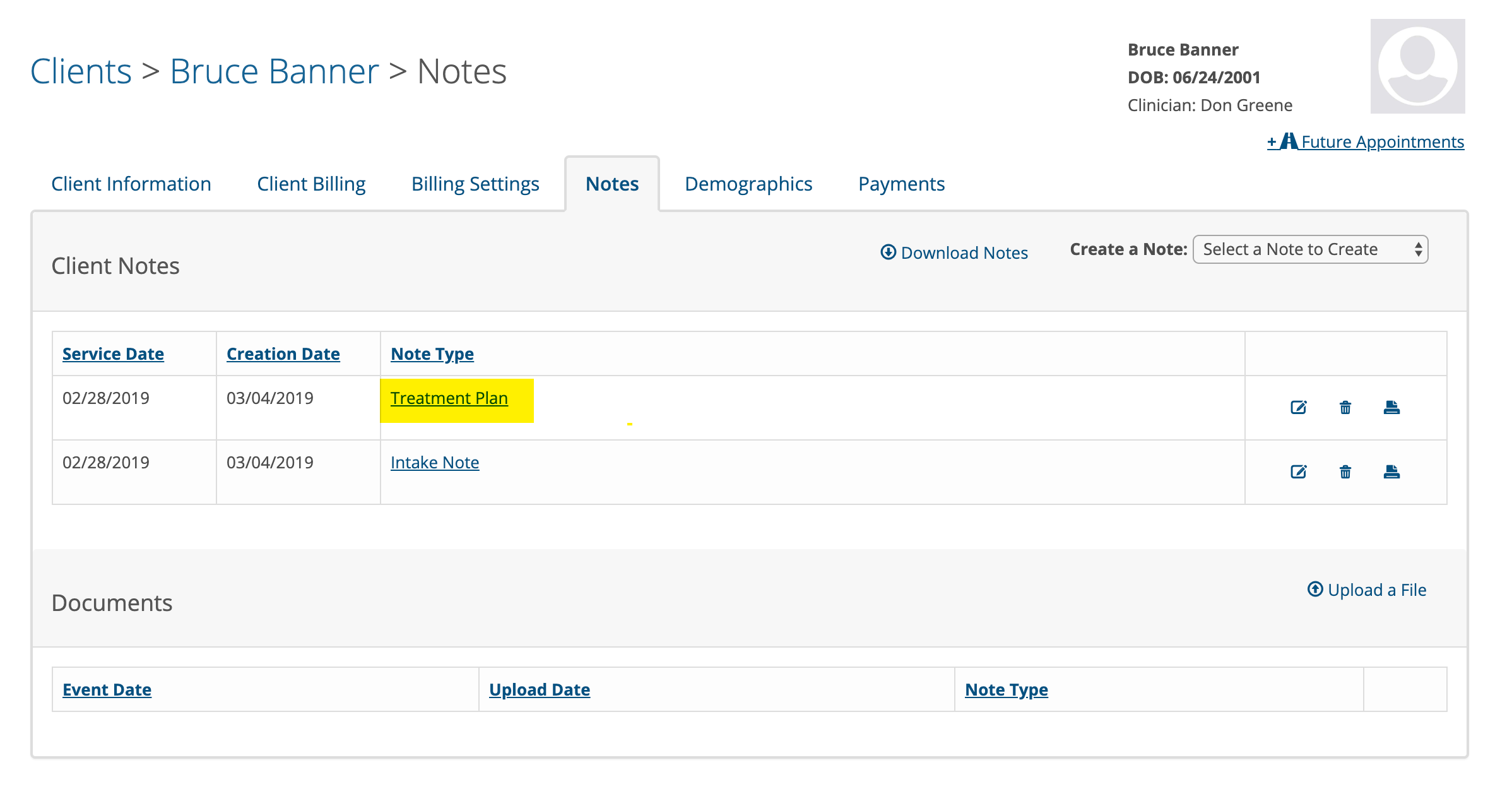
Client Signing a Treatment Plan in Person
To have the client sign the treatment plan in person, click on the Treatment Plan on the client's notes page to open it again. The note will be viewable now and you will notice a button called "Sign By Client". Click on that so the client can sign the note.

A signature window will appear where the client can type their name in the highlighted box.
As they type it will show a cursive styled signature.
When the client clicks Submit, the treatment plan is saved in the Completed Documents area in the client's portal.
Client Signing a Treatment Plan Using the Client Portal
You can send the treatment plan to a client via the client portal for them to review and sign. On the client's notes page, click on the Treatment Plan you wish to send to open it again. In the bottom left corner there is a blue button labeled Send to Client. Click the Send to Client button to send the treatment plan to the client. The client will get an email titled "Treatment Plan Signing Request". The client logs into the portal and will see the Treatment Plan on the left side in the documents to be completed area. The client clicks on the Treatment Plan, reviews it and will be able to sign it electronically.
When the client signs the Treatment Plan a copy gets saved for them and a signed copy will automatically get saved in the client's chart in the documents area.
IMPORTANT: The client must have been invited to the portal and established a username and password before you send the Treatment Plan to them.