Effective July 16, 2021, claims submitted with missing or incorrect billing national provider identifier (NPI) will be denied.
If you are part of a contracted provider group (organization) whose contract with Anthem is with the group (organization) and its taxpayer tax identification number, you should bill your group (organization) information, not your individual provider information when billing information is required by the claim form, including your group (organization) taxpayer ID and group (organization) billing provider NPI. For claims that require a rendering provider, please ensure you are billing the rendering provider NPI (Box 24J) in the rendering provider field. Review your billing practices carefully to ensure proper tax identification number (TIN), billing national provider identifier (NPI) and rendering provider information (if applicable) are submitted in the appropriate fields. If claims are submitted incorrectly they will be denied.
Checking your NPI Settings
The System Admin for the Practice can check to see how the Default NPI for Anthem BCBS is set. To comply with Anthem's requirements the Entity Type Qualifier should be set to Non-Person Entity and the Default NPI for Billing Purposes should be set to Group NPI.
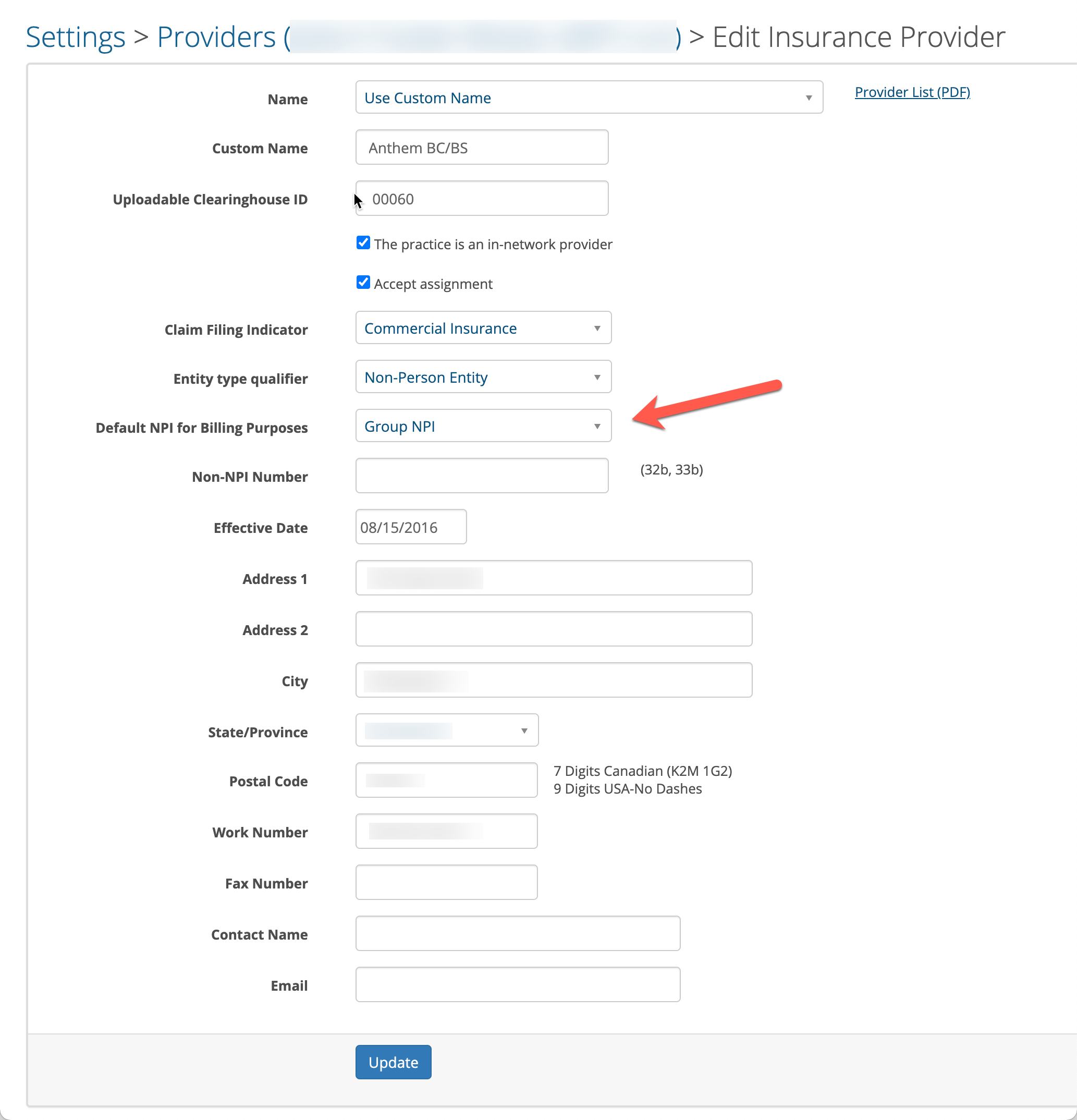
Make sure all clinicians in the Practice have the appropriate NPIs entered on their Clinician Practice Information settings page.
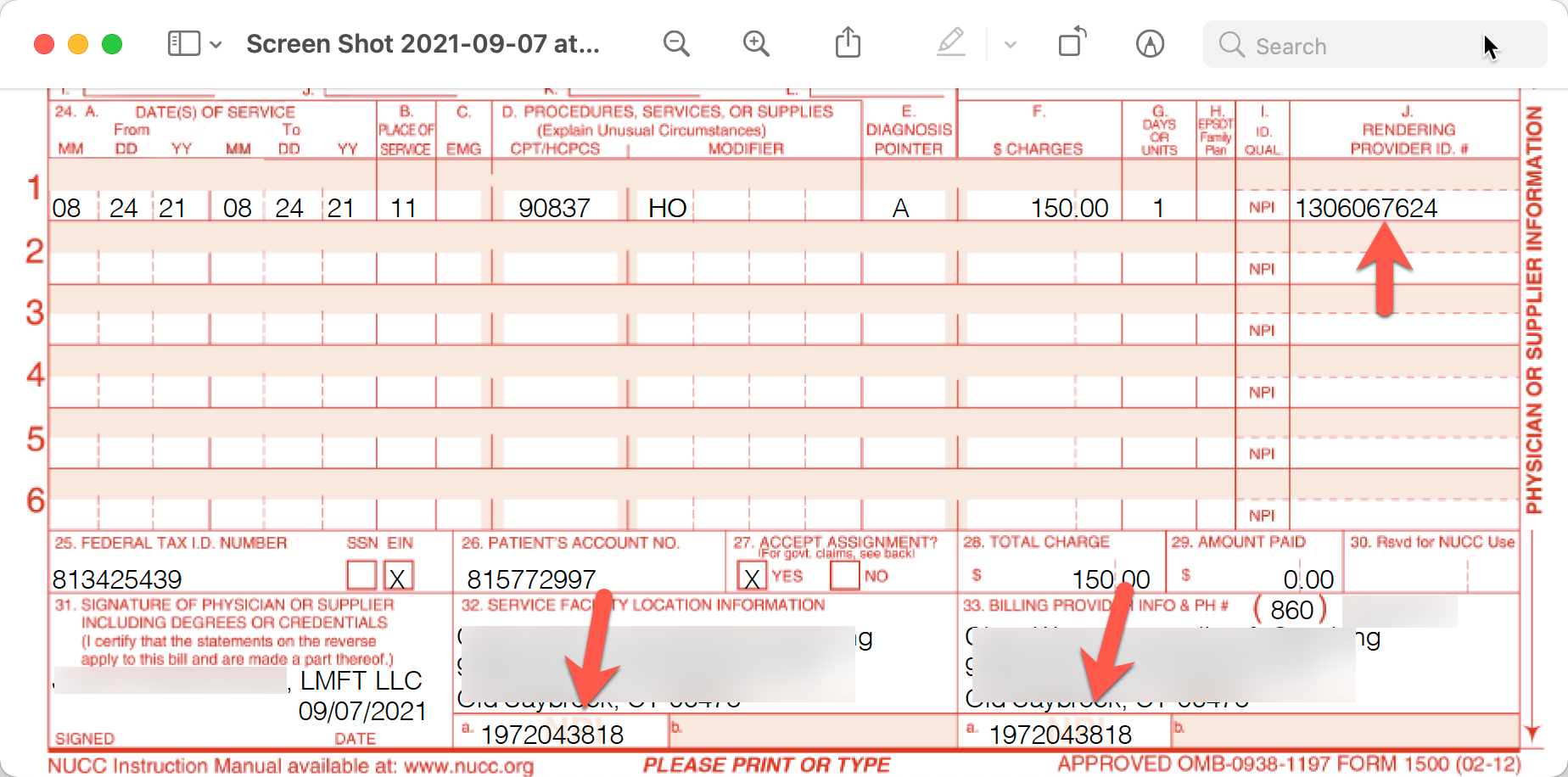
After this change is made, all future claims will have the Group NPI in boxes 32a and 33a. The rendering clinician's NPI will be in box 24J.
Here is what it would look like on a CMS-1500 to give you a visual idea. Electronic batch files will also put this same information in the correct locations when you create them.