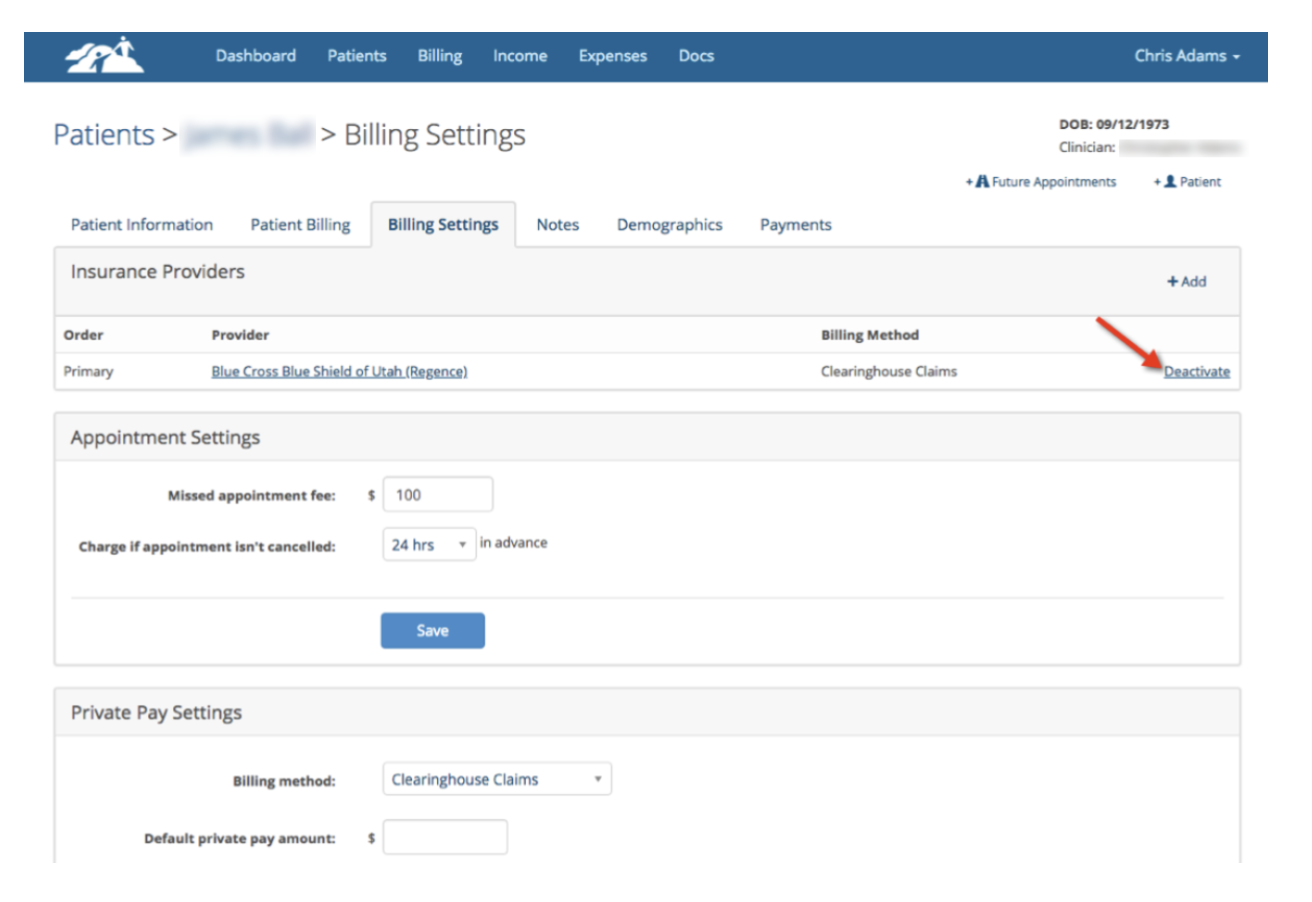
If a patient was configured for Insurance Billing and you need to change them to Private Pay, you can deactivate the Insurance Company on their Billing Settings page and add a Default Private Pay Amount. Making this change is not retroactive to sessions that have already been billed to the insurance company or scheduled. It will only apply to future sessions.
Deactivate the existing Insurance Company as shown below. This will not change existing invoices when you do this.
If you need to edit and change existing invoices to private pay, don't deactivate the Insurance Provider until you made your changes to those invoices.
Next, enter and save the Default Private Pay Amount in the Private Pay Settings area on the patient’s Billing Settings page as shown below by the red arrow:

If you wish to add Service Specific Private Pay Amounts like is shown above in yellow, this will allow you to charge a different rate for each kind of services. In this example, if you scheduled a 98037 90 minute session the patient would be charged $150.00. If you scheduled a 90834 the patient would be charged the default rate of $90.00. Setting Service Specific Private Pay Amounts is optional.
Updating Existing Appointments and Invoices
Updating Existing Appointments and Invoices
Fix invoices that were previously created so they reflect the new Private Pay Settings. Edit the invoices as shown below.
Make sure you didn't deactivate the Insurance Provider until you made the changes to the invoices.
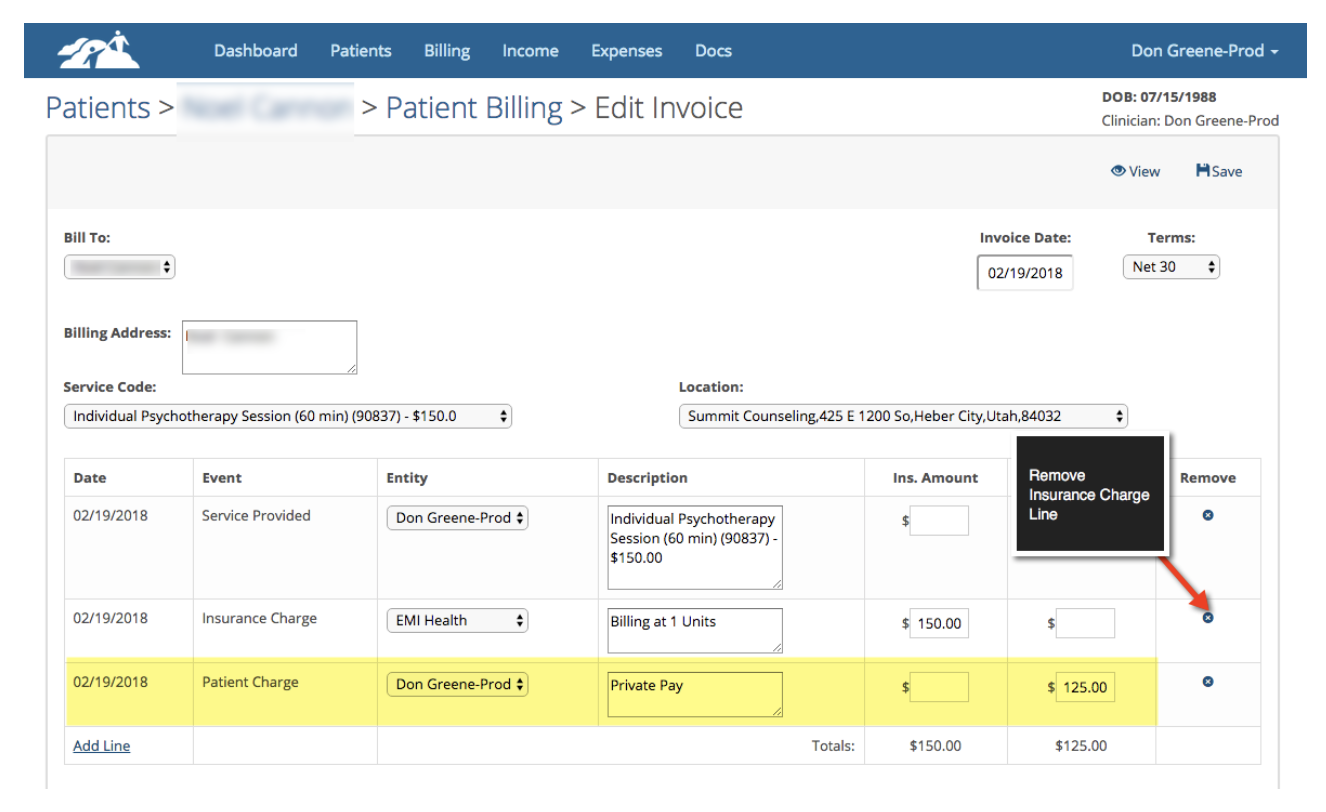
1. Go to the patient's Invoices & Statements tab in their chart. Click on the invoice number that you wish edit.
2. Remove the Insurance Charge line by clicking on the “X” on the right hand side (see red arrow above). If you can't delete the insurance charge line it means you deactivated the insurance provider prematurely.
3. If there is an insurance payment line on the invoice it will need to be removed. Most likely it will be for zero dollars. Go to the client's payment tab and remove the insurance payment for this invoice.
4. Remove the insurance adjustment line if there is one on the invoice.
5. If there is a Patient Charge line on the invoice (highlighted in yellow above), edit it and enter Private Pay in the Description Box and then update the dollar amount in the Pat. Bal. column on that same line.
5. If there is a Patient Charge line on the invoice (highlighted in yellow above), edit it and enter Private Pay in the Description Box and then update the dollar amount in the Pat. Bal. column on that same line.
If there isn’t an existing Patient Charge line, click +Add Line (lower left corner) and add a line making sure the date box matches the date of services. Pick Patient Charge in the second column, add a description and dollar amount to the Pat. Bal. box.
6. Click “Save” and repeat for other dates of service as necessary.
7. Deactivate the Insurance Provider after all the other invoices have been fixed.
When your done, the invoice should have a Service Provided and Patient Charge lines only.