Billing Methods are used to categorize claims into different categories so you can bill for them in different ways. Here is a list of the default billing methods that are provided to you.
- Billing Service
- Clearinghouse Claims-Batch Files
- Clearinghouse Claims-Direct
- CMS-1500 or Superbill
- Insurance Billing
- Medicare Secondary
- Private Pay
The Billing Method for each client must be set prior to scheduling them for an appointment so so TherapyMate knows how the client is paying or how you're going to bill others for your services.
This is done on the clients Billing Settings page in their charts.
The following is a summary of each Billing Method.
Billing Service
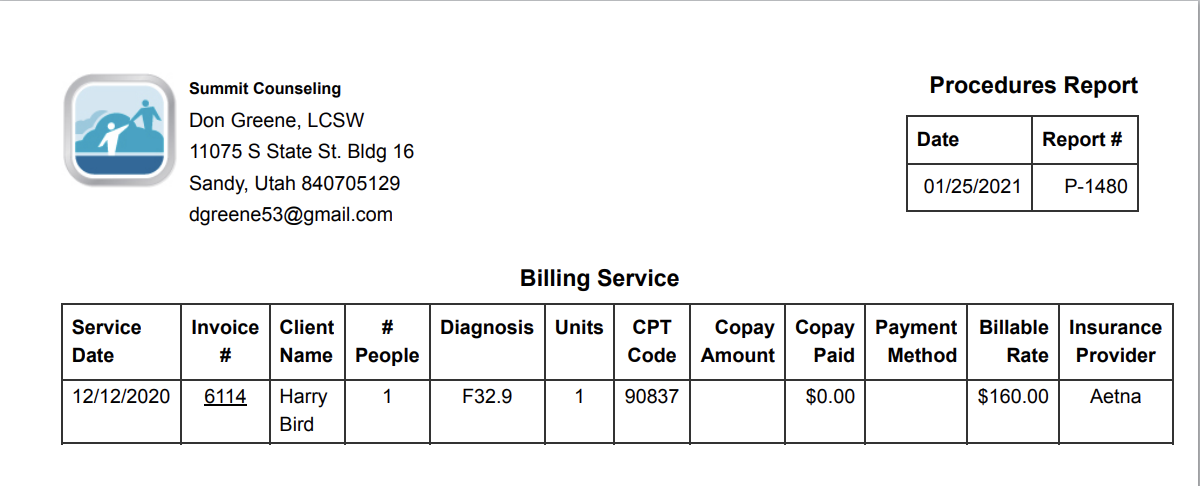
This billing method is used if the practice is using an outside person or service to help them with their billing. Designating this method will allow the practice to collect all of the billing information for a given period of time and produce a Procedure Report that summarizes all of the claims that the Billing Service needs to bill. The report can have multiple clients on the same report. Here is a sample with just one client on the report:
Clearinghouse Claims-Batch Files
This billing method is used to create an electronic batch file that contains one or more claims for one or more clients. Sometimes these files are called a EDI or Professional 837P batch files. When a batch file is created and saved from TherapyMate, it can be uploaded to a Clearinghouse.
TherapyMate batch files are compatible with Availity, Claim.MD, NaviNet, Office Ally and Trizetto. More information about creating batch files can be found in the Help Center.
Clearinghouse Claims-Direct
This billing method is the preferred way to bill insurance companies using TherapyMate. It provides the most benefits and automation to help you streamline your insurance billing efforts. We partnered with Claim.MD for our integrated clearinghouse billing. An account with Claim.MD is required to send claims directly to them from TherapyMate. You will also enjoy receiving the insurance payments from Claim.MD and have them automatically recorded in TherapyMate for you. You can also request a client's insurance coverage information using the Eligibility feature.
If your client has a primary and secondary insurer, you can set the billing methods for both insurers to Clearinghouse Claims-Direct. When the primary is billed and responds to the claim, the secondary insurer is automatically billed.
CMS-1500 or Superbill
The CMS-1500 billing method is used to create a paper claims and mail them to the insurance companies. This method isn't used much anymore. It is sometime referred to as a HCFA form. The layout and grid lines on the form are red and you can created an entire CMS-1500 claim within TherapyMate and print it to a color printer or you can also use pre-printed forms which are available from most office products stores or online. When you use pre-printed forms, TherapyMate can fill the boxes on the form with data for you. Here is an example:

Insurance Billing
This is method is sometimes used for secondary insurance claims or claims you enter manually through an insurance providers website.
Medicare Secondary
When a client has Medicare and a secondary supplemental insurer, set the billing method for the secondary insurer to this billing method. Medicare doesn't need to know who the secondary insurer is when you send in the Medicare claim. They already have that in their coordination of benefits for each client.
Private Pay
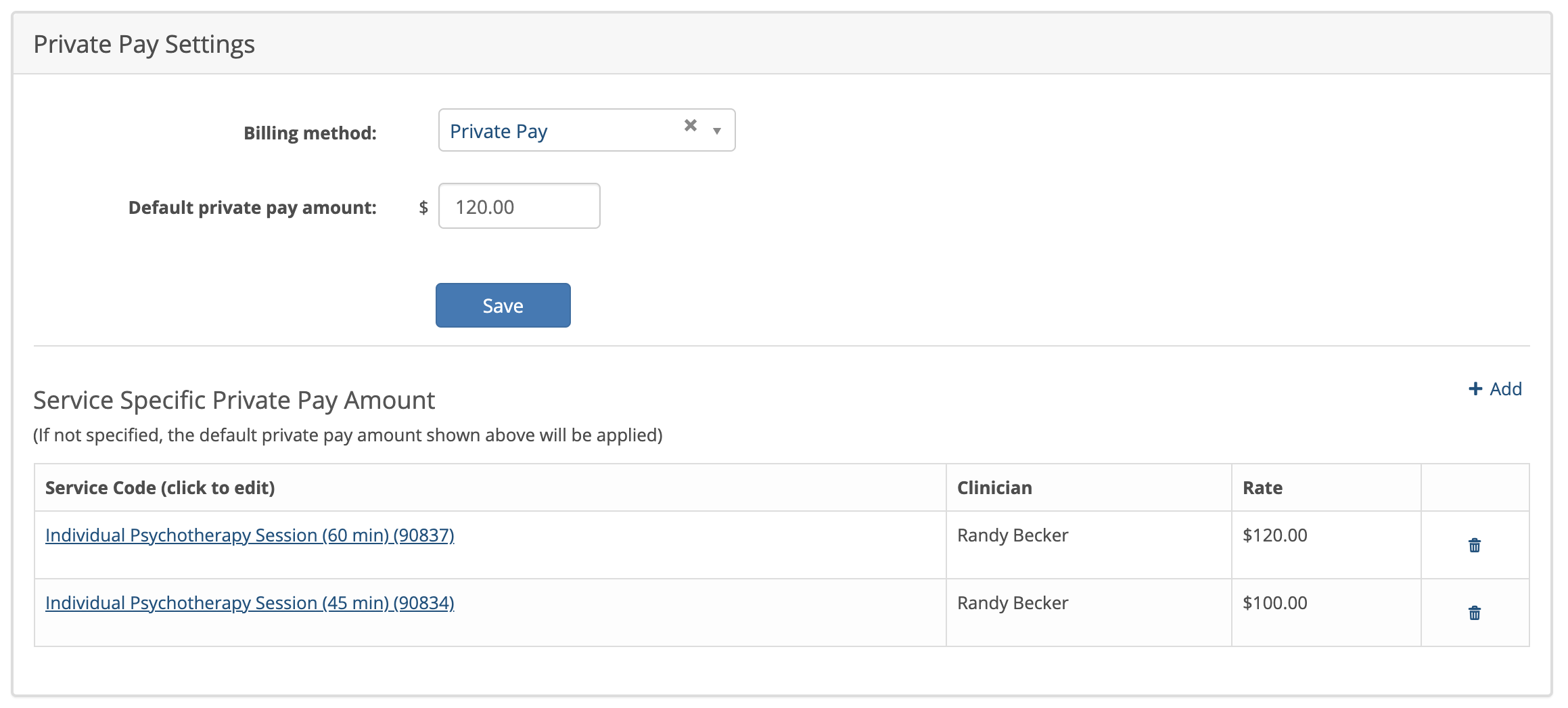
This method is used for clients who do not have insurance, chose not to use their insurance and are paying out-of-pocket for your services. You would configure the client's private pay settings area on their Billing Settings page. Here is an example:
Billing Settings for Clients with Insurance
If the client is using insurance to pay for your services, add the insurance provider to their billing settings and choose the appropriate Billing Method as shown below:

For more information about Insurance billing search the Help Center for a related article.