There may be occasions when you need to change an invoice back to pending because the original claim submission was missing information or had errors.
It is easy to make your corrections and change the invoice back to Pending using these instructions.
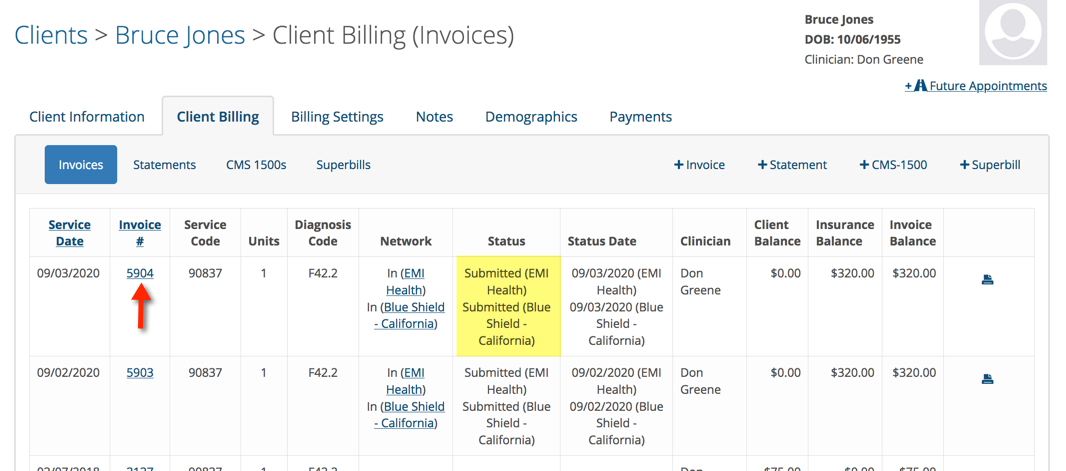
Go to the patient’s billing page. Click on the invoice number (shown below) for the session you need to change back to pending from submitted.
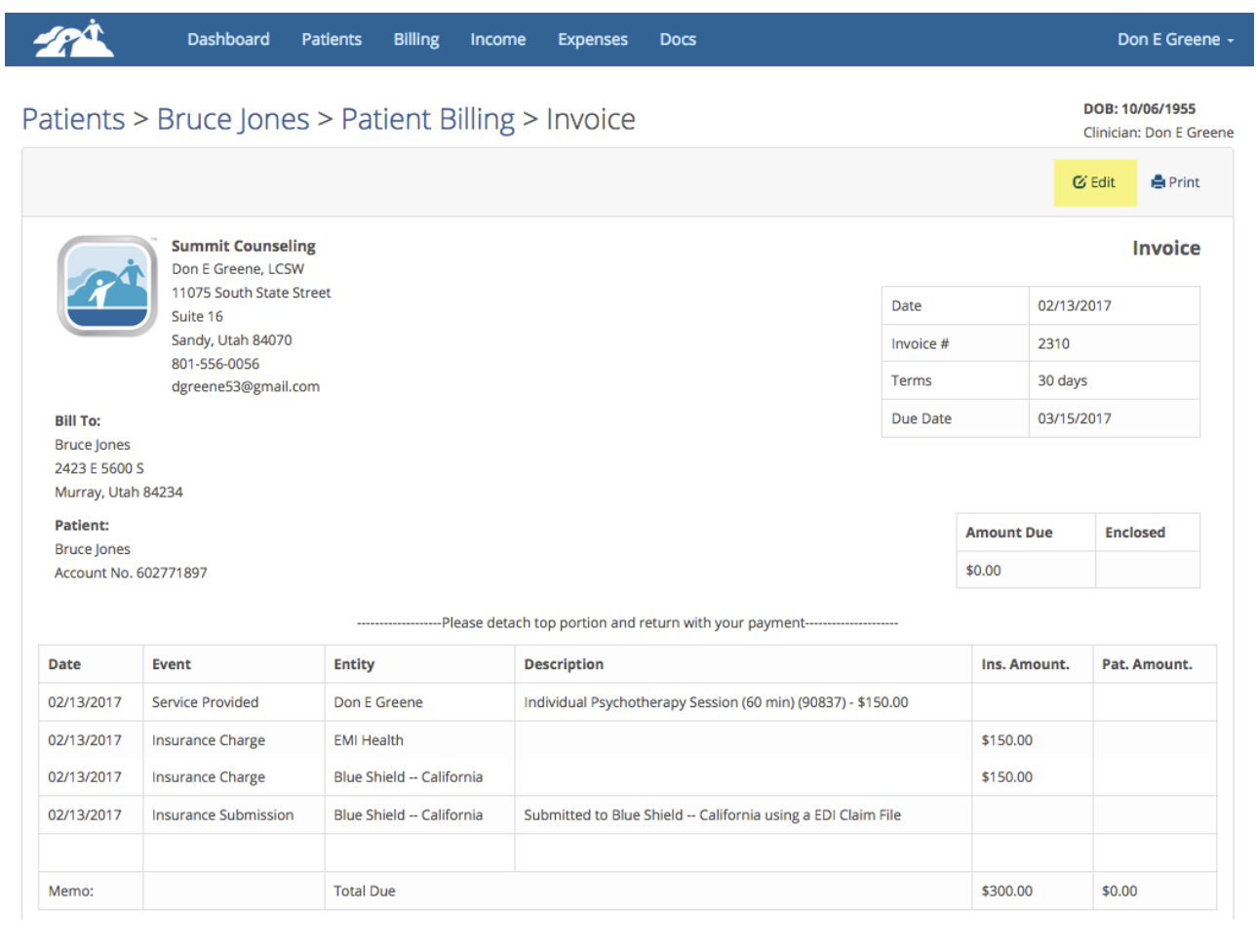
Click the edit button in the upper right corner to edit an invoice.
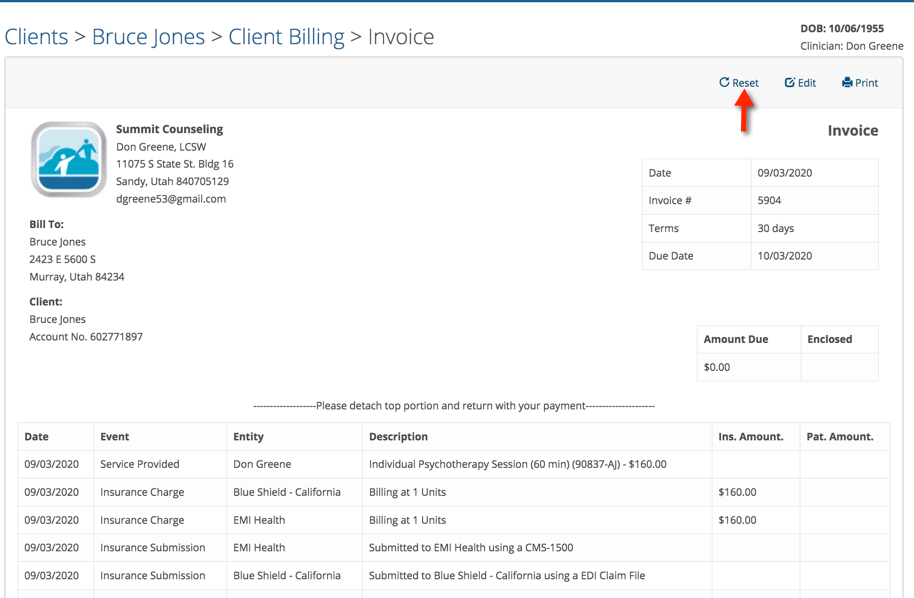
Click on the Reset button.
Choose one or more insurance submissions you need to reset.
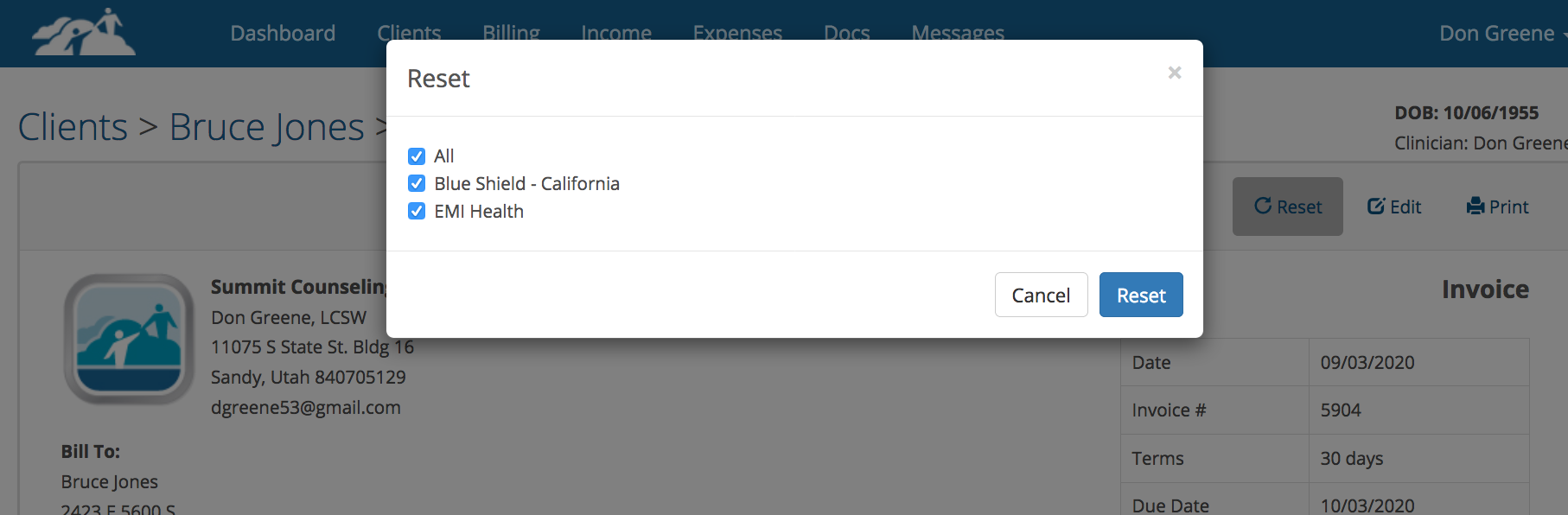
In this example we are resetting both insurance providers back to pending. If you only need to reset one insurance provider you can do that as well.
Click the blue Reset button when you have made your choices. You will notice that the insurance submission lines have been removed.

And the Status column now says pending again.
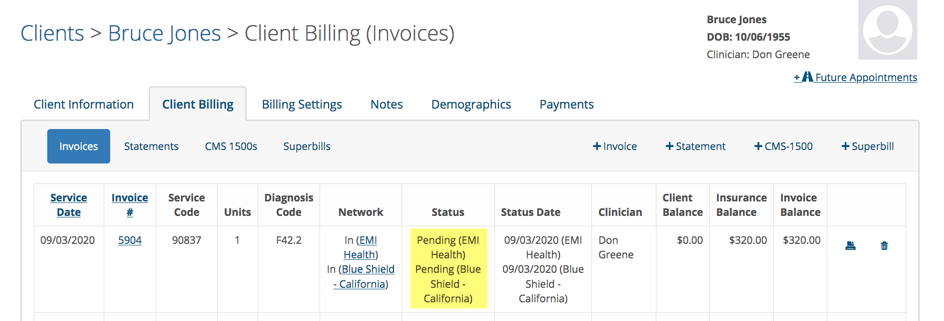
This invoice can now be re-billed as necessary.