Setting Up a Client’s Billing Settings
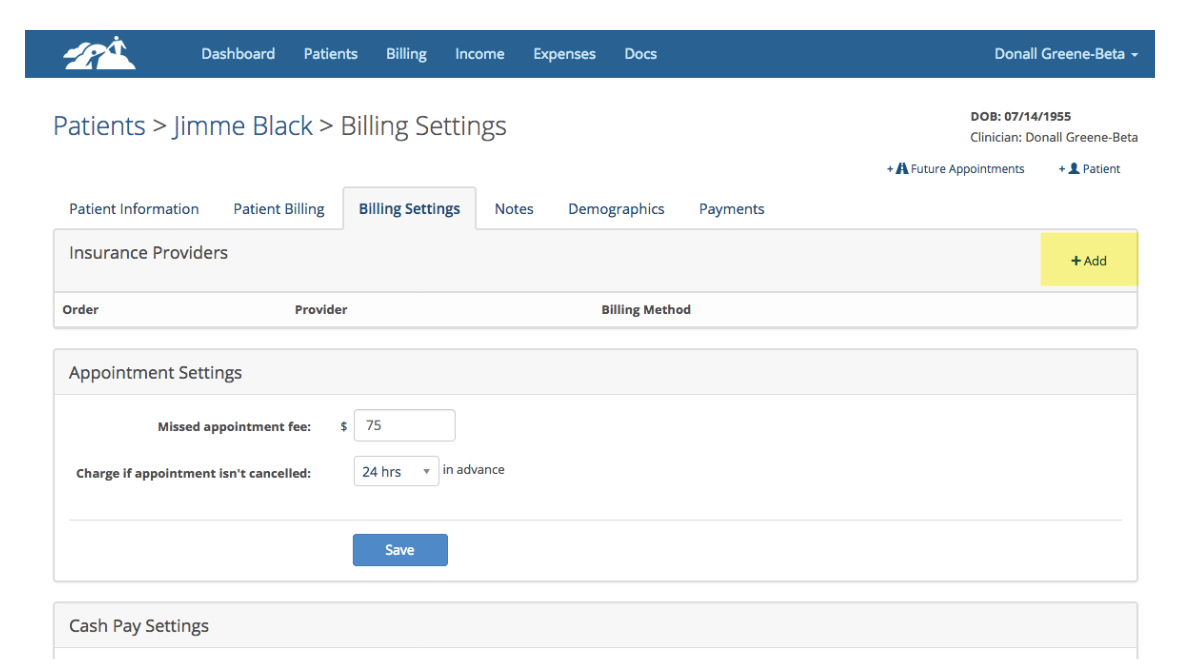
Add an insurance provider to the patients Billing Settings page by clicking on the +Add button.
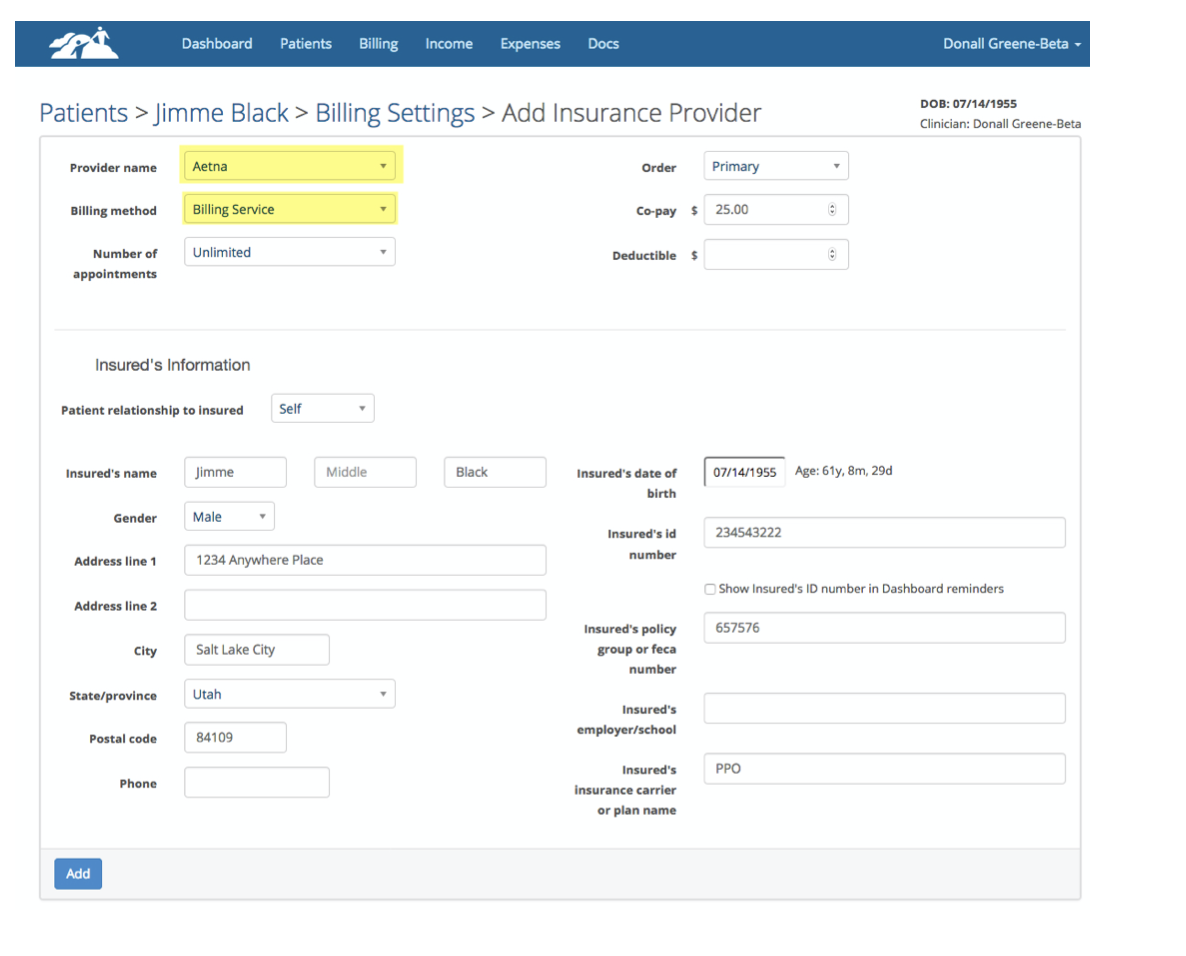
Select the provider’s name then set the billing method to Billing Service. Fill out the rest of this page like you would for any client who has insurance. If the insurance provider was previously set up, make sure the Billing Method drop down is changed to Billing Service.
Creating a Procedures Report
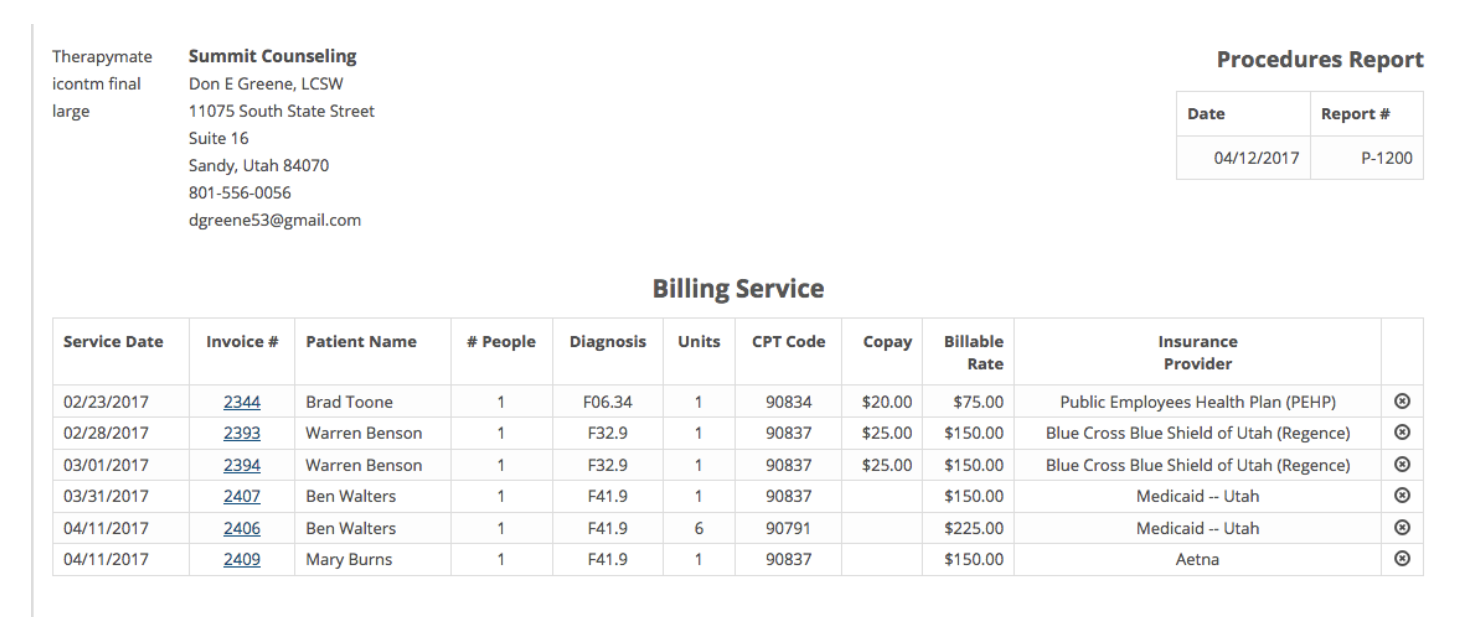
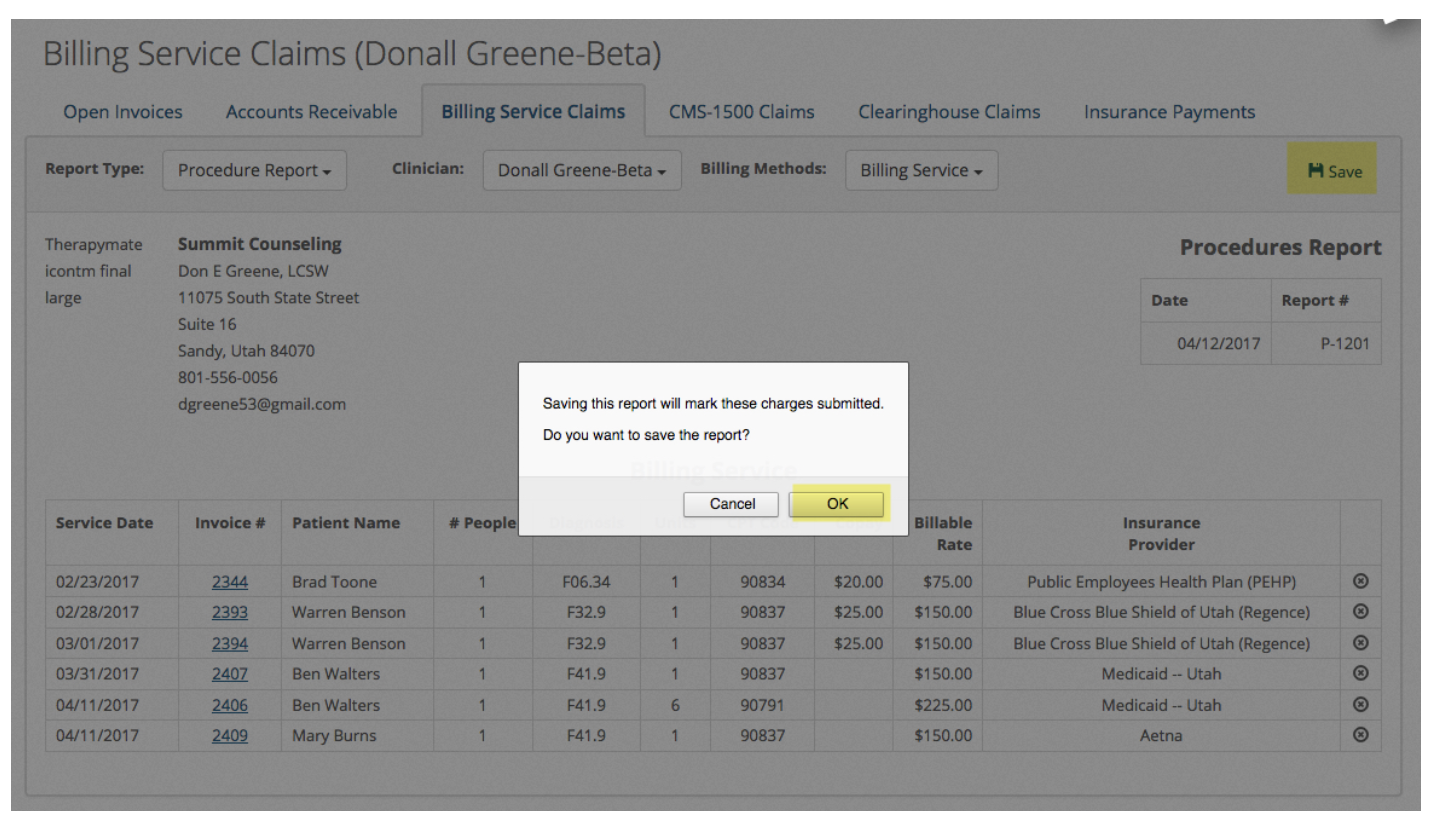
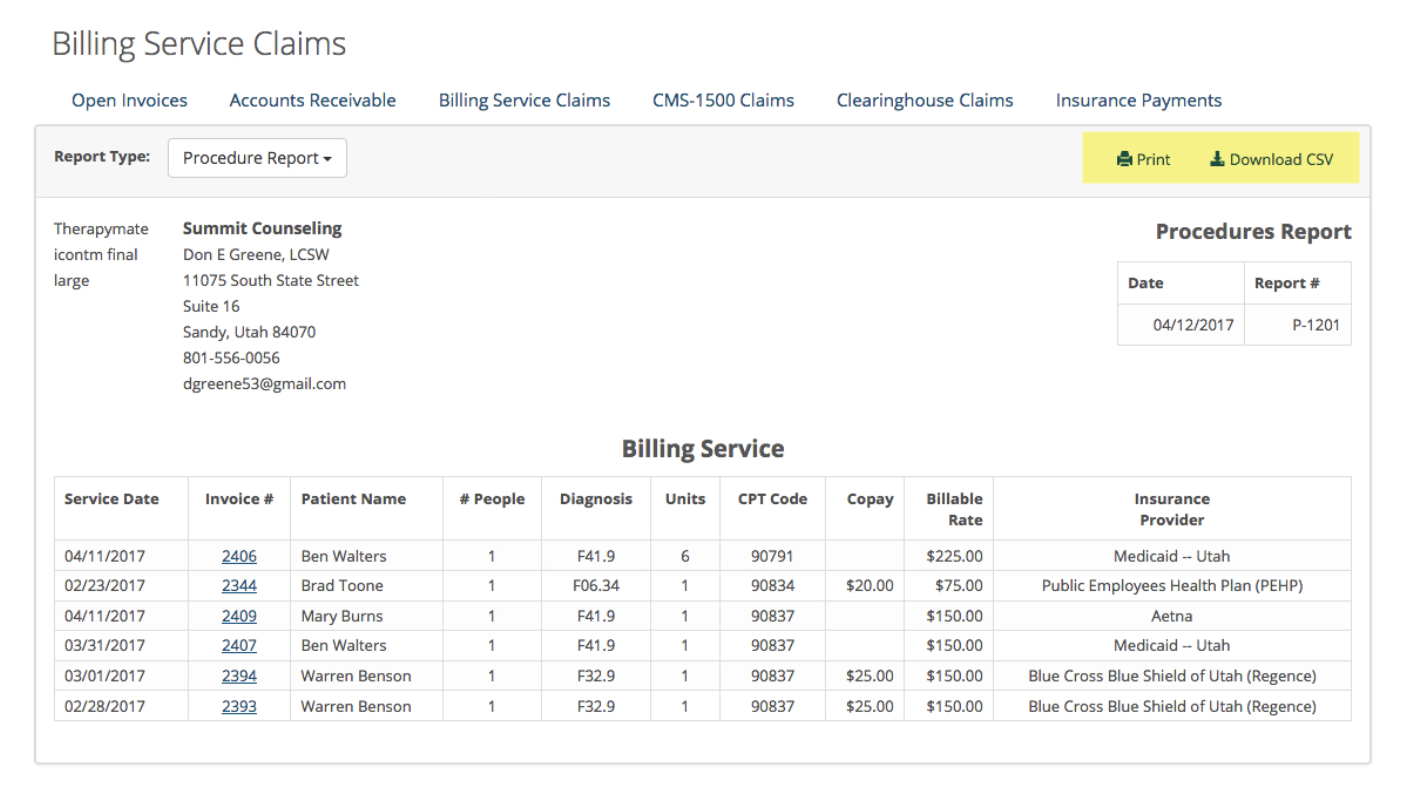
A procedures report can be created and sent to a Billing Service so they can bill insurance companies on your behalf. An example of this report is shown below:
To create a report, click Billing on the main menu bar.
Click the Save button and then OK if you want to create a report to print or export in the following step.
Next, you can export the report to a spreadsheet format or print it. All you need to do now is send the report to your billing service in whatever manner you wish.
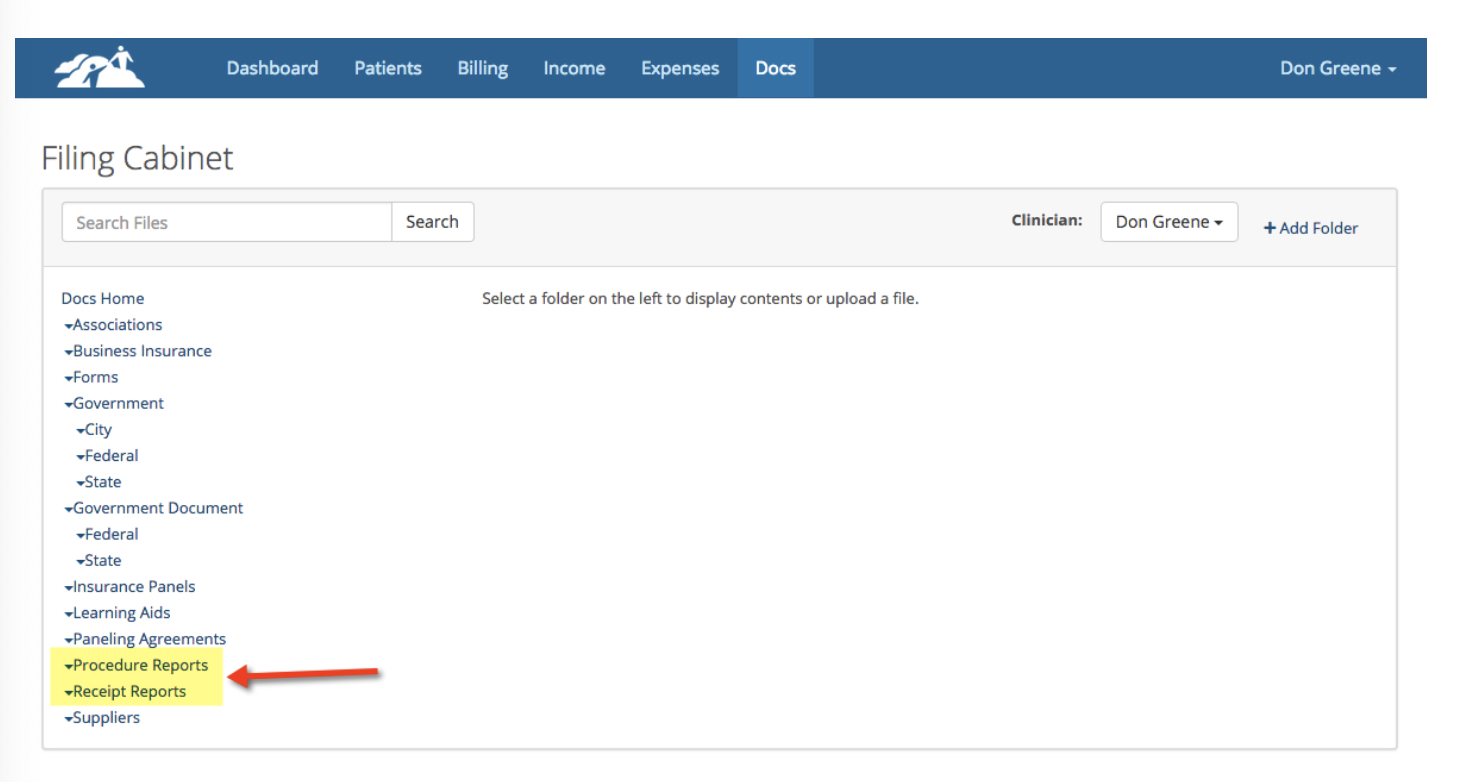
When you save a Procedures report it will be save in the main Docs area in one of the filing cabinet folder called Procedure Reports. Only the System Administrator for the Practice has access to this folder. This may come in handy at times if you need another copy of the report.