Please Note: We don’t recommend Microsoft Internet Explorer or Edge for printing CMS-1500s. The settings for these two browsers are not capable of producing the correct results. Some printers are not capable mechanically to print to the far edges of the page or line up the text properly in the boxes. In these cases you will need to use a different printer. HP brand printers usually produce good results.
Here are some instructions on how to do this using Chrome, Firefox and Safari.
Chrome

Click on the + More setting option that is highlighted above. This will display more options for you. You should now see an option called Margins. Set that to None as shown below.

Firefox (Mac)

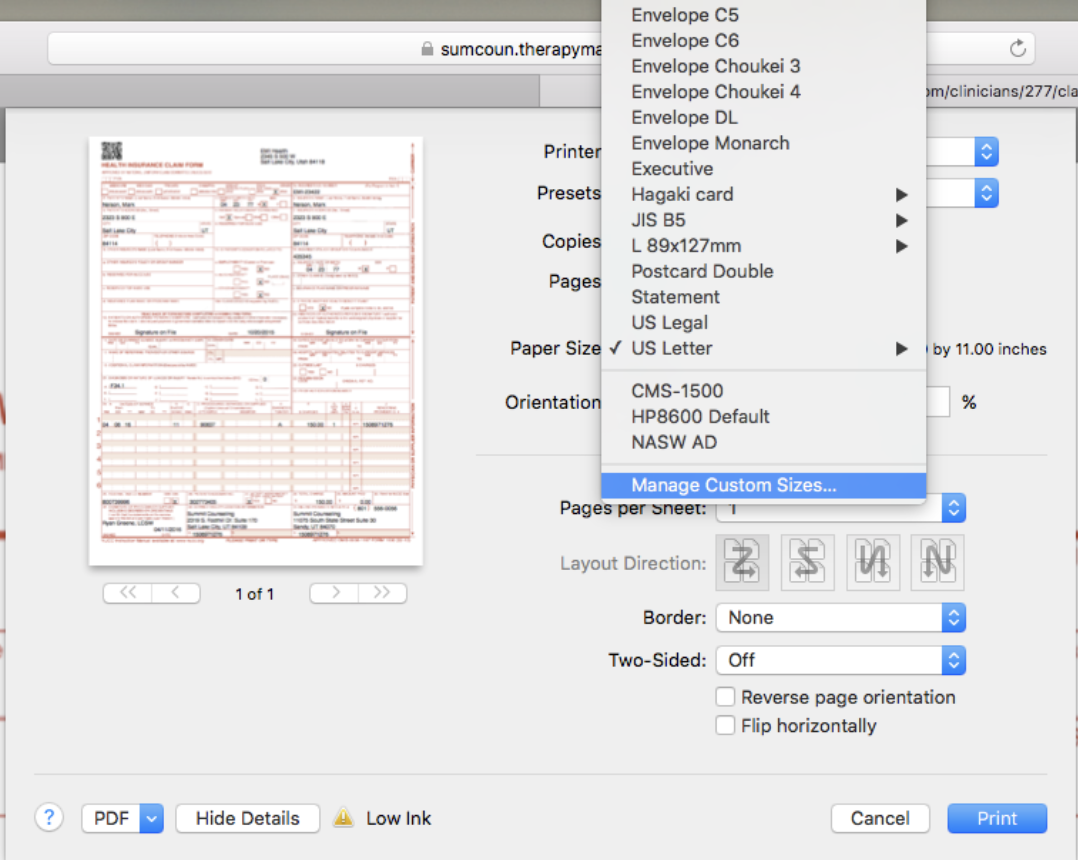
Select Manage Custom Sizes from the dropdown menu.

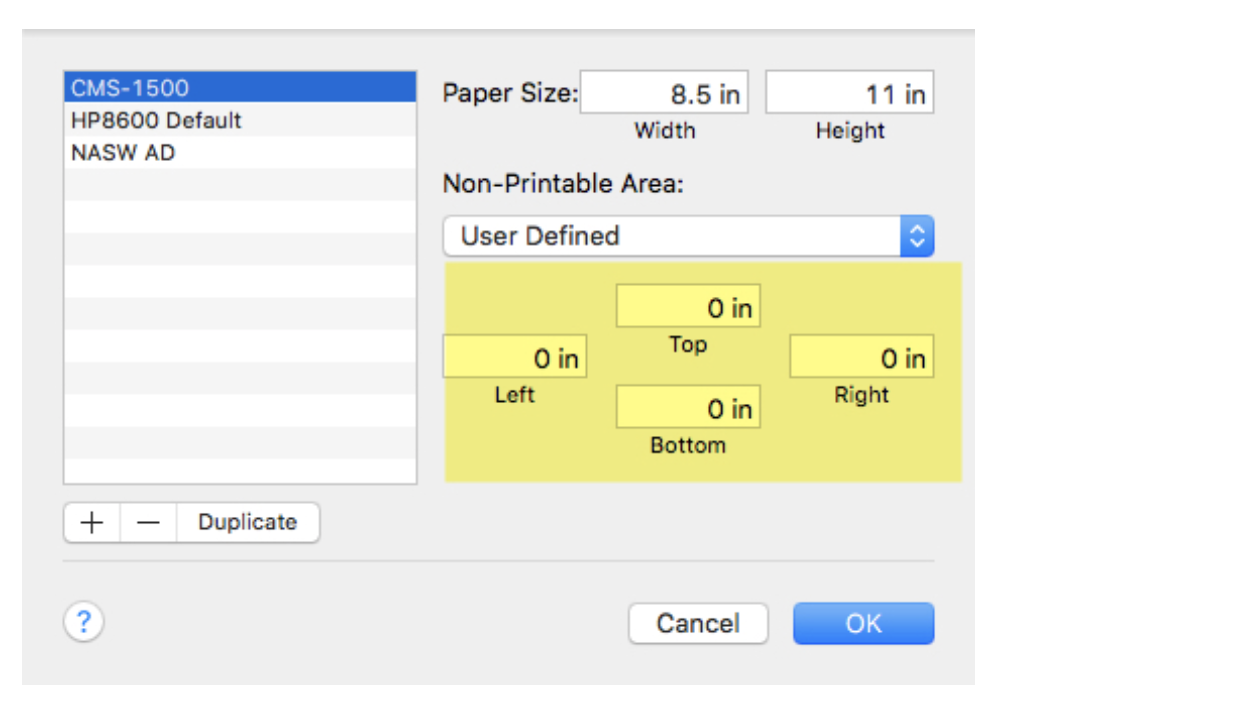
On the screen below you can create a custom paper size where the Non-printable Area or page margins are set to zero. To do this click on the + button and set the values to zero. The double click the work Untitled on the left to give your new paper size a name. I chose to call mine CMS-1500.
Firefox (Windows)

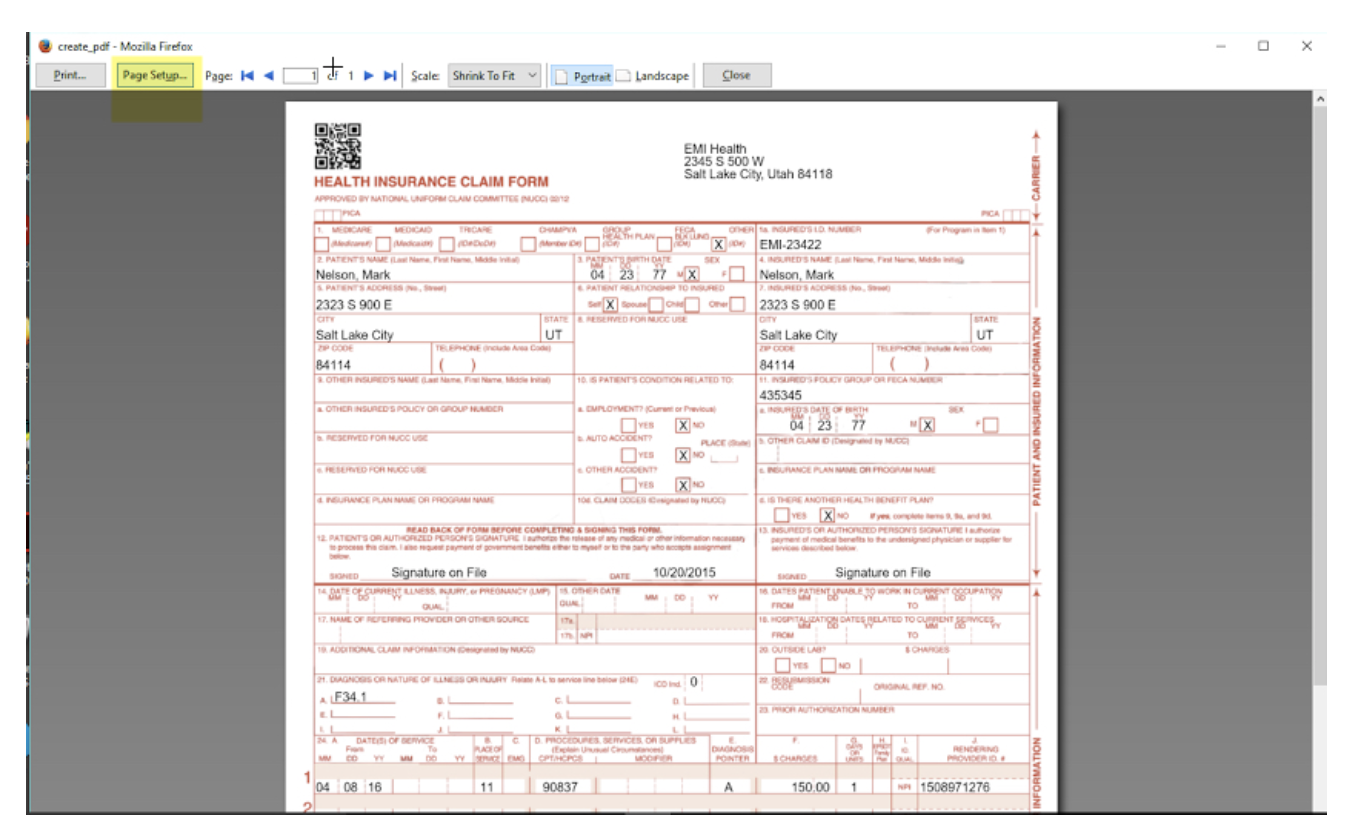
On the page below, click on Page Setup.
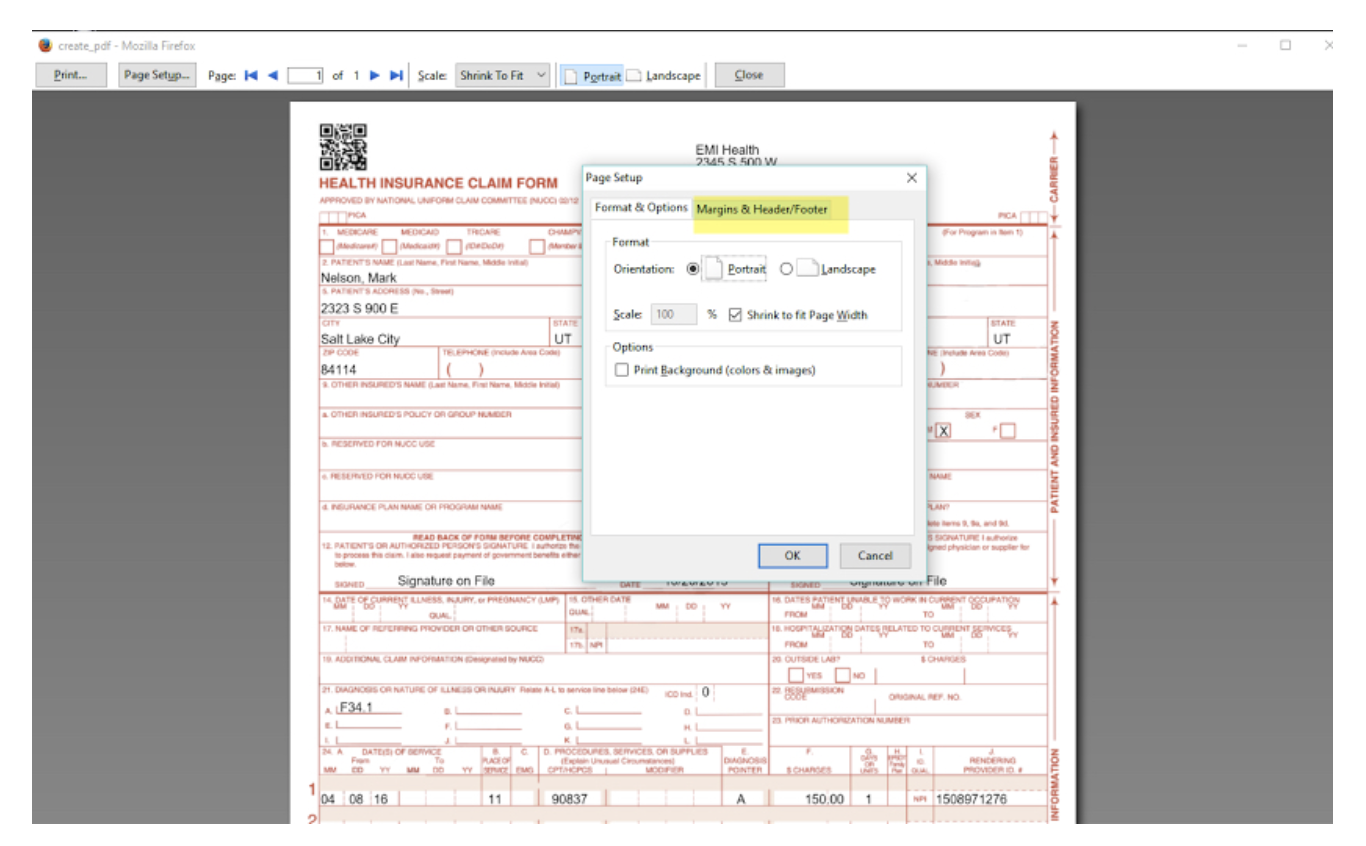
The page setup window will open. Click on Margins & Headers/Footers
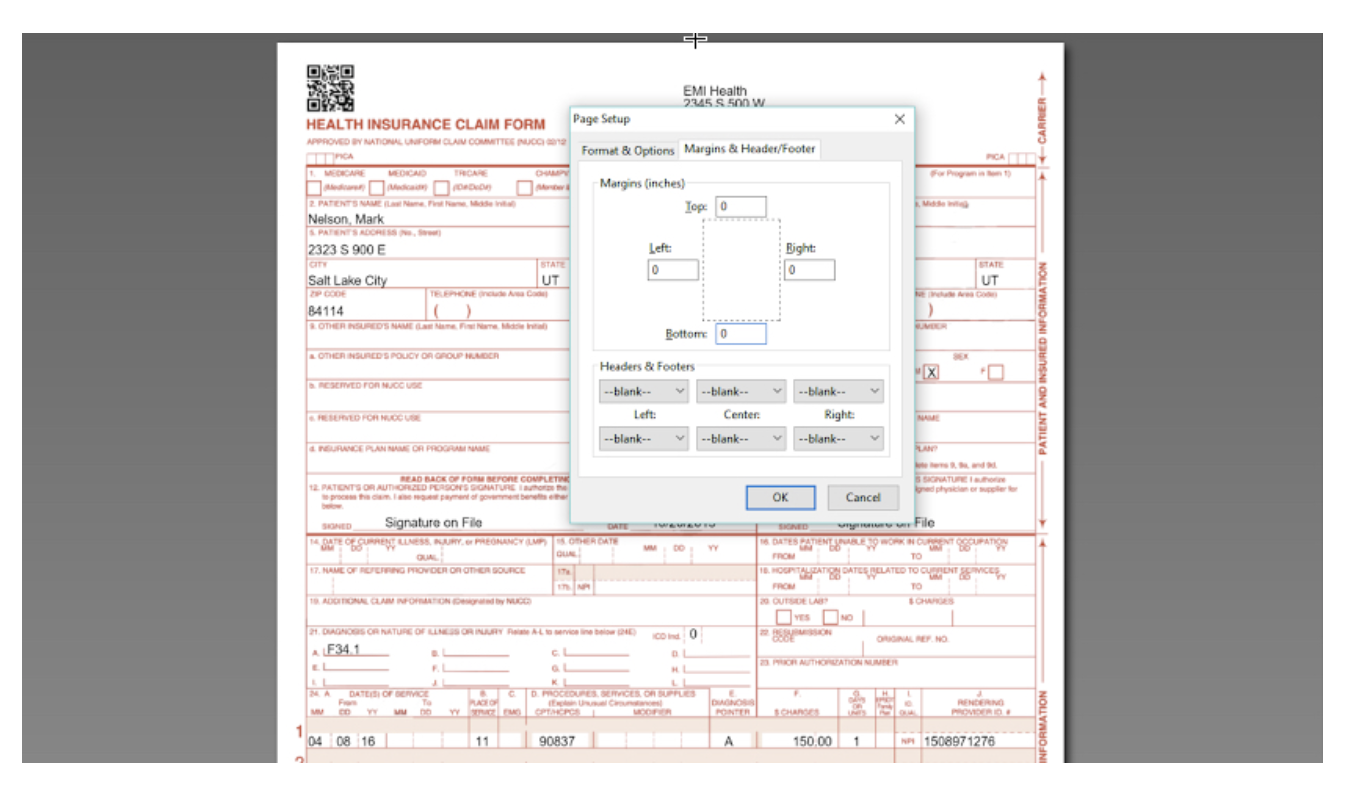
Next, change the margins to zeros and set the Headers and Footers to blank as shown below.
Safari (Mac)

Select Manage Custom Sizes
Click the + button and create a new printer profile for CMS-1500s. Set the margins to zero. Click OK when done.
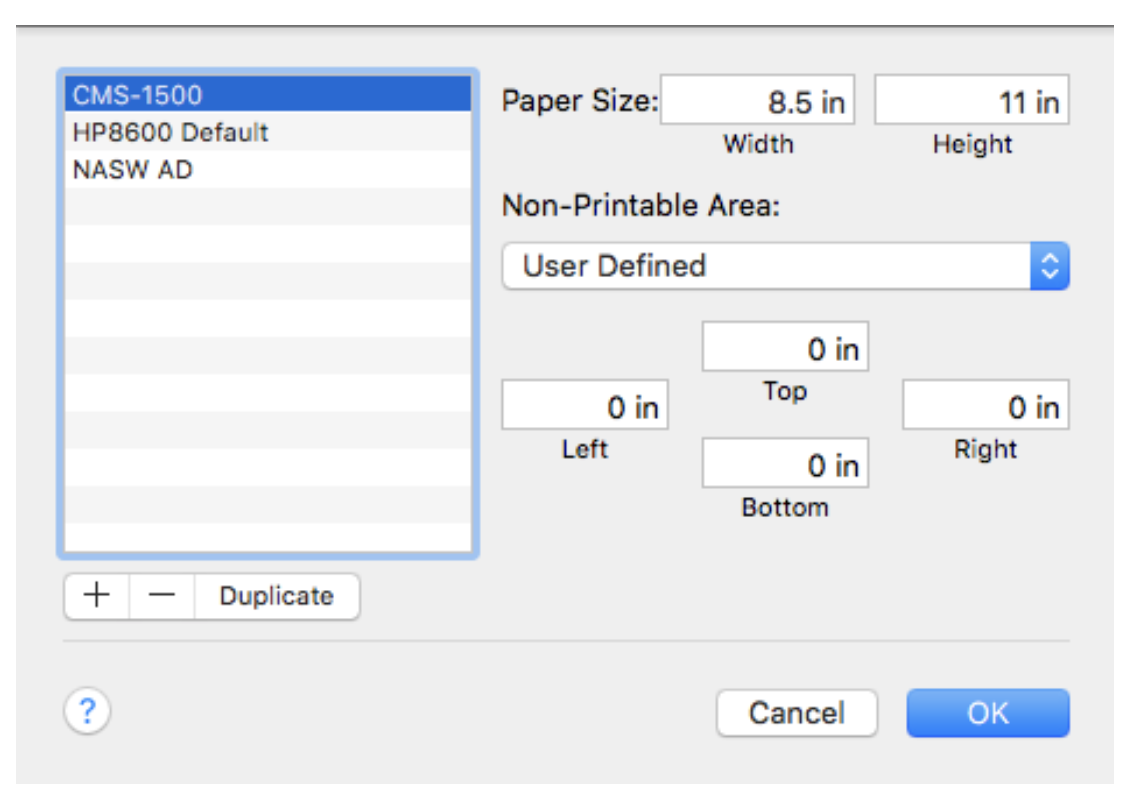
You can use this new profile in the future when you print CMS-1500s