If you need to send a Invoice,Statement or Superbill via email you can do the following:
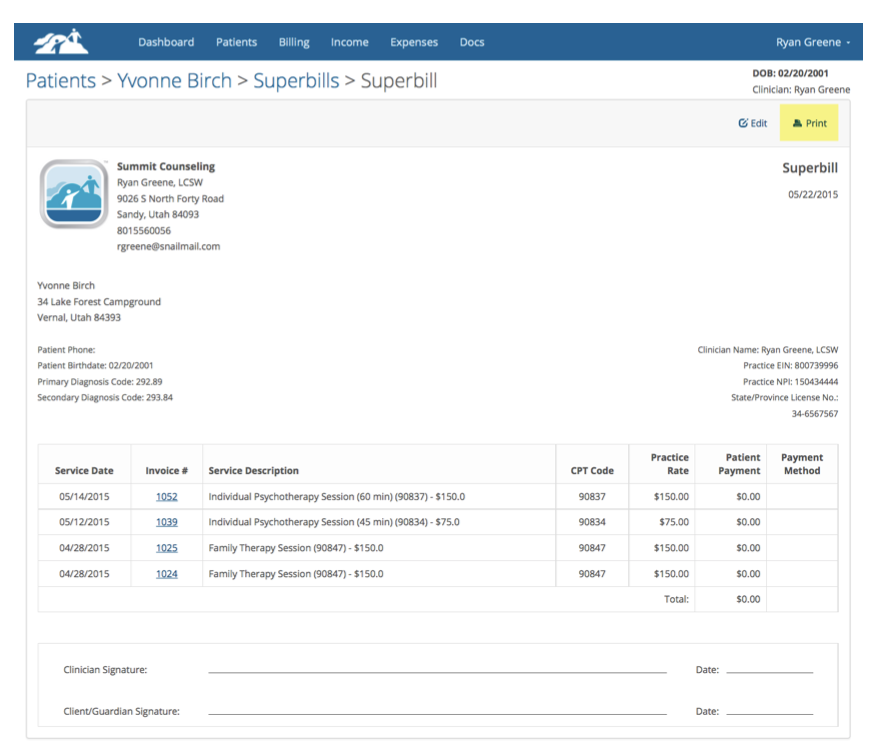
- Create the Superbill, Invoice or Statement for a patient, then select print.
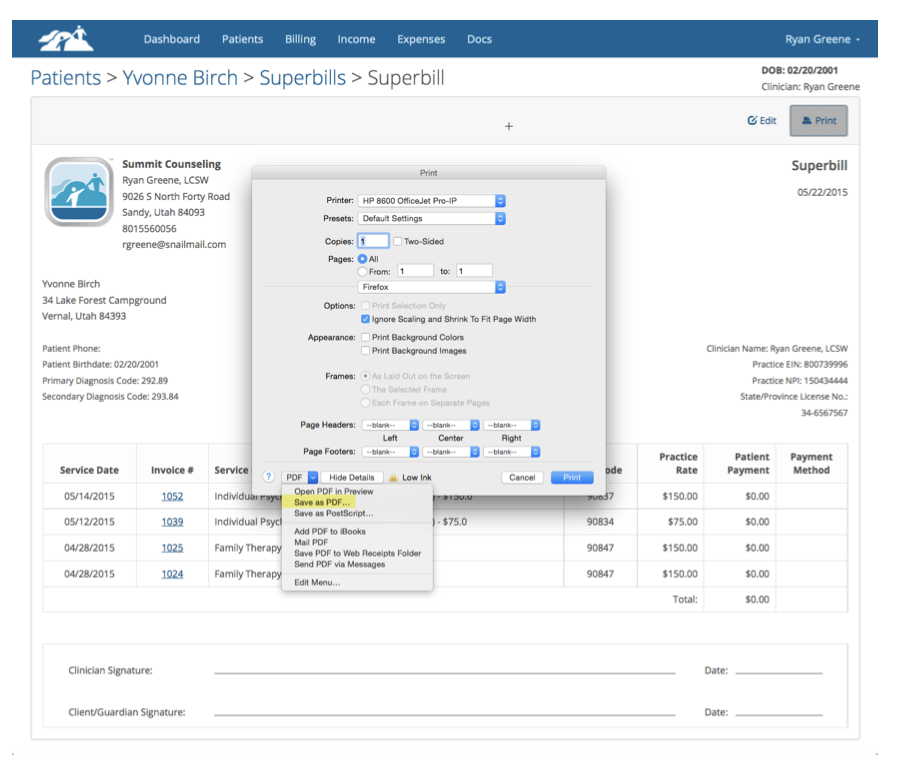
- Instead of printing it to your printer, you can save it as a PDF to your computer's desktop or hard drive. (Example shown is using Firefox, but Chrome and other browsers can do this as well.)
- On the print window you will have an option to Save as A PDF. Select "Save as a PDF' from the drop down as shown in the example below:
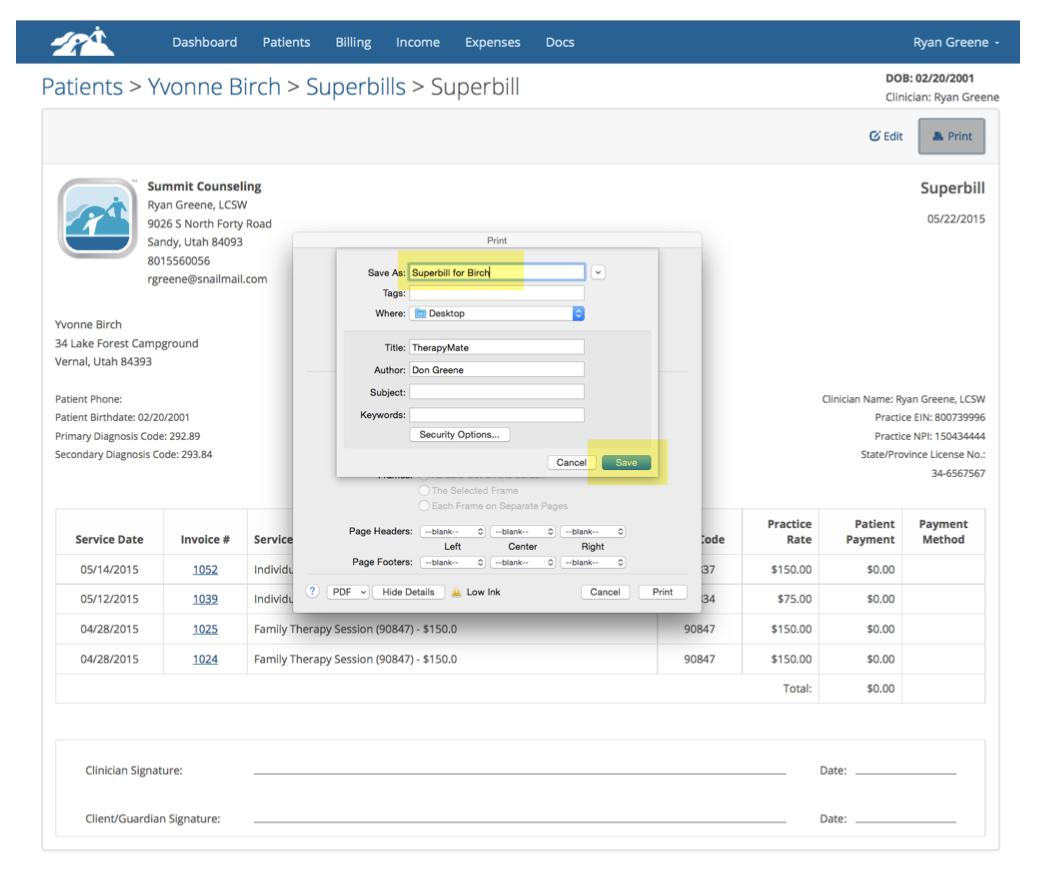
Give the statement a name and save it to your computer. This process creates a PDF file that you can attach to an email.
Here is what the email might look like when you create it using your own email account:
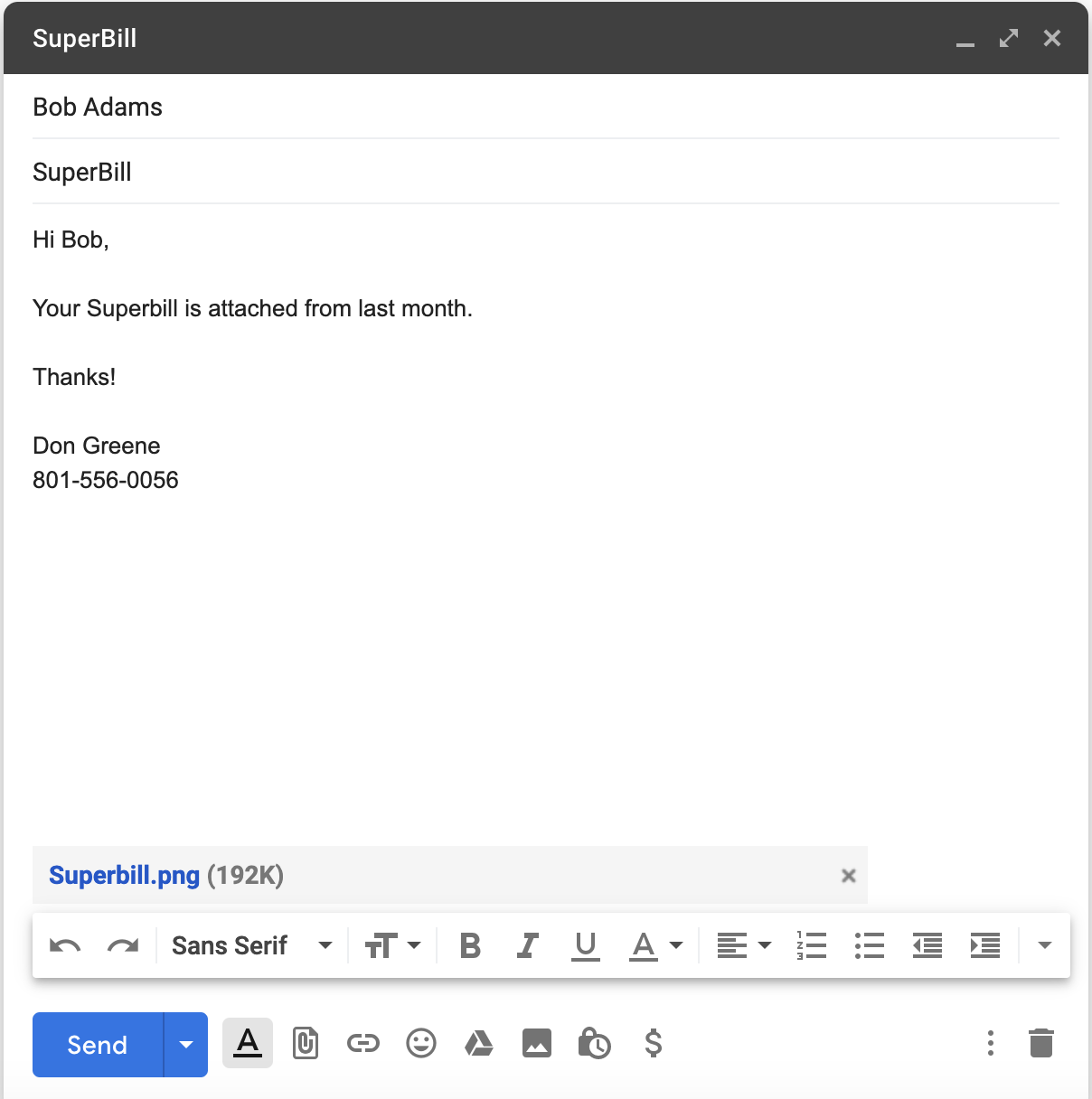
Be Advised that sending this from you email account is not considered to be the most secure way to do this. Unless both parties have a secure email service, this message is going out over the public Internet with little to no encryption.
Recommendation: Use the Client Portal Messages feature to send messages, with the Superbill attached for your client. The Messages feature is more secure and the contents are encrypted. The client will be able to login to the client portal and download the attachment you sent them.
Sending a Secure Message Using TherapyMate
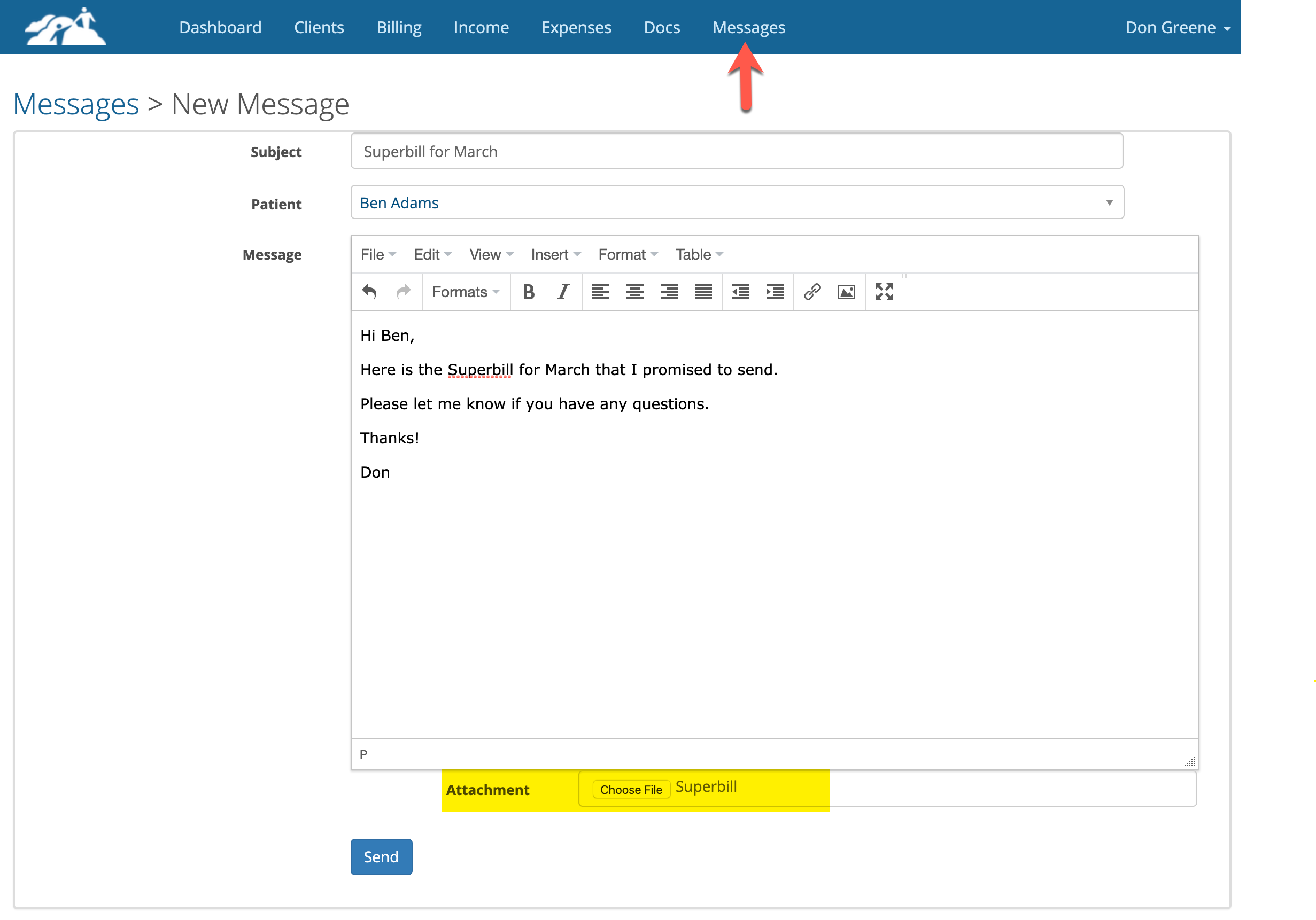
From you TherapyMate Dashboard, click on Messages on the blue menu bar. Then click on + New Message
Create your message and attache the Superbill. Click Send when done.
Recommendation: Use the Client Portal Messages feature to send messages, with the Superbill attached for your client. The Messages feature is more secure and the contents are encrypted. The client will be able to login to the client portal and download the attachment you sent them.
Sending a Secure Message Using TherapyMate
From you TherapyMate Dashboard, click on Messages on the blue menu bar. Then click on + New Message
Create your message and attache the Superbill. Click Send when done.
The client will receive an email asking them to login to the Client Portal. When they login to the portal they will see a new incoming message and be able to open and read it. The Superbill will be attached so the client can download it.