If a patient was configured for Private Pay and you added an insurance provider later, the change is not retroactive to existing appointments and invoices.
You can update each appointment and edit the affected invoice(s) to fix this.
There are a couple ways to approach this.
1. If the invoice(s) do not have any payments applied towards them yet, delete the appointment(s) on your dashboard and re-enter them. When you do this the new appointment will see the new billing settings and create the invoice properly based on the client's new billing settings.
2. If any payments from the cleint or their insurance company have been applied to the invoice(s) you'll need to perform the following steps:
There are a couple ways to approach this.
1. If the invoice(s) do not have any payments applied towards them yet, delete the appointment(s) on your dashboard and re-enter them. When you do this the new appointment will see the new billing settings and create the invoice properly based on the client's new billing settings.
2. If any payments from the cleint or their insurance company have been applied to the invoice(s) you'll need to perform the following steps:
- Go to the client's billing page where the invoices are listed.
- Click on the invoice number that you need to fix.
- Click edit in the upper right hand corner.
- Remove the client charge line by clicking on the "X" from the invoice if there is no copayment required.
- If the client does have a copay just change the description to copay and fix the dollar amount in the Pat Amount column to reflect what their copay should be
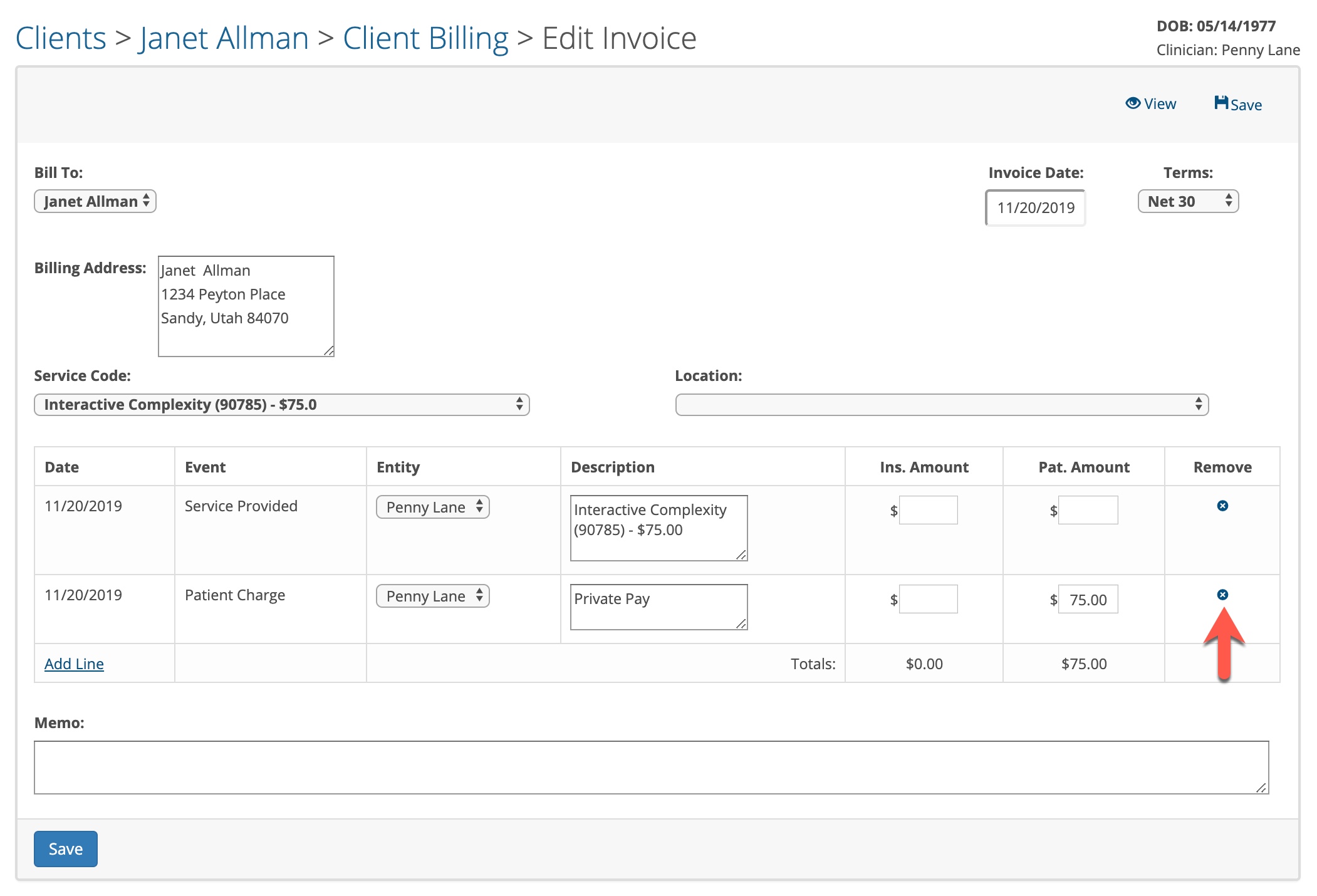
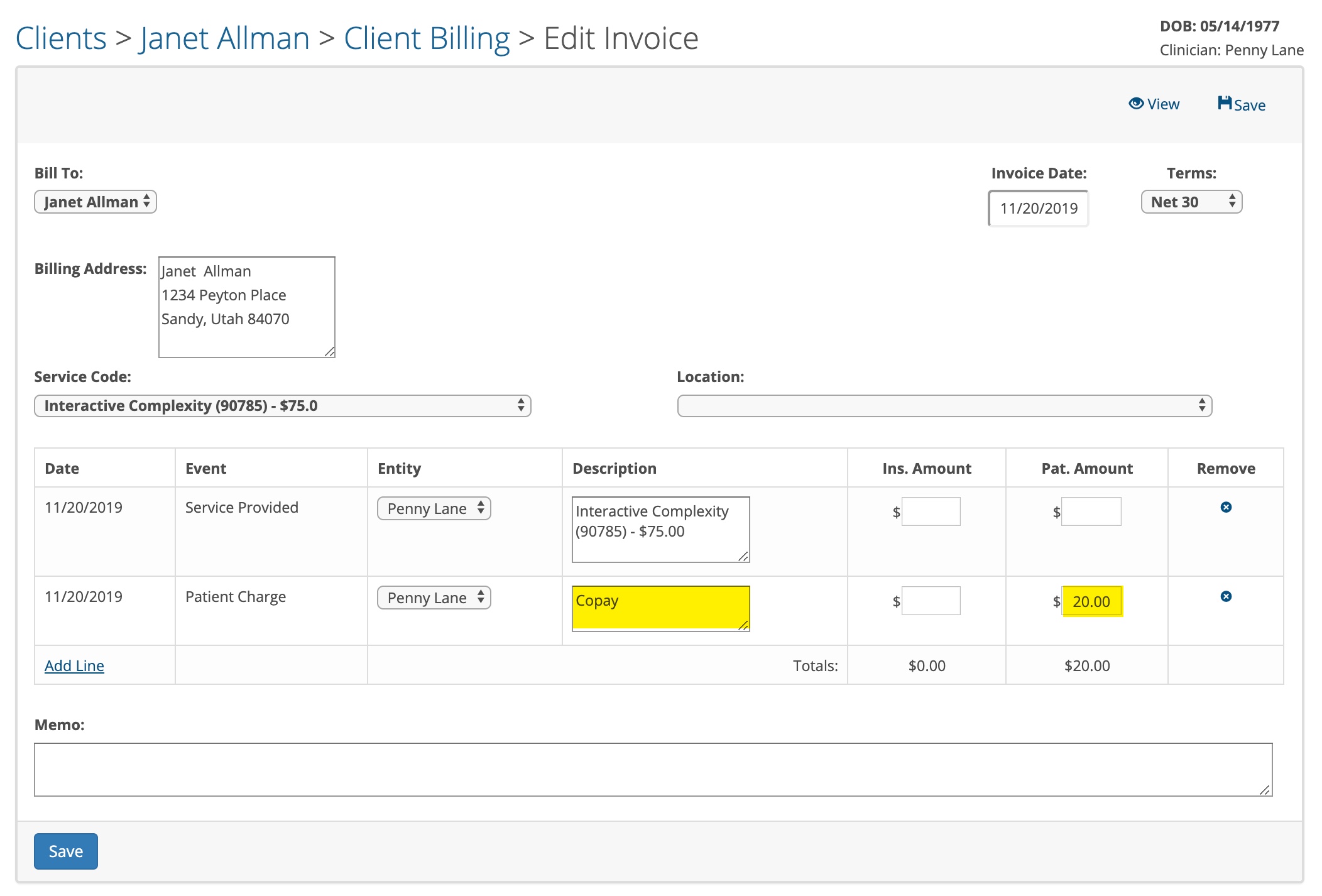
- Next, you need to add a new line for the insurance charge to the invoice. Make sure the date on the new insurance line is the same as the date of service. Select Insurance Charge in the second column, make sure the insurance provider is shown in the third column and add the description "Billing at 1 Unit". Then enter the dollar amount in the Ins. Amount column that matches the Service Code amount shown.
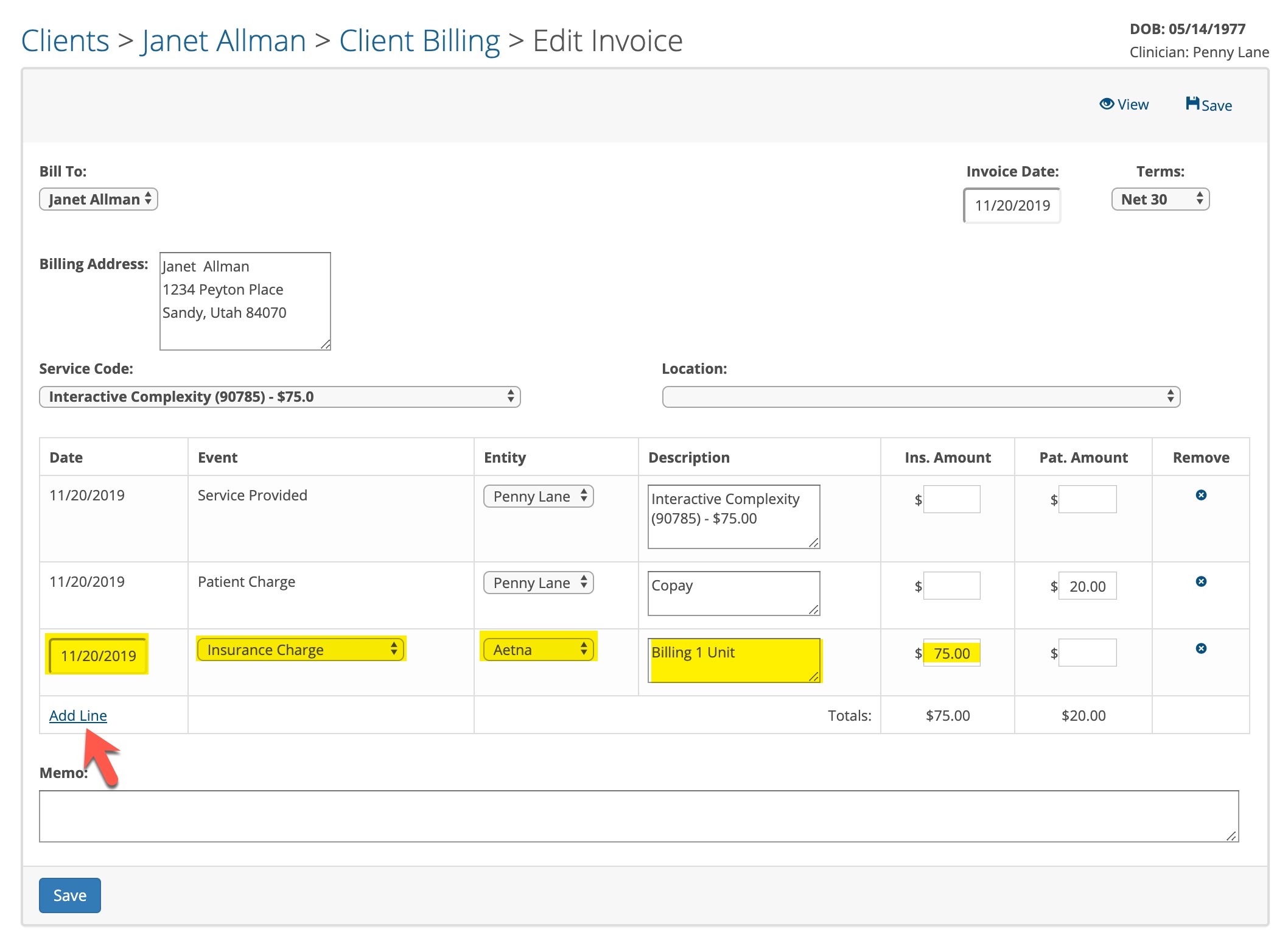
- Click Save when done. Repeat this process for any other invoices that you want to change from Private Pay to insurance.
When you have completed these steps, you will be able to bill the insurance company for the dates of services that you fixed.
In the future, make sure the client's billing settings are done accurately before you schedule them. This will prevent you from having to fix appointments and invoices.
In the future, make sure the client's billing settings are done accurately before you schedule them. This will prevent you from having to fix appointments and invoices.