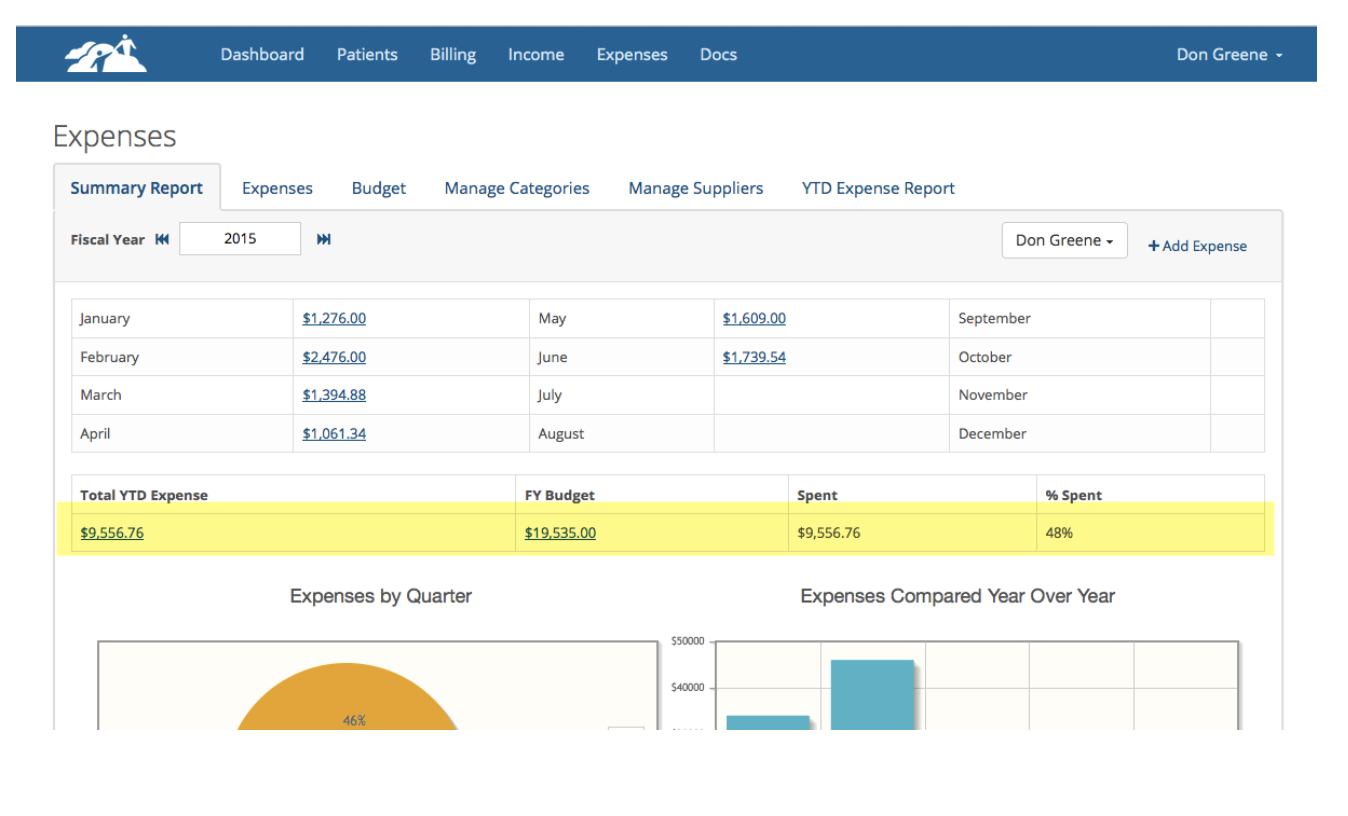
You can establish a budget for the year and track expenses against that budget. To get started, click on Expenses on the main menu bar. Then click on the Budget tab.
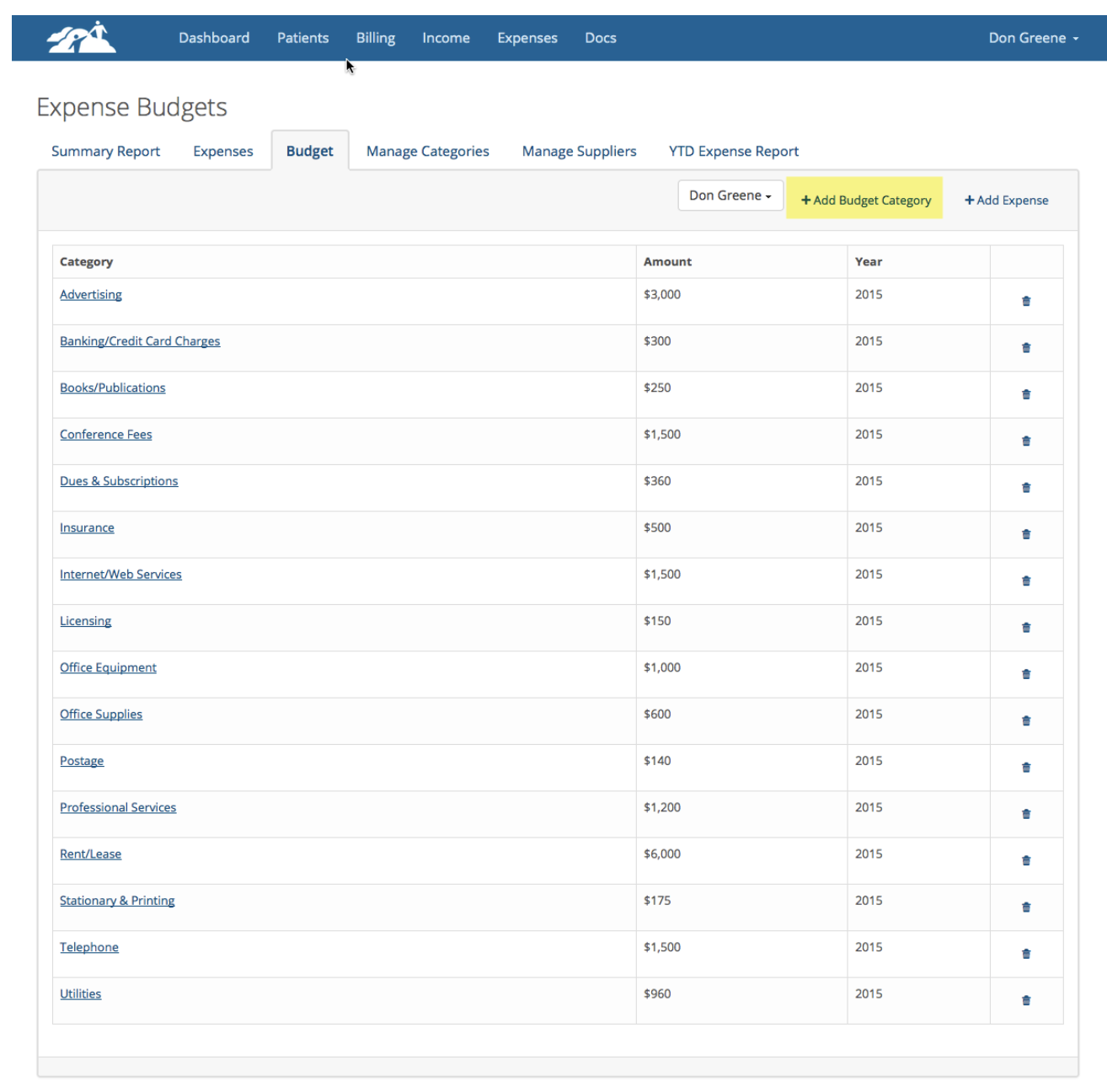
When you first start using TherapyMate none of the categories will be assigned a dollar amount for the year’s budget. You will need to do this for each category you wish to use. To establish a budget for an existing category, click on +Add Budget Category.
We supply many of the commonly used categories, but if you want to add an additional category you can do that by clicking on the Manage Categories tab.
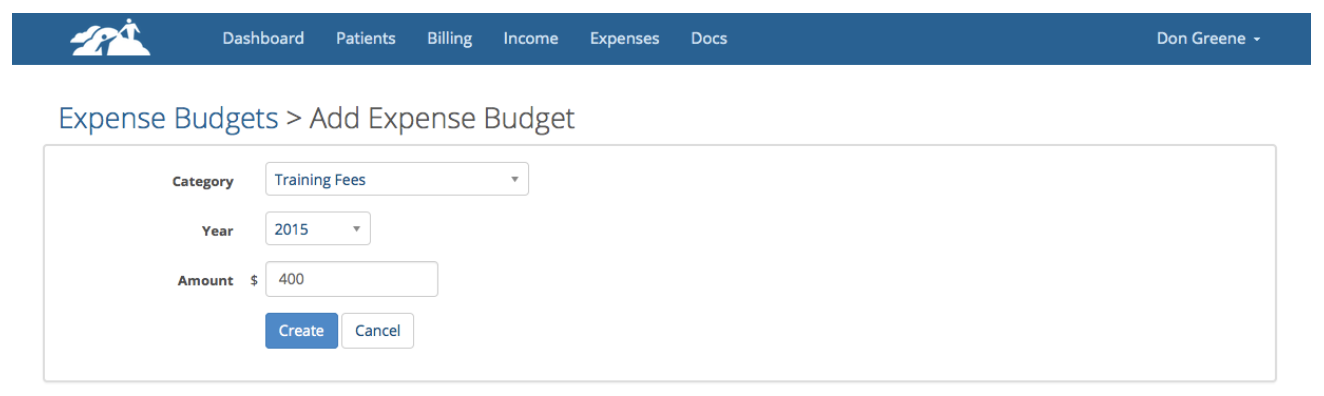
To assign a dollar amount to a category for the year select the category from the drop down. pick the current year and enter a dollar amount.
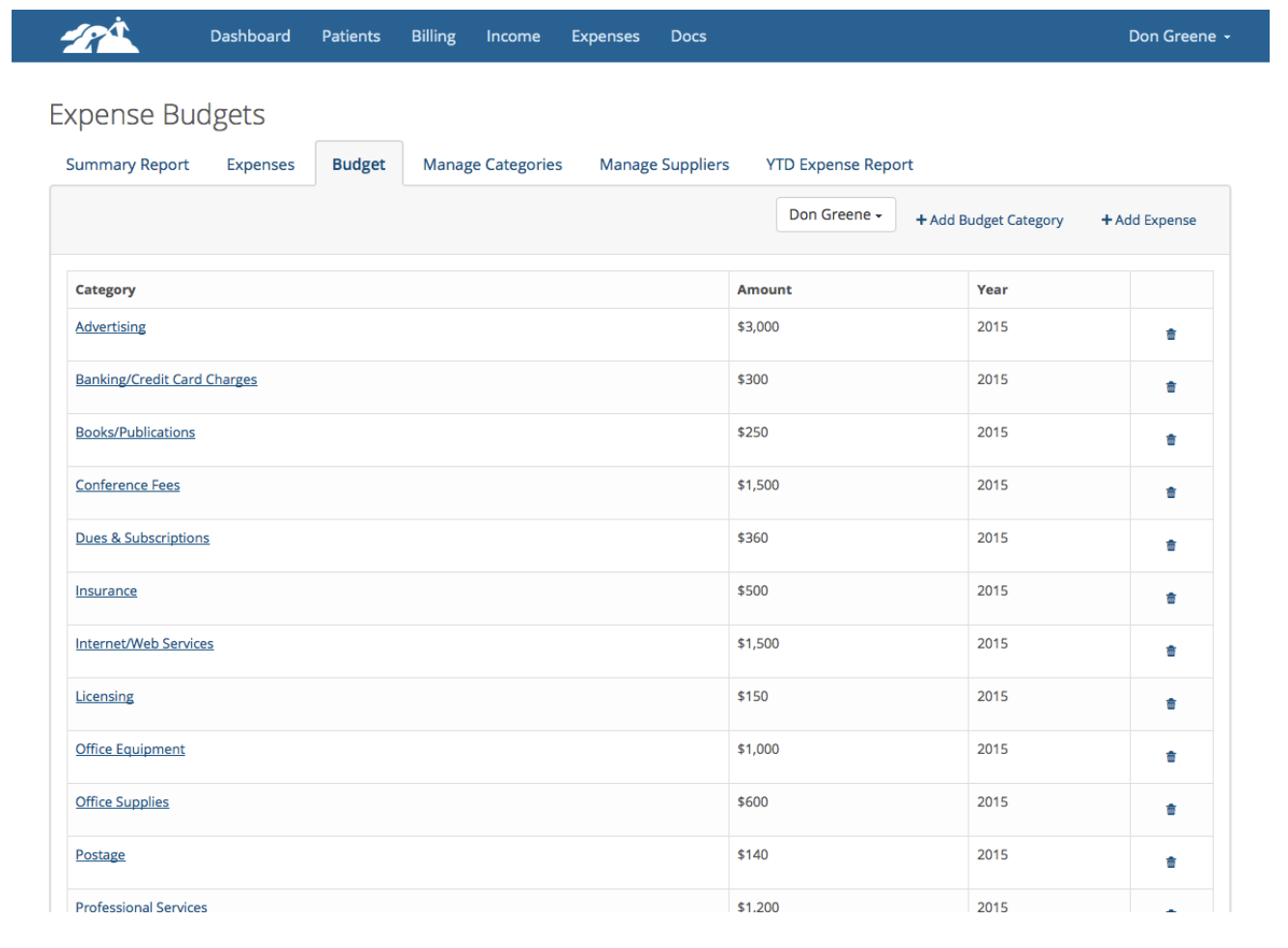
Click Create when done. Repeat this process for each budget category until you have a dollar amount assigned to each one. The example below shows what this should look like.
Return to the Expenses/Summary Report page to view you total FY Budget in the highlighted area below. When you get some of your expenses entered, you will be able to track your percentage spent against your budget.